




Rental solutions for companies
Rent a tablet with keyboard – the flexible solution for productive work in the company
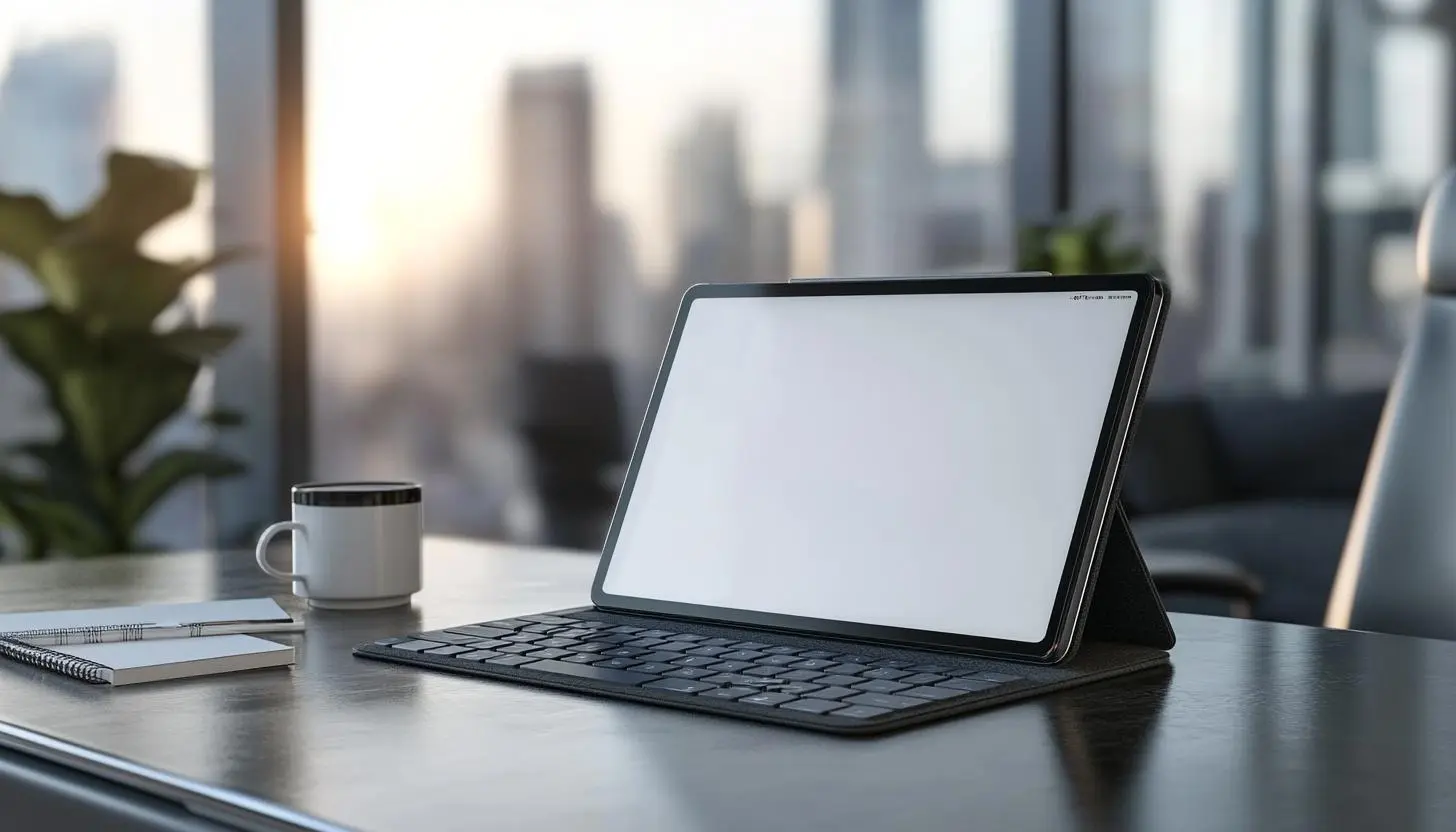
Tablet with keyboard: The flexible solution for mobile working
In today’s working world, flexibility and mobility are more crucial than ever. Companies rely on mobile devices to equip employees efficiently. A tablet with keyboard combines the advantages of a classic laptop with the versatility of a tablet – ideal for business trips, trade fairs, conferences or the home office.
Why a tablet with a keyboard?
Tablets with keyboards offer numerous advantages and have become a popular alternative to conventional laptops. Especially for companies that value mobility, ease of use and flexibility, there are many reasons to rely on these devices:
- Mobility: Tablets are compact, lightweight and easy to transport on the move.
- Productivity: Texts, e-mails or tables can be conveniently edited using a connected keyboard.
- Versatility: The devices can be used as a tablet for presentations or meetings as well as a laptop replacement.
- Longer battery life: Modern tablets offer high energy efficiency and outperform many laptops in terms of battery performance.
- Touch operation: The touchscreen function makes it easy to carry out creative work such as drawing or taking notes.
Areas of application for companies
Tablets with a keyboard are an ideal solution for numerous business areas. They unfold their full potential in the following scenarios in particular:
1. field service and sales
A lightweight and mobile device is essential for sales staff. A tablet with a keyboard makes it possible to show presentations on the move, take orders and connect flexibly to the company network.
2. trade fairs and conferences
Whether for presentations, advising customers or quickly processing emails – flexible devices are in demand at trade fairs. Tablets with a detachable keyboard make it particularly easy to switch between notes and customer presentations.
3. home office and hybrid working
Working from home has become established since the pandemic. Companies are benefiting from the opportunity to provide their employees with a fully-fledged working environment with rental tablets without having to make a large one-off investment.
Current tablet models with keyboard in comparison
The market offers numerous models with different operating systems, display sizes and performance features. The following overview shows some of the leading tablets with a keyboard:
| Model | Operating System | Display Size | Battery Life | Key Features |
|---|---|---|---|---|
| Apple iPad Pro + Magic Keyboard | iPadOS | 11″ / 12.9″ | Up to 10 hrs. | Ideal for Creatives & Business Applications |
| Microsoft Surface Pro 9 | Windows 11 | 13″ | Up to 15 hrs. | Full-fledged Laptop Replacement |
| Samsung Galaxy Tab S9+ with Book Cover Keyboard | Android | 12.4″ | Up to 14 hrs. | Excellent AMOLED Display |
| Lenovo ThinkPad X12 Detachable | Windows 11 | 12.3″ | Up to 10 hrs. | Optimized for Business Applications |
Renting instead of buying: Advantages for companies
For companies, the question often arises: buying or renting? Especially for large events or short-term projects, it pays off, renting tablets with a keyboard instead of making large investments.
Advantages of rental:
- Cost efficiency: No high acquisition costs, flexible rental options instead.
- Always up-to-date technology: access to the latest models without legacy hardware management.
- Scalability: The number of devices can be flexibly adapted to requirements.
- Carefree packages: Insurance, support and accessories are often included.
How do you choose the right tablet with a keyboard?
There are a few decisive criteria when choosing a tablet with a keyboard:
1. Operating system
Windows tablets offer the broadest compatibility with enterprise software, while iPadOS and Android devices offer ease of use and app ecosystems.
2. performance
Depending on the intended use, companies should look for a powerful processor, sufficient RAM and a fast operating system.
3. display size
While 10-inch devices are particularly handy, larger displays (12-13 inches) offer more productive working.
4. availability of accessories
Multi-touch pens, additional docks or expandable storage options can significantly increase the benefits of a tablet with a keyboard.
FAQ about tablets with keyboard
What are the advantages of a tablet with a keyboard over a laptop?
A tablet with a keyboard combines the mobility of a tablet with the productivity of a laptop. It is lighter, more compact and usually more energy efficient.
Can rented tablets be adapted to company requirements?
Yes, many providers enable the configured pre-installation of business apps or security software.
Is the rental of technical equipment for companies tax deductible?
In many cases, yes – rental equipment counts as a business expense and can be claimed for tax purposes.
Conclusion: The future of mobile work
Tablets with keyboards offer companies a versatile, powerful and flexible solution for modern working. Whether for outdoor use, home office or events – their adaptability makes them the perfect alternative to classic laptops.
Thanks to the rental option, companies benefit from maximum flexibility and cost efficiency. Would you like a
Read more - You may also be interested in
Would you like to delve deeper into the topic or discover similar content? Below, we have compiled three additional articles for you that are thematically related to this article. These may also be relevant and interesting for your company.

Advisor
Deepfake fraud & social engineering: protective measures for event staff, promotion teams and rental equipment
Deepfake fraud & social engineering 2025: How to protect events, promotion teams & rental equipment.
Feb

Technology trends
NIS2 compact for event IT & hardware rental: What companies should implement organizationally & technically now
NIS2 Directive 2025: How event IT & hardware rental companies are implementing organizational & technical
Feb
Technology trends
VR glasses 2025/2026 for trade fairs & events: device overview and selection criteria
VR glasses for trade fairs 2025/2026: The latest models & top criteria. How to choose
Feb

Sustainability
Renting hardware instead of buying: Environmental benefits, capacity utilization and carbon footprint
Why rent 2025 hardware? Reduce CO₂, optimize capacity utilization & benefit from sustainable IT solutions
Feb
Technology trends
USB-C/docking stations & “one cable for everything”: efficient workstation setups for events and pop-up offices
One cable for everything: How USB-C docking stations enable efficient workstation setups at events &
Feb

Sustainability
Sustainable logistics in IT: reusable transport boxes, return shipping without packaging waste & secure delivery
Sustainable IT logistics 2025: reusable transport boxes, waste-free returns & secure delivery. Modern solutions for
Jan

Sustainability
Circular economy through rental/leasing instead of buying: CO₂, costs and flexibility in comparison
Sustainable & flexible: circular economy through rental/leasing instead of buying! CO₂ reduction, costs & agility
Jan

Sustainability
Reusable transport boxes in hardware logistics: safety, returns without packaging, processes
Reusable transport boxes revolutionize hardware logistics in 2025: safe, efficient & sustainable ♻️ Discover the
Jan