




Technology trends
Apple vs. Windows in event use: which devices are better suited for which use cases
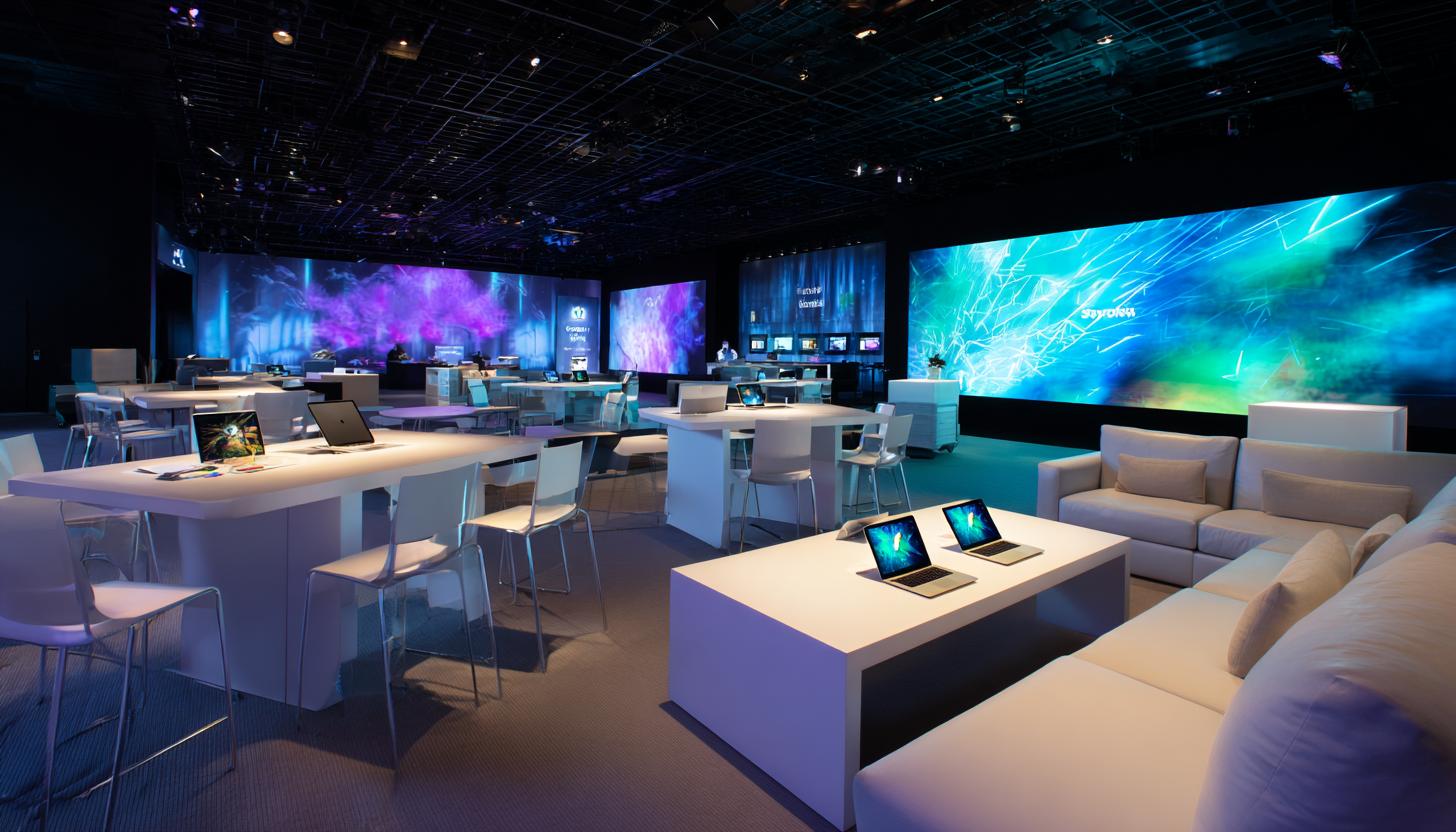
Apple vs. Windows in event use: which devices are better suited for which use cases
Anyone who professionally plans, manages or technically equips events can hardly avoid the question: Apple or Windows – which ecosystem is the better choice for events in 2026? In practice, this decision not only affects user-friendliness, but also issues such as compatibility, reliability, security, rollout speed, app availability and on-site support.
Different standards apply in the event sector than in the classic office environment. Devices must be ready for use quickly, be used by many people at the same time, work with presentation technology, check-in systems, digital signage, trade fair software or internal tools and, in case of doubt, run reliably even under time pressure. In addition, there are requirements such as mobile device management, temporary user profiles, network integration, battery life, robust hardware and the ability to provide large quantities at short notice.
Anyone looking for Apple vs Windows Event 2026 is usually not looking for a fundamental ideological debate, but clear guidance for specific applications: Which system is better suited to registration counters, interactive exhibition stands, digital attendee registration, speaker presentations, workshop rooms, roadshows, promotions or internal corporate events? That’s exactly what this article is about.
The short answer first: there is no one right system for all event use cases. Apple is strong in many scenarios where mobility, ease of use, high-quality design and a closed, stable ecosystem are required. Windows shows its advantages especially where maximum software compatibility, flexible peripheral connections, complex company processes and individual hardware configurations are important. For many events, the best solution is therefore not “either or”, but a targeted combination.
Why the choice of operating system is so important in the event sector
Every minute counts during an event. Unlike in stationary working environments, there is usually only a narrow time corridor on site for set-up, testing and live operation. Devices often have to be pre-configured, delivered, issued and put into productive use within a few hours. At the same time, different stakeholders use the same infrastructure: visitors, hostesses, sales teams, technicians, speakers, project managers or external agencies.
The choice between Apple and Windows therefore has a direct impact on operations. An example: Apple can be ideal for a simple trade fair check-in with a browser-based application on iPads. If you want to rent Apple iPads specifically for this purpose, you benefit from a particularly mobile and user-friendly solution. However, if proprietary Windows software also needs to be used for ticketing, label printing or CRM connection, there is often no way around Windows devices. The situation is similar for presentations: While MacBooks are popular with many speakers due to their stability and operating logic, some event locations and corporate environments explicitly require Windows compatibility – for example, for certain conference tools, legacy applications or special drivers.
In the B2B rental business, it is therefore not just the hardware that is decisive, but the perfect fit for the intended use. Companies should not select devices based on personal preference, but on the actual requirements of the event.
Apple in event use in 2026: Strengths that convince particularly often
Apple devices have long since established themselves in the event sector. In 2026, iPads and MacBooks in particular will be standard equipment at many trade fairs, congresses, roadshows and brand presentations. This is not only due to their design, but also to a combination of reliability, ease of use and high-quality user experience.
iPads in particular offer many advantages in everyday event use. They are light, mobile, quick to use and look extremely professional at reception, at the POS or on trade fair counters. Many check-in and survey solutions now run perfectly on iPadOS, either browser-based or as an app. iPads are also often the first choice for lead capture, product presentations, digital catalogs, signature capture or interactive forms. For compact, flexible setups, the iPad Air M2 11 inch is particularly interesting because it combines performance and mobility very well. If, on the other hand, maximum display area and performance are required at the trade fair stand, an iPad Pro M4 13 inch may be the right choice.
MacBooks, on the other hand, are popular for presentations, mobile project teams and creative workflows for content, streaming or event communication. Those who work heavily in the Apple ecosystem benefit from AirDrop, iCloud-based collaboration, seamless connections to iPhones and a consistent user experience in general. For many classic event and presentation scenarios, a lightweight MacBook Air M4 13 inch is perfectly adequate, while a MacBook Pro M4 Pro 16 inch is more suitable for more complex productions, videos or demanding creative workflows.
- High mobility: iPads and MacBooks are easy to transport and can be used flexibly in the venue.
- Ease of use: Familiarization is often uncomplicated, especially with changing users and temporary teams.
- Stable ecosystem: Hardware and software come from a single source, which can reduce sources of error.
- High-quality presentation effect: Appearance plays a particularly important role for premium brands, retail events and high-quality product presentations.
- Long battery life: Apple devices are often very interesting for mobile applications without a permanent power supply.
However, Apple also has clear limits. Some industry-specific applications only exist for Windows. In addition, the variety of connections, special peripheral handling or individual system adaptations are often more flexible under Windows. Anyone who needs to connect many different printers, scanners, USB accessories or proprietary event tools, for example, should check the suitability for use in advance.
Windows in event use 2026: Flexibility, compatibility and proximity to the company
Windows continues to be extremely relevant in the event business – and in many projects there is no alternative. The main reason for this is the enormous spread in the corporate environment. Many customers work internally with Microsoft 365 structures, Active Directory, Intune, VPN setups, industry-specific tools or individually developed applications that were primarily designed for Windows. If you want to use the same processes, data flows and software connections in the event as in the office, Windows is often the more suitable platform.
There is also a large selection of hardware. From compact business notebooks and powerful presentation laptops to robust 2-in-1 devices or stationary trade fair PCs, almost every need can be covered with suitable Windows hardware. Office laptops for rental are often a particularly economical and pragmatic solution for typical office and organizational tasks at events.
Windows is often the more pragmatic solution for events with many interfaces. These include registration stations with label printing, scanner connections, badge software, local database applications, POS solutions, special hardware or complex multi-screen setups. Even if drivers have to be installed, admin rights assigned or special software integrated at short notice, Windows often offers the greater scope. If a device is to function as a tablet and laptop at the same time, a Surface Pro 10 is a very flexible option for many event setups.
Another plus point is the familiarity for many corporate users. Internal teams, sales staff or technical service providers are often used to Windows setups. This can reduce the amount of on-site support required – especially for larger rollouts with many parallel devices. When a reliable business notebook with a classic Windows environment is required, an HP ProBook 450 G10 i7 is often chosen because it combines performance, connectivity and office suitability.
Apple vs Windows Event 2026: The direct comparison in practice
| Criterion | Apple | Windows |
|---|---|---|
| Check-in & visitor registration | Very strong in app- or browser-based iPad solutions | Strong in complex registration processes with printers, scanners and special software |
| Presentations & speaker use | Popular for stability, mobility and high-quality user experience | Ideal for PowerPoint-heavy corporate setups and special AV requirements |
| Software compatibility | Good, but more dependent on the app ecosystem and web applications | Very high, especially for enterprise software and legacy applications |
| Peripherals & connections | Adapters often necessary, more standardized | Usually more flexible with connections, drivers and special hardware |
| Design & brand impact | Very high quality, often preferred for premium productions | Depending on the device, professional to functional, wide range |
| MDM & device management | Very good in clearly structured mobile setups | Very strong in enterprise environments with Microsoft infrastructure |
| Flexibility for special cases | Rather more limited | Mostly higher |
| Battery life & mobility | Usually very strong | Depends on the device, often also good in the business segment |
Which devices are suitable for which event use cases?
The crucial question is not just “Apple or Windows?”, but: Which device fulfills the task at the event most reliably? In the following, we take a look at typical application scenarios.
iPads are often the most elegant solution for check-in, accreditation and visitor registration in 2026 – especially when working with cloud-based event platforms. They can be placed on counters, mounted on a stand or used as mobile devices. However, as soon as badge printers, scanners or local special software are added, Windows laptops or Windows all-in-one systems are often the more robust choice.
For trade fairs and product presentations, iPads are ideal for bringing products to life visually, filling out forms or capturing leads. For interactive software demos, consulting-intensive applications or large monitor displays, on the other hand, a Windows notebook may make more sense – especially in more complex presentation environments.
For speakers, moderation and presentation technology, the ideal choice depends heavily on the content. MacBooks are popular with creative presenters, for keynotes and in the video or design environment. Windows laptops score points for standardized company presentations, Microsoft 365-heavy projects and wherever maximum PowerPoint compatibility or special hardware plays a role.
For mobile promotion teams and sales campaigns, iPads often impress with their fast usability, low weight and intuitive operation. However, if extensive Excel models, CRM interfaces with deep integration or local business applications need to be used, Windows notebooks or convertibles are more suitable.
For back office and event management on site, Windows devices often have an advantage because they are easier to integrate into typical company processes. Project plans, data exports, Excel evaluations, printing processes, VPN access and internal tools often run particularly smoothly here.
The role of rental instead of purchase in the event sector
For many companies, the question is not only about the system, but also about procurement. In 2026, rental is often more economical and operationally more sensible than purchasing, especially for temporary use. This applies in particular to trade fairs, roadshows, annual general meetings, congresses, pop-up areas, training courses or seasonal promotions.
A professional B2B rental partner doesn’t just supply hardware, but ideally a complete package ready for use: pre-configured devices, with branding, apps, user profiles, MDM connection, kiosk mode, accessories, SIM cards, cases, stands, keyboards or suitable charging infrastructure if required. This is precisely where the difference between pure device provision and event-ready solution expertise becomes apparent.
Advice is particularly valuable when it comes to Apple vs Windows decisions. Many events benefit from a mixed fleet: for example, iPads for guest contact and Windows laptops for the organization team in the background. Those who rent devices can tailor the hardware exactly to the use case instead of making compromises with their own inventory.
Important decision criteria for companies in 2026
The requirements for event hardware have increased significantly in recent years. Hybrid formats, digital participant journeys, more demanding security requirements and the expectation of seamless user experiences make the selection process more complex. Companies should therefore clarify a few key questions before making any inquiries.
- Which software is actually used? Browser-based, app-based or only executable under Windows?
- Which peripherals are required? Printers, scanners, card readers, monitors, audio interfaces or special accessories?
- How mobile do the devices need to be? Stationary counter solution or permanent use in the field?
- How many users take turns? This results in requirements for operability, access protection and reset processes.
- What security and IT requirements apply? MDM, network restrictions, user rights, VPN, data deletion or compliance?
- What effect should the setup have on the outside world? Functional, neutral or deliberately high-quality and brand-strong?
These questions help to determine the right direction. It is often the case that the decision depends less on the operating system than on the specific application objective.
Apple or Windows – which is better for whom?
In 2026, Apple is particularly suitable for companies that rely on a modern, high-quality and user-friendly event setup, especially in the areas of visitor interaction, presentation, lead capture and mobile brand staging. Anyone looking for iPads for check-in, surveys, product advice or digital catalogs is often very well advised to use Apple.
Windows is usually the stronger choice when events are closely interlinked with company software, individual processes or special hardware. Windows often remains the more flexible system for technical production environments, complex registration stations, classic office workflows and versatile interface requirements.
In practice, Apple is therefore often the best front-end solution, while Windows is often the best back-end and process solution. If you combine both worlds sensibly, you can increase user-friendliness and technical security at the same time.
Why professional event hardware consulting makes all the difference
For larger events in particular, the choice of equipment is not a detail, but a critical success factor. The best hardware is of little use if it is not available on time, properly pre-configured or compatible with the existing event infrastructure. An experienced rental partner should therefore not only offer Apple and Windows devices, but also actively support you in defining the right mix for the respective event case.
This also includes recognizing possible risks in advance: Is an iPad really enough or is a fully-fledged Windows laptop needed after all? Do accessories such as adapters, keyboards, protective housings, LTE connectivity or a printer need to be planned at the same time? Will devices be operated in kiosk mode? Does data need to be securely deleted after the event? Should the setup be rolled out internationally? All these questions are crucial for a smooth process.
It therefore makes sense for companies, agencies and event organizers to inquire early on and plan the event setup together. This way, devices can not only be reserved appropriately, but also optimally coordinated with the application, branding and user flow.
FAQ: Apple vs Windows in event use 2026
Which is better for event check-in: iPad or Windows laptop?
That depends on the software. The iPad is often ideal for app- or browser-based check-ins. If badge printers, scanners or special registration software are used, a Windows laptop is usually more flexible.
Are MacBooks suitable for presentations at events?
Yes, very good. They are mobile, powerful and popular with many speakers. However, it is important to check compatibility with the existing AV technology and required connections in advance.
When is Windows the better choice for events?
Especially when special business software, many interfaces, individual drivers or classic Office workflows are required.
Is it possible to combine Apple and Windows devices at an event?
In fact, this is often the best solution. For example, iPads can be used for visitor interaction and Windows devices for organization, printing and back office.
Why is it worth renting rather than buying event hardware?
Because companies receive exactly the devices they need for the respective period and use case – including configuration, accessories and support, without long-term capital commitment.
Conclusion
The Apple vs Windows Event 2026 debate cannot be decided on a one-size-fits-all basis – and that is precisely the most important finding. Apple is particularly convincing in event use where mobility, simplicity, design and a strong user experience are required. Windows remains unbeatable when compatibility, flexibility, special software and company integration are the focus.
For many professional events, it is therefore not a dogmatic decision in favor of one system, but rather the right choice depending on the use case. Anyone looking at registration, presentation, lead capture, event management or promotion will quickly realize this: Different tasks require different devices.
If you are looking for the right hardware for trade fairs, congresses, roadshows, training courses or corporate events, it is worth making a needs-based inquiry. With the right combination of Apple and Windows devices, professional pre-configuration and reliable provision, you can create the basis for a smooth event process – technically, organizationally and from your guests’ perspective.
Read more - You may also be interested in
Would you like to delve deeper into the topic or discover similar content? Below, we have compiled three additional articles for you that are thematically related to this article. These may also be relevant and interesting for your company.
Technology trends
Apple vs. Windows in event use: which devices are better suited for which use cases
Apple or Windows for events in 2026? We show strengths, weaknesses & areas of application
Apr
Advisor
Phishing & social engineering at trade fairs: Typical attacks and protective measures for teams on site
Phishing & social engineering at trade fairs 2026: Recognize typical attacks, protect your team &
Mar
Advisor
Windows 11 rollout & end of Windows 10 support (2026): What companies should consider now when renting and leasing devices for projects, events and rollouts
Windows 11 rollout & end of support for Windows 10: What companies need to consider
Mar
Rental solutions for companies
Fiber to the room (adhesive fiber optics) for exhibition stands & pop-ups: plan, install and remove temporary high-speed cabling without leaving any residue
Discover the advantages of adhesive glass fiber for your exhibition stand: high-speed, flexible, residue-free &
Mar

Technology trends
Shadow AI in everyday office life: risks, rules and safe alternatives for companies (intended for event/project teams & temporary devices)
Shadow AI in everyday office life: Recognize 2026 risks & safe alternatives for event and
Mar
Rental solutions for companies
Plan event IT accessories correctly: stands, brackets, adapters & cables without stress
Plan your event IT accessories stress-free! Tips on stands, brackets, cables & more. Rent cleverly
Mar
Advisor
Deepfake fraud & social engineering: protective measures for event staff, promotion teams and rental equipment
Deepfake fraud & social engineering 2025: How to protect events, promotion teams & rental equipment.
Feb

Technology trends
NIS2 compact for event IT & hardware rental: What companies should implement organizationally & technically now
NIS2 Directive 2025: How event IT & hardware rental companies are implementing organizational & technical
Feb