




Rental solutions for companies
iPads/tablets for registrations & lead capture at events: setup, accessories and best practices
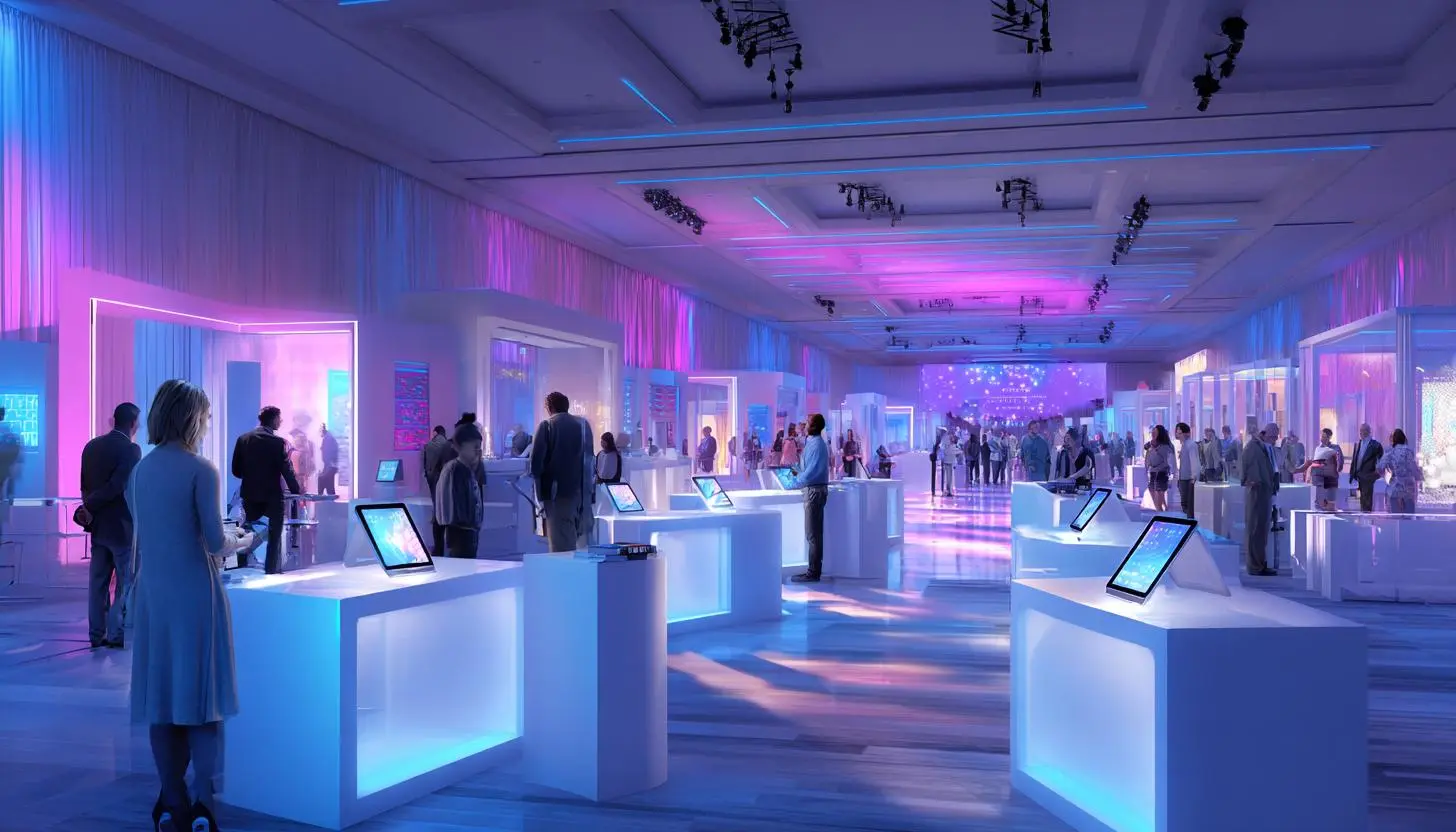
iPads/tablets for registrations & lead capture at events: setup, accessories and best practices
Whether it’s a trade fair, roadshow, congress, employee event or exclusive B2B product presentation: today, the first impression is often no longer made at the reception desk, but at the digital check-in. At the same time, the quality of lead capture directly determines how much sales potential an event can actually generate downstream. This is precisely why professionally prepared tablets and iPads have long been more than just practical helpers – they are a central component of modern event processes.
If you want to rent Apple iPads for an event, you are usually not just looking for hardware, but a functioning overall solution: reliable, quickly ready for use, visually matching the brand identity and technically prepared so that registration, data collection and follow-up run smoothly. The requirements are particularly high in the B2B environment: data protection, stable connectivity, uniform device management, professional stand accessories, replacement devices and short response times on site.
In this article, we show you what is important for iPads and tablets for registration and lead capture at events in 2026, which setup has proven itself in practice, which accessories really make sense and which best practices companies should consider when planning, renting and using them.
Why iPads and tablets will be indispensable at events in 2026
In 2026, the event industry is clearly more digital, networked and data-driven than ever before. Traditional paper lists, business card trays or spontaneous Excel notes on the trade fair stand not only look unprofessional, but also slow down processes and increase error rates. Modern event registration and lead capture must be fast, mobile, secure and analyzable.
This is exactly where iPads and tablets come into their own. They enable low-contact self-check-ins, support stand personnel with lead qualification in real time and can be flexibly integrated into almost any event concept. Their mobile design, long battery life and ease of use make them ideal for temporary use – especially when many participants need to be registered in a short space of time.
Compared to stationary setups, tablets are also much more flexible. They can be operated on stands at the entrance, used by the team on the move in the exhibition area or used in meeting areas for appointment registrations. For organizers, agencies and exhibiting companies, this means less friction, better data quality and a more professional visitor experience.
Typical areas of application for rented iPads at events
The requirements for devices, apps and accessories vary depending on the event format. In practice, iPads and tablets 2026 have proven themselves in the following scenarios in particular:
- Visitor registration at the entrance: check-in via QR code, name search, badge issue or admission confirmation directly at reception.
- Self-service kiosks: Participants register themselves at the tablet terminal, update data or confirm their presence.
- Lead capture at the trade fair stand: stand personnel document conversations, scan badges and add notes, ratings or interest profiles.
- Competitions and promotions: Interactive forms, surveys or product experiences support data collection in the marketing context.
- Appointment management: Arrange consultation slots, demo times or meetings directly on the device.
- Event apps and participant communication: Agenda, site plans, speaker information or networking functions are made accessible on the tablet.
In the B2B sector in particular, it is crucial that the system used not only collects data, but also records sales-relevant information in a structured manner. A good lead is more than just a name and email address. Relevant information includes interest in buying, product category, budget, time horizon, follow-up request or contact person in the sales team.
Renting iPads for events 2026: Why rental often makes more sense than buying
For many companies, the initial question is whether to use existing equipment or purchase additional hardware. In reality, rental is in many cases the more economical and organizationally better solution – especially for temporary events.
Those who rent iPads for events benefit above all from scalability and professional preparation. Instead of having their own pool of devices, companies can book exactly the number, model and equipment that suits the event. This is particularly helpful for trade fairs with large numbers of visitors, international roadshows or parallel events at several locations.
What’s more, rented devices are usually checked, cleaned, preconfigured on request and provided in a standardized manner. This massively reduces internal IT costs. Replacement devices, charging accessories, kiosk systems or logistics services can also usually be covered directly by a specialized partner.
This is an important lever for B2B companies: the event team can concentrate on processes, visitors and leads instead of dealing with software updates, Apple IDs, charging problems or different device generations.
The ideal setup for registration and lead capture
A strong event setup never just consists of the tablet itself. The interplay of hardware, software, network connection, power supply and user guidance is crucial. If you want to work professionally, you should already define in the planning phase which processes will be mapped digitally and how many users will access the system at the same time.
For check-in at the entrance, permanently installed iPads on floor stands or counter mounts have proven their worth. This solution looks neat, protects the devices and creates an intuitive self-service situation for visitors. For the team at the trade fair stand or in the congress area, on the other hand, mobile devices with a protective cover and hand strap make more sense so that leads can be captured directly during the conversation.
The display size also plays a role. Compact devices are mobile and lightweight, while larger displays are more convenient for forms, presentations and self-service interfaces. The iPad Air M2 11 inch is suitable for particularly flexible setups at the counter or in mobile use, while a larger display such as the iPad Air M2 13 inch offers advantages for stationary registration stations with a large form area. If particularly high performance and a high-quality display are required, for example for premium presentations or sophisticated event apps, the iPad Pro M4 11 inch can also be a very suitable choice.
| Field of application | Recommended setup | Important advantages |
|---|---|---|
| Visitor check-in | iPad on floor stand or counter mount | Orderly reception, quick self-registration, professional appearance |
| Lead capture at the stand | Mobile iPad with case, hand strap and power bank | Flexible data capture directly during the conversation, high mobility |
| VIP or press desk | Tablet with keyboard or desktop stand | Convenient input of longer data, efficient special process |
| Promotion campaign | Tablet kiosk with locked app view | Controlled use, high brand contact, low operating errors |
| Meeting and appointment booking | Tablet with calendar or booking software | Direct appointment scheduling and better utilization on site |
Which accessories are really important at events
At many events, the importance of the right accessories only becomes apparent during live operation. Even the best tablet is of little use if it is wobbly, not sufficiently charged or has to be used unprotected when there is a high visitor frequency. Professional accessories not only increase operational safety, but also improve appearance and ergonomics.
The most important components include stable holders and kiosk systems. They ensure a secure stand at the reception or stand counter and protect the devices from slipping, falling over or unintentional removal. Lockable systems are a relevant security factor, especially for publicly accessible event areas.
Charging options are just as important. Even if modern iPads have good battery life, longer event days should never be planned without a backup. Power supply units, multiple chargers, cable management and, for mobile teams, power banks are therefore part of the basic equipment. For a clean brand presentation, it is also worth ensuring that the setup is as tidy as possible without cable chaos.
Also useful are:
- Protective covers for mobile use
- Display protection for highly frequented touchpoints
- Hand straps or carrying aids for stand personnel
- External scanners for QR or barcodes when fast check-in is required
- Bluetooth keyboards for more extensive data input
- Printer connection for badges, tickets or receipts
Anyone renting devices should make sure that not only the tablets themselves, but also suitable accessories are available from a single source. For the network connection at events in particular, it can be useful to rent additional routers as event accessories so that check-in and lead capture run stably regardless of the venue WiFi.
Software, MDM and kiosk mode: the often underestimated success factor
The hardware is only half the rental. The technical preparation of the devices is just as important. In 2026, organizers and exhibitors expect a setup that works without manual individual configuration and is delivered ready to use. This is exactly where professional mobile device management comes into play.
MDM allows iPads to be centrally configured, loaded with apps, locked in kiosk mode and equipped with Wi-Fi profiles or security settings. This is a huge advantage for events, as all devices function uniformly and there are no unwanted distractions or operating errors. If a tablet is only to display the registration or lead app, guided access or kiosk mode is almost mandatory.
Automatic updates should also be planned carefully. During an ongoing event, unplanned app changes or operating system updates are problematic. Devices should therefore be tested in advance and frozen at a stable level. Professional mobile device rental companies often offer precisely these preparation services as part of the rental project.
Integration into existing systems is also important. Ideally, it should be possible to transfer lead data directly into CRM, marketing automation or event platforms. The fewer media disruptions there are, the faster and more effective the follow-up will be.
Connectivity at events: WLAN alone is often not enough
A common mistake in event planning is the assumption that the internet connection on site will “somehow” work. In fact, unstable Wi-Fi is one of the most common causes of delayed check-ins, incomplete records or frustrated visitors. If you take digital registration and lead capture seriously, you need to consider connectivity as a critical infrastructure.
The available network can quickly become overloaded, especially at trade fairs, congresses or in historic locations. That’s why a redundant approach is recommended in 2026: prepared Wi-Fi plus an alternative mobile solution, for example via 5G-capable routers or SIM-based devices. For compact, quickly deployable mobile connections, the FRITZ!Box 6820, for example, is a practical solution for temporary event networks.
It should also be checked whether the software used is offline-capable or can at least cache data. This is particularly important during peak admission times. Nothing is more unpleasant than a queue because a single network failure paralyzes the entire reception.
Data protection and security in lead capture
In the B2B environment, data protection is no longer a marginal issue, but part of professional brand perception. Anyone who collects personal data at events must work transparently, legally compliant and for a specific purpose. This applies not only to the content of the forms, but also to device protection, access control and data transmission.
Visitors should be able to clearly see what data is collected and what it is used for. Consent for marketing communication must be documented in a comprehensible manner. Tablets should also be operated with code locks, restricted access and a secure network connection. Open note apps, unsecured browser tabs or locally stored Excel files will no longer be a viable solution in 2026.
For rental devices, it makes sense to specify in advance how data will be handled after the event. Are devices reset? Is data stored locally or only cloud-based? Are there documented deletion processes? A reputable rental partner can not only supply hardware here, but also create trust.
Best practices for smooth event registrations and better leads
In practice, small details often decide whether the setup just works or is really convincing. Anyone using iPads and tablets professionally at events should not only think about the technology, but also about user guidance, speed and post-processing.
- Test in advance: Every app, every scanner, every printer and every network connection should be tested under realistic conditions.
- Configure devices uniformly: Different interfaces or app versions cost time and cause errors.
- Plan for replacement devices: Additional devices should be available immediately, especially for large events.
- Keep forms short: Only request really relevant fields to avoid aborts.
- Standardize lead qualification: Work with clear selection fields instead of unstructured free text.
- Briefing staff: The team must not only operate the app, but also understand what information is important for marketing and sales.
- Prepare follow-up: The value of a lead depends heavily on how quickly and precisely it is responded to after the event.
Another important point is branding. Tablets should not look like improvised technology, but should be part of the event presentation. Matching stands, clean surfaces, branded screens and a well thought-out welcome concept make a clear difference in terms of perception.
If a particularly large number of participants need to be processed in a short space of time at the entrance, it is also worth using a dedicated scanner. A model such as the DS4208 barcode scanner can capture QR codes and barcodes much faster and more ergonomically than the tablet camera alone.
What questions companies should clarify before renting
Before a company requests iPads for an event, it is worth carrying out a brief needs analysis. How many devices are actually needed? Are they to be used stationary or mobile? Will an app be pre-installed? Are there any requirements for accessories, MDM, SIM cards, scanners or printers? Is shipping to multiple locations necessary? Is support required during the event?
The clearer these points are defined in advance, the more precisely a rental setup can be put together. A good B2B rental company not only provides support with hardware, but often also with advice on configuration, rollout and event logistics. This support is crucial, especially for more complex projects with several dozen or even hundreds of devices.
If you regularly organize events, trade fairs or roadshows, a specialist rental partner can also help you set up standardized processes. This saves time in the long term, reduces risks and ensures that every event starts with a professional, repeatable setup.
FAQ
Why use iPads instead of paper lists for event registrations?
iPads speed up check-in, reduce errors, improve the visitor experience and enable direct digital processing of data. This saves time and significantly increases data quality.
For which types of events is it worth renting iPads?
Especially for trade fairs, congresses, in-house exhibitions, roadshows, conferences, product launches, training courses and corporate events. Rental is particularly useful for temporary requirements or changing numbers of participants.
Which accessories are particularly important for event use?
Depending on the application scenario, holders, kiosk systems, protective covers, chargers, power banks, scanners, keyboards and possibly badge printers are particularly relevant.
Is it possible to have rental iPads configured with apps and settings in advance?
Yes, professional rental companies usually offer pre-configuration, app installation, kiosk mode, Wi-Fi profiles, MDM integration and other customizations.
What happens if a device breaks down on site?
For professionally planned event rentals, replacement equipment is usually recommended or booked directly. Depending on the project, technical support can also be organized.
Is lead capture on tablets possible in compliance with data protection regulations?
Yes, if the software used is properly configured, consent is obtained correctly and devices are operated securely. Transparent processes and reliable data handling are important.
Conclusion
In 2026, iPads and tablets will be a key success factor for professional registrations and high-quality lead capture at events. They speed up processes, improve the user experience, increase data quality and support sales and marketing far beyond the event itself. The decisive factor here is not just the device itself, but a well thought-out overall setup comprising hardware, accessories, connectivity, software and support.
If you want to rent iPads for events, you should therefore rely on an experienced B2B partner who offers more than just available quantities. Pre-configured devices, suitable accessories, clean logistics and advice at eye level are required. This turns a simple tablet deployment into a professional event solution that inspires visitors and creates measurable business value at the same time.
If you need iPads or tablets for your next trade fair, roadshow, conference or promotional campaign, it’s worth making an early inquiry. This way, devices, accessories and configuration can be perfectly tailored to your event – for a digital presence that not only works, but also impresses.
Read more - You may also be interested in
Would you like to delve deeper into the topic or discover similar content? Below, we have compiled three additional articles for you that are thematically related to this article. These may also be relevant and interesting for your company.

Rental solutions for companies
iPads/tablets for registrations & lead capture at events: setup, accessories and best practices
iPads & Tablets 2026 for Event Registration & Lead Capture: Top Setup, Accessories & Best
Apr
Technology trends
Apple vs. Windows in event use: which devices are better suited for which use cases
Apple or Windows for events in 2026? We show strengths, weaknesses & areas of application
Apr
Advisor
Phishing & social engineering at trade fairs: Typical attacks and protective measures for teams on site
Phishing & social engineering at trade fairs 2026: Recognize typical attacks, protect your team &
Mar
Advisor
Windows 11 rollout & end of Windows 10 support (2026): What companies should consider now when renting and leasing devices for projects, events and rollouts
Windows 11 rollout & end of support for Windows 10: What companies need to consider
Mar
Rental solutions for companies
Fiber to the room (adhesive fiber optics) for exhibition stands & pop-ups: plan, install and remove temporary high-speed cabling without leaving any residue
Discover the advantages of adhesive glass fiber for your exhibition stand: high-speed, flexible, residue-free &
Mar

Technology trends
Shadow AI in everyday office life: risks, rules and safe alternatives for companies (intended for event/project teams & temporary devices)
Shadow AI in everyday office life: Recognize 2026 risks & safe alternatives for event and
Mar
Rental solutions for companies
Plan event IT accessories correctly: stands, brackets, adapters & cables without stress
Plan your event IT accessories stress-free! Tips on stands, brackets, cables & more. Rent cleverly
Mar
Sustainability
Energy efficiency in temporary setups: energy-saving displays, mini PCs, standby concepts and on-site operation
Energy-efficient event technology 2026: Discover smart displays, mini PCs & standby tricks for sustainable events!
Mar