




Advisor
Phishing & social engineering at trade fairs: Typical attacks and protective measures for teams on site
Phishing & social engineering at trade fairs: Typical attacks and protective measures for teams on site
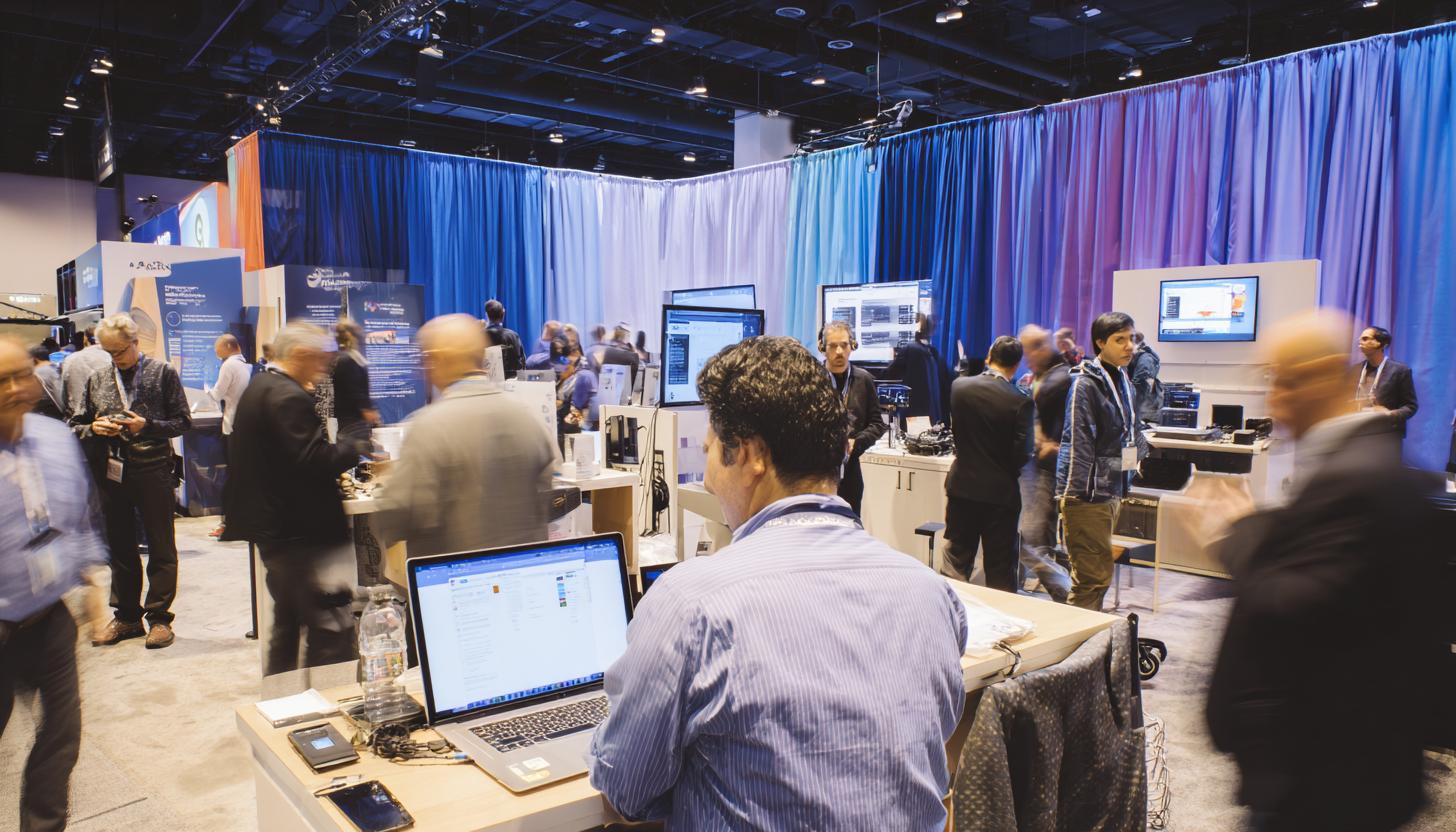
Trade fairs are real high-performance phases for many companies: Sales, networking, product presentations, spontaneous customer appointments, lead capture and internal coordination all run in parallel. However, it is precisely this dynamic that makes events an attractive target for cyber criminals. Phishing at trade fairs is no longer a marginal issue. Where many people, mobile devices, open WLANs, time pressure and changing contacts come together, ideal conditions are created for social engineering, identity misuse and digital attacks on company data.
For teams on site, this means that IT security does not end at the trade fair stand. On the contrary. Especially when iPads are used for lead capture at trade fairs and events, smartphones for two-factor authentication, laptops for presentations and mobile printers or hotspots, a professional security concept is crucial. Anyone who only considers mobile technology in functional terms is underestimating the risk. If you prepare it properly, manage it centrally and, ideally, work with professionally preconfigured rental devices, you significantly reduce the attack surface.
In this article, we highlight the typical threats that will be relevant at trade fairs in 2026, show real attack patterns and provide practical protective measures for teams on site.
Why trade fairs are an ideal environment for phishing and social engineering
There is a special mix of openness and hustle and bustle at trade fairs. Visitors want to obtain information quickly, exhibitors want to generate leads and many contacts are made spontaneously. Attackers specifically exploit this situation. Instead of relying solely on traditional phishing emails, they now combine digital and physical methods.
An alleged organizer employee asks for access data for the exhibitor portal at the stand. An alleged technical service provider asks to insert a USB stick with presentation data. A text message warns of an allegedly blocked participant registration. A QR code on a flyer leads to a deceptively genuine login page. This is precisely where the danger lies: attacks at trade fairs often appear credible, contextualized and harmless.
Social engineering is not primarily aimed at vulnerabilities in software, but at human behavior: Helpfulness, stress, curiosity, belief in authority or the desire to solve processes quickly. These factors are particularly pronounced in a trade fair environment.
Typical forms of attack: How phishing works at trade fairs today
Methods have evolved in recent years. Traditional mass mailings still exist, but we are increasingly seeing contextual attacks with a high level of credibility at events. The combination of digital deception and direct physical presence is particularly dangerous.
| Form of attack | Typical scenario at the trade fair | The risk | Recommended protective measure |
|---|---|---|---|
| Phishing mail | Alleged message from the organizer regarding stand documents or logins | Access data theft, account takeover | Check sender, no logins via mail links, use MFA |
| Smishing | SMS about package, exhibitor pass or change of date | Malware, data theft | Do not open links from unknown text messages, secure devices |
| Quishing | QR code on flyer, sign or roll-up leads to fake page | Credential harvesting, payment fraud | Verify QR destinations, only use known domains |
| Rogue WLAN / Evil Twin | Fake trade fair WLAN with a similar name | Man-in-the-middle, data tapping | Only use known networks, use VPN, prefer hotspots |
| USB baiting | Found stick “trade fair data”, “press kit” or “offers” | Malware infection | Do not connect any external data carriers, lock devices |
| Impersonation | Person pretends to be technical support, hostess, organizer or partner | Information leakage, access to devices or accounts | Verify identities, define clear approval processes |
Particularly relevant in 2026: Quishing, fake logins and mobile attacks
A particularly fast-growing problem is quishing, i.e. phishing via QR codes. QR codes are omnipresent at trade fairs: for product information, lead capture, appointment booking, competitions, downloads or digital business cards. This is precisely why many users no longer question the scan critically. Attackers place manipulated stickers on existing codes, distribute seemingly official flyers or integrate codes into social media messages about the event.
In addition, many interactions take place directly on mobile devices. The URL is often less visible there, security warnings are clicked away more quickly and users act more impulsively. Fake login pages for Microsoft 365 accounts, CRM systems, organizer platforms or shipping services are often detected too late, especially on iPhones used for business purposes.
Another problem is that mobile devices today are not just a means of communication, but often business-critical tools. They contain contact lists, calendars, presentations, access to emails, cloud services, messengers and often also authenticator apps for multi-factor authentication. If a device is compromised or stolen, this has immediate consequences for sales, project teams and corporate security.
Social engineering at the stand: when the attack becomes personal
While phishing is usually associated with emails, social engineering at trade fairs is often analog and digital at the same time. Attackers observe processes, listen in on conversations, read name tags, identify people in charge and approach specific individuals. The more credible the legend, the higher the success rate.
- The wrong support technician: He claims that the display system or the lead app needs an urgent update and asks for device access.
- The supposed organizer: He demands a new registration in the exhibitor portal because of a “security check”.
- The alleged customer: He wants to transfer a file via USB or share a QR code for download.
- The false sense of urgency: “If you don’t approve this now, your appointment will be canceled” – time pressure is supposed to eliminate critical thinking.
- A look over the shoulder: PINs, badges or screen contents are spied out in passing.
New team members, hostesses, temporary staff or external promoters are particularly at risk because they are often not fully aware of the internal processes. Security should therefore not only be understood in the IT department, but as part of the trade fair preparation for everyone involved.
Which data is particularly worth protecting at trade fairs
Many companies underestimate what information is processed at the stand or on mobile devices. Leads from forms, business card data, meeting notes, price lists, confidential product information, login data to internal systems or marketing plans are valuable to attackers. In the B2B environment, sensitive project information, contact persons with direct purchasing responsibility and internal company communication data are often added to this.
Even small amounts of data can be critical. Even a compromised email account can lead to further attacks, for example through CEO fraud, falsified offer communication or the acquisition of appointment and contact information. Data protection is also relevant for companies that intensively collect leads at trade fairs: A security breach not only affects internal systems, but can also trigger legal and reputational consequences.
Typical weak points of mobile devices at trade fairs
Not every risk arises from highly complex attacks. It is often organizational omissions that open the door to attackers. These include shared devices without a clear user assignment, old operating systems, missing updates, insecure Wi-Fi connections or devices that are used for different events over months without being reset.
Private devices in professional use are particularly problematic. When employees spontaneously use their own smartphone or notebook, there is often a lack of central security guidelines, controlled app installations, encrypted containers or the option of remote wipe. In the event of loss or compromise, the response becomes unnecessarily complicated.
This is exactly where professional, temporarily provided technology can be a real advantage. Preconfigured rental devices for trade fairs and events can be rolled out with clear rights, the latest patch status, mobile device management, secure browser profiles and restricted app approvals. For example, if you want to rent laptops specifically, you can provide standardized and cleanly prepared systems for each use. After the event, they can be reset, checked and prepared again for the next use. This is not only practical, but often a better solution from a security point of view than improvised stock or private devices.
Practical protective measures for teams on site
Effective protection against phishing at trade fairs consists of technology, processes and awareness. Companies should not rely on employees “already recognizing” suspicious situations. Specific rules, short decision-making processes and properly prepared devices are required.
- Standardize devices before the event: Only use updated, managed and tested end devices. Ideally with MDM, strong screen lock and clear user rights.
- Secure network access: Avoid open WLANs. Dedicated hotspots or a dedicated router for mobile Internet connections, known networks and mandatory VPN access are better.
- Simplify and secure login processes: Use MFA, but secure authenticator accesses. Where possible, use passkeys or central identity solutions.
- Do not use third-party data carriers or charging stations: Take USB data locks and your own charging hardware with you. Juice jacking also remains a relevant issue.
- Check QR codes critically: Only use official, known sources and do not log in spontaneously after a scan.
- Train stand personnel: Short briefings before the start of the trade fair help enormously. Who can access what? Who do you call if you are unsure? Which requests are always rejected?
- Plan for privacy and physical security: never leave devices unattended, activate automatic locks, protect badges and sensitive printouts.
- Prepare an incident response: What to do in the event of device loss, suspicious logins or suspected phishing? A clear emergency plan saves valuable minutes in an emergency.
Why rental equipment for trade fairs can also be a safety advantage
For many companies, availability is the first priority when renting tablets, smartphones or laptops. However, the security aspect is at least as important, especially in the event and trade fair context. Professionally provided end devices can be precisely prepared for use: with up-to-date software, secure configuration, blocked interfaces, pre-installed apps and clearly documented user rights.
For sales and event teams, this means more than just convenience. It reduces the risk of private devices being used, old access data remaining on devices or uncontrolled app installations. If required, devices can be rolled out uniformly in large numbers, secured using kiosks or provided with preconfigured lead apps, VPNs and browser profiles. Renting a compact iPad 11 is particularly popular for digital forms, product catalogs and registration routes at the stand.
A scalable rental model is particularly worthwhile for companies with frequently changing event locations, temporary teams or internationally deployed promotion and sales units. The technology arrives prepared, works immediately and can be professionally returned after use. This not only minimizes costs, but also creates a significantly better level of security.
The role of awareness: short training, big impact
A security concept stands and falls with the people on site. Trade fair personnel do not need lengthy basic training, but rather precise, practical advice. Even a 15-minute briefing before the event begins can significantly reduce the number of successful attacks. It is important not only to name threats, but also to provide specific rules of conduct.
For example, clear statements such as: “Do not enter passwords at the stand if the request came via a link”, “Do not connect USB sticks”, “Always verify organizer requests via the known contact person” or “In case of strange QR codes, ask the team leader” are helpful. If employees know that inquiries are expressly encouraged, the success rate of social engineering drops noticeably.
After the trade fair: The often forgotten safety section
Security work does not end with the dismantling of the stand. After the event, devices should be checked, sessions terminated, local data deleted and suspicious incidents debriefed. Have any unusual login emails been received? Were there any lost badges or devices? Were QR codes or WLANs observed that seemed suspicious? These findings are valuable for the next events.
Equally important is the technical follow-up. A clean return and reset process should be established for rental devices. A defined checklist is recommended for owned devices: Updates, malware scan, password change in case of suspicion, MDM compliance check and deactivation of temporary access. A structured approach here prevents a trade fair incident from having a major impact days or weeks later.
Phishing at trade fairs is not a marginal IT issue, but a business risk
Anyone who uses trade fairs as central sales and marketing channels should treat their security requirements just as professionally as stand construction, logistics or lead management. After all, successful attacks not only affect IT, but also sales processes, customer data, reputation and internal processes. In the B2B sector in particular, even a small compromise can have far-reaching consequences.
The good news is that many risks can be significantly reduced with manageable effort. Secure, uniformly configured mobile devices, clear processes for teams on site and brief but effective awareness training make a big difference. Those who also rely on professionally prepared rental technology create a solid foundation for secure and smooth events.
If your company needs tablets, smartphones, laptops or other mobile devices at short notice for trade fairs, roadshows, conferences or promotional campaigns, it is worth taking a look at a professional rental solution. In addition to availability and flexibility, you benefit from standardized technology, clean configuration and a set-up that makes secure use on site much easier. This is a real added value, especially for sensitive applications such as lead capture, presentations or mobile access to company systems.
Which devices are particularly suitable for safe trade fair setups
Not every team needs the same hardware. A lightweight tablet is often ideal for compact check-ins, digital signatures and quick product demos. If you need a little more power for multitasking, media editing or more demanding sales apps, you can also rent an iPad Air M3 11 inch and combine mobility with performance.
In the smartphone sector, the latest devices are advantageous because they offer longer update periods, modern security functions and long battery life. For temporary communication and authentication processes, it can therefore make sense to rent an iPhone 16e instead of mixing private devices in the team.
Business notebooks are often the more secure choice for presentations, CRM access, quotation processing and working with multiple applications in parallel. A high-quality model such as the HP Dragonfly G4 Notebook PC is particularly suitable for mobile teams who want to combine performance, low weight and professional security standards.
When it comes to Internet access, it is also worth separating yourself from the public trade fair WiFi. If you use your own mobile access, you retain more control over connections and reduce the risk of evil twin attacks. A FRITZ!Box 6820, for example, can be rented for precisely such scenarios to bring stands or temporary workstations online reliably and independently.
FAQ
What is phishing at trade fairs?
Phishing at trade fairs involves fraudulent attempts to obtain access data, sensitive information or device access. This can be done via email, text message, QR code, fake Wi-Fi or personal contact at the stand.
Why is social engineering particularly successful at trade fairs?
Because trade fairs are characterized by time pressure, many contacts and spontaneous situations. Attackers specifically exploit helpfulness, a belief in authority and stress to circumvent safety rules.
Which devices are particularly at risk?
Especially smartphones, tablets and laptops, which are used for lead capture, email, cloud access, presentations or authenticator apps. They are mobile, constantly in use and therefore an attractive target.
How can you protect yourself against fake trade fair WLANs?
By only using known networks, asking the organizer if in doubt and working with dedicated hotspots and VPN if possible. Open or suspiciously named networks should be avoided.
Are rental devices safer than own devices?
They can be if they are professionally preconfigured, updated and centrally managed. Especially for temporary use at events, rental equipment often offers more control and standardization than improvised equipment fleets.
What should a team definitely prepare before a trade fair?
Updated devices, secure logins, defined contact persons, clear rules for USB, QR codes and WLAN as well as an emergency plan in the event of device loss or suspected phishing.
Conclusion
Phishing at trade fairs is a real and growing threat in 2026. The attacks are credible, mobile and often closely adapted to the event context. Sending teams into this environment unprepared with any device is taking unnecessary risks. However, with the right combination of awareness, clear processes and securely deployed mobile technology, the main avenues of attack can be effectively contained.
For companies that want to present themselves professionally at trade fairs, it is therefore not only important to have a convincing stand appearance, but also well thought-out technical equipment. If you need mobile devices for your next event, trade fair or roadshow, a suitable rental solution can help you to optimally combine safety, efficiency and operational readiness. An inquiry is particularly worthwhile if you want technology that is not only available, but also properly prepared and ready for practical use.
Read more - You may also be interested in
Would you like to delve deeper into the topic or discover similar content? Below, we have compiled three additional articles for you that are thematically related to this article. These may also be relevant and interesting for your company.
Technology trends
Apple vs. Windows in event use: which devices are better suited for which use cases
Apple or Windows for events in 2026? We show strengths, weaknesses & areas of application
Apr
Advisor
Phishing & social engineering at trade fairs: Typical attacks and protective measures for teams on site
Phishing & social engineering at trade fairs 2026: Recognize typical attacks, protect your team &
Mar

Advisor
Windows 11 rollout & end of Windows 10 support (2026): What companies should consider now when renting and leasing devices for projects, events and rollouts
Windows 11 rollout & end of support for Windows 10: What companies need to consider
Mar
Rental solutions for companies
Fiber to the room (adhesive fiber optics) for exhibition stands & pop-ups: plan, install and remove temporary high-speed cabling without leaving any residue
Discover the advantages of adhesive glass fiber for your exhibition stand: high-speed, flexible, residue-free &
Mar

Technology trends
Shadow AI in everyday office life: risks, rules and safe alternatives for companies (intended for event/project teams & temporary devices)
Shadow AI in everyday office life: Recognize 2026 risks & safe alternatives for event and
Mar

Rental solutions for companies
Plan event IT accessories correctly: stands, brackets, adapters & cables without stress
Plan your event IT accessories stress-free! Tips on stands, brackets, cables & more. Rent cleverly
Mar
Advisor
Deepfake fraud & social engineering: protective measures for event staff, promotion teams and rental equipment
Deepfake fraud & social engineering 2025: How to protect events, promotion teams & rental equipment.
Feb

Technology trends
NIS2 compact for event IT & hardware rental: What companies should implement organizationally & technically now
NIS2 Directive 2025: How event IT & hardware rental companies are implementing organizational & technical
Feb