




Rental solutions for companies
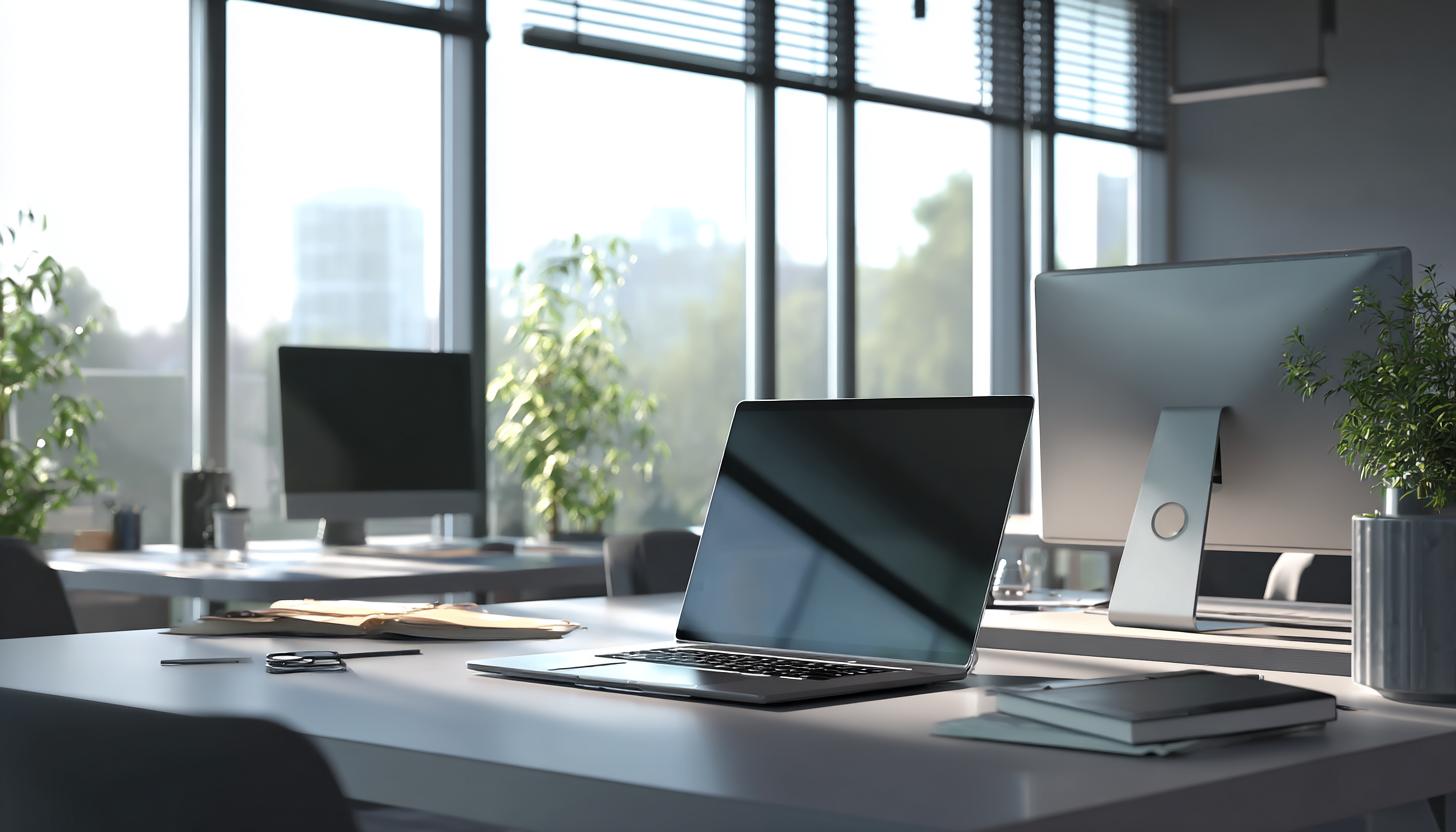
Laptop vs. All-in-One PC rental – which solution fits the modern office?
Laptop vs. All-in-One PC rental – which solution fits the modern office?
In an increasingly digital work environment, companies in 2025 are more than ever faced with the question: Which IT equipment best suits my business model, work style, and budget? Particularly relevant is the decision between two popular device types: the
However, when it comes to laptop vs. All-in-One PC rental instead of purchase, the conditions change. Compared to buying, rental represents an agile and cost-efficient solution – especially for growing companies, temporary projects, or events. In this article, we highlight the differences, advantages, and recommendations regarding the choice between laptop and All-in-One PC for rental for the modern office.
Mobile Flexibility or Stable Workstation?
Both device types have their place in daily office life but fulfill different requirements. Weigh which priorities are important for your company – because not every solution fits every use case.
| Feature | Laptop | All-in-One PC |
|---|---|---|
| Mobility | High – ideal for hybrid work and business travel | Low – primarily stationary use |
| Space Requirement | Low – integrated keyboard and screen | Medium – compact due to combination of screen & computer, but not mobile |
| Processing Power | Medium to high – depending on the model | High – advantageous for graphics-intensive applications |
| Ergonomics | Limited – external accessories necessary | Very good – large screens & height-adjustable mounts possible |
| Flexibility in Work Style | Optimal for flexible work & home office | Ideal for fixed workstations |
| Areas of Application | Sales, Project Management, Executives | Design, Video Editing, Customer Support |
Why device rental instead of purchase?
Technological change is rapid – what is cutting-edge today can be outdated in a few months. The acquisition of hardware therefore poses an increasing risk. This is precisely where the rental model offers decisive advantages:
- Flexibility in rental periods: Devices can be rented for days, weeks, or months – ideal for temporary projects or seasonal peaks.
- Always technologically up-to-date: Rent current devices without long-term capital commitment.
- Service & Support included: Professional providers handle maintenance, software setup, and exchange services.
- Calculable Costs: Monthly rates facilitate budget planning and avoid high one-time costs.
- Sustainability through reuse: Rental devices are refurbished and reused after return – this protects the environment and resources.
Whether a startup, SME, or large corporation – rental creates room for growth, innovation, and efficiency in your company’s IT structure.
When is a laptop worthwhile in the office?
Laptops are particularly versatile today: State-of-the-art business laptops such as the HP OmniBook Ultra Laptop or the MacBook Pro 13″ (2022) impress with strong performance, long battery life, and elegant design.
A laptop for rental is particularly suitable in the following cases:
- Your team works in hybrid or fully mobile structures.
- Regular travel, field service, or client appointments are part of daily work.
- You temporarily need additional devices for training or project work.
- Your company is growing rapidly, and you want to scale flexibly without purchasing hardware.
Those who value maximum flexibility can, for example, rent the HP OmniBook Ultra Flip – a convertible that can be used as both a laptop and a tablet. The MacBook Air 13″ (2022) is also ideally suited for mobile work and home office.
In these cases, business laptops with a docking station and external monitor are an excellent choice. Rental offers not only flexibility but also quick availability – often within 24 to 48 hours.
When is an All-in-One PC a better choice?
All-in-One PCs offer a streamlined user experience with integrated components – the computer is built directly into the display. Especially for design-oriented and demanding office environments, the iMac 24″ (2021) is recommended. Its large screen diagonal, powerful processors, and elegant design make it the first choice in creative fields, at reception, or in customer support.
Typical application areas for All-in-One PCs are:
- Fixed workstations in customer support, back office, or accounting
- Graphics and media applications (especially with devices like the Apple iMac)
- Showrooms, POS installations, or reception areas
- Workplaces with a special focus on a clean, minimalist work environment
Companies that require aesthetics, display size, and undisturbed workflow benefit from the sleek, quiet All-in-One design. Through rental, you can deploy devices on a project basis and avoid long-term commitments.
Laptop vs. All-in-One PC rental: The Decision Aid
Some key questions can help you find the optimal solution for your company:
- Is mobile work involved? If teams work hybrid or from different locations, a laptop for rental is the better choice.
- Which software is used? Performance-intensive applications such as video editing or CAD generally run better on powerful All-in-One PCs like the iMac with a larger screen.
- How long is the device needed? For temporary use, rental is recommended anyway – regardless of the device type.
- Are aesthetics and maintenance a concern? All-in-One PCs score with simple setup, uniform design, and easy maintenance.
- Should devices be supplied with accessories? Rental packages usually also include monitors, keyboards, headsets – depending on the provider.
Our Recommendation for Device Selection
- Laptop rental is ideal for:
- Temporary employees or freelancers
- Executives and sales staff who travel frequently
- Remote teams and home office – for example, with a MacBook Air 13″ or HP OmniBook Ultra Laptop
- Technology upgrades without capital commitment
- All-in-One PC rental is excellent for:
- Fixed offices with dedicated workstations
- Creative departments, design, and DTP – optimally equipped with an iMac 24″
- Reception areas and exhibition stands
- Call centers where comfort matters
FAQ – Frequently Asked Questions
Can I also rent accessories such as monitors, mice, and keyboards?
Yes, many B2B rental services offer accessories as part of the rental package. Individual components can be rented additionally as needed.
How fast is delivery for rental devices?
Delivery usually takes place within 24 to 72 hours, depending on availability and location. Express deliveries are also possible.
Isn’t leasing cheaper than rental?
Leasing is suitable for long-term use. Rental scores with short-term availability, no long-term commitment, and quick exchange options for defects or technology updates.
Can rental devices be branded?
Many providers optionally offer branding with your company logo or special configurations for events, training, or presentations.
Conclusion: Laptop vs. All-in-One PC rental – decide wisely, stay flexible
The decision between laptop or All-in-One PC for rental largely depends on individual operational requirements. While laptops offer maximum mobility and flexibility, All-in-One PCs impress with performance, workplace aesthetics, and ergonomics. The rental of both device types offers your company a decisive competitive advantage in 2025: agility, scalability, and cost transparency.
Whether a young company with a growing team, a large corporation with regular event needs, or a medium-sized company in digital transformation – benefit from current technology for rental!
Inquire now without obligation! Use our inquiry form to receive individual rental solutions for laptops, All-in-One PCs, and other business equipment. We will be happy to advise you personally and provide the suitable hardware for your project within the shortest possible time.
Read more - You may also be interested in
Would you like to delve deeper into the topic or discover similar content? Below, we have compiled three additional articles for you that are thematically related to this article. These may also be relevant and interesting for your company.

Advisor
Deepfake fraud & social engineering: protective measures for event staff, promotion teams and rental equipment
Deepfake fraud & social engineering 2025: How to protect events, promotion teams & rental equipment.
Feb

Technology trends
NIS2 compact for event IT & hardware rental: What companies should implement organizationally & technically now
NIS2 Directive 2025: How event IT & hardware rental companies are implementing organizational & technical
Feb
Technology trends
VR glasses 2025/2026 for trade fairs & events: device overview and selection criteria
VR glasses for trade fairs 2025/2026: The latest models & top criteria. How to choose
Feb

Sustainability
Renting hardware instead of buying: Environmental benefits, capacity utilization and carbon footprint
Why rent 2025 hardware? Reduce CO₂, optimize capacity utilization & benefit from sustainable IT solutions
Feb
Technology trends
USB-C/docking stations & “one cable for everything”: efficient workstation setups for events and pop-up offices
One cable for everything: How USB-C docking stations enable efficient workstation setups at events &
Feb

Sustainability
Sustainable logistics in IT: reusable transport boxes, return shipping without packaging waste & secure delivery
Sustainable IT logistics 2025: reusable transport boxes, waste-free returns & secure delivery. Modern solutions for
Jan

Sustainability
Circular economy through rental/leasing instead of buying: CO₂, costs and flexibility in comparison
Sustainable & flexible: circular economy through rental/leasing instead of buying! CO₂ reduction, costs & agility
Jan
Sustainability
Reusable transport boxes in hardware logistics: safety, returns without packaging, processes
Reusable transport boxes revolutionize hardware logistics in 2025: safe, efficient & sustainable ♻️ Discover the
Jan