




Technology trends
USB-C/docking stations & “one cable for everything”: efficient workstation setups for events and pop-up offices
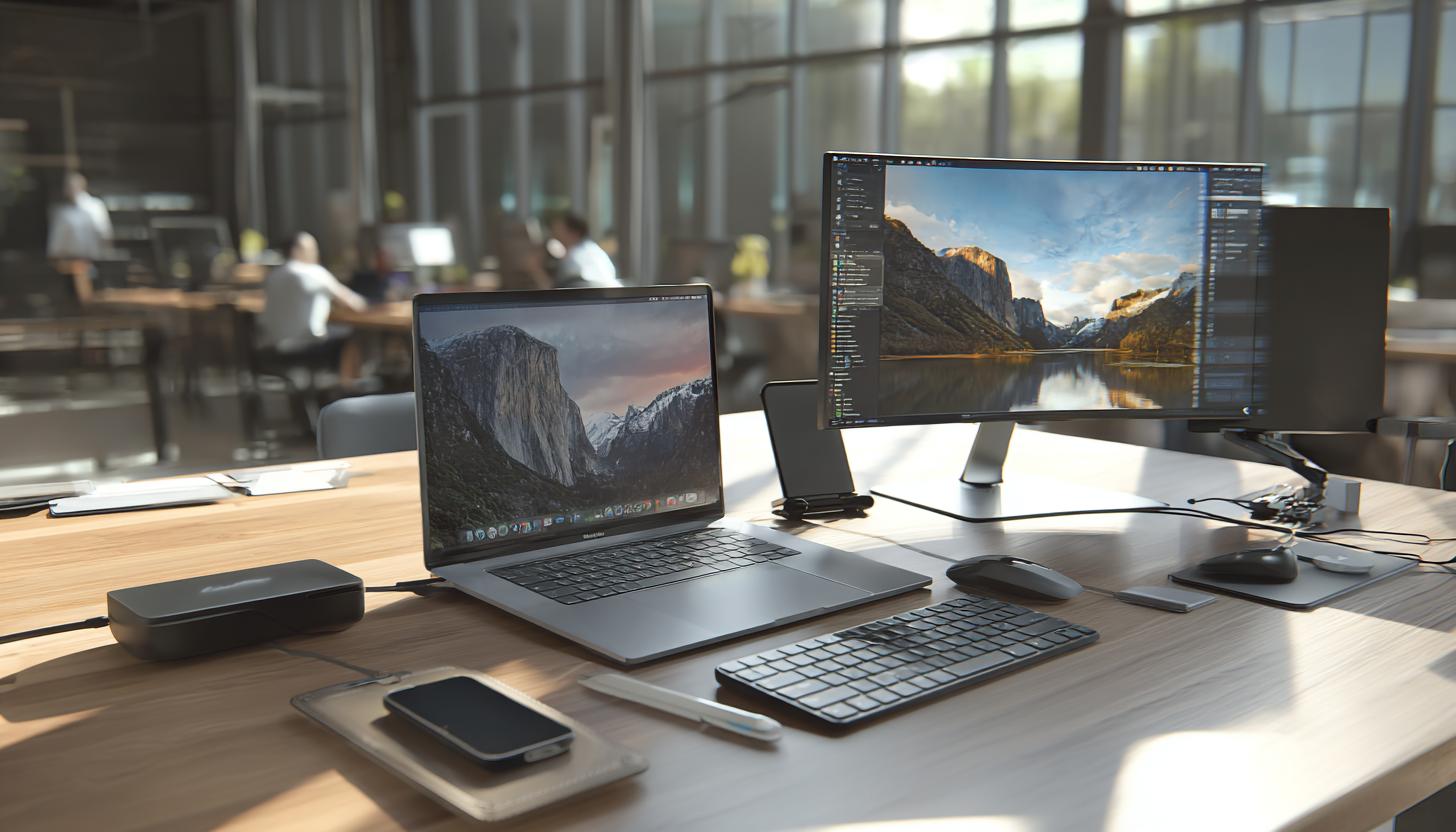
USB-C/docking stations & “one cable for everything”: Efficient workstation setups for events and pop-up offices
In an increasingly mobile working world, companies and event organizers are faced with the challenge of providing flexible, efficient and high-performance workplace solutions. Practical and time-saving setups are particularly in demand for projects with temporary infrastructure, such as pop-up offices, roadshows, product launches or trade fairs. At the heart of this development is a seemingly simple but powerful technology: the USB-C docking station.
Thanks to the trend towards “one cable for everything”, modern USB-C docking stations make it easy to connect laptops, monitors, networks, peripherals and power via a single cable. Using the right accessories for event workspaces and IT setups can significantly increase flexibility even further. In this article, we explain why renting a USB-C docking station can be a smart decision for your company – especially in temporary working environments.
The technological background: USB-C as a universal connection standard
USB-C has established itself as a universal connection standard in recent years – almost every modern laptop, including devices from Apple, Dell, Lenovo or HP, now uses USB-C interfaces for data transfer, video output and power supply. The big advantage: so-called “docking stations” or “hubs” allow a single cable to be used to connect numerous devices simultaneously.
Enable docking stations with USB-C:
- Simultaneous connection to multiple monitors (HDMI, DisplayPort, USB-C)
- Network access via LAN (RJ45)
- USB ports for external peripherals such as keyboards, mice, microphones or card readers
- Power supply for laptop and other devices (Power Delivery up to 100W)
For example, if you need guaranteed compatible computer accessories for your setup, computer accessories can be rented at low cost and connected directly to your docking station. These simple yet powerful solutions are revolutionizing how modern workstations – both stationary and temporary – are designed.
Why USB-C docking stations are ideal for events & pop-up offices
Mobile workstations have special requirements: They need to be quick to set up, flexible to adapt and space-saving to transport. USB-C docking stations are a valuable ally for IT and event managers.
Typical application scenarios:
- Conferences and trade fairs: Plug & play workstations for team members or external partners
- Pop-up stores and brand activation events: Temporary workstations for employees with laptops
- Hybrid workshops and training courses: operate cameras, presentation displays and microphones directly via the dock
- Temporary project workstations: For freelancers, agencies or when relocating
USB-C docking station rental instead of purchase: Advantages at a glance
For many companies and agencies, buying expensive peripherals is only worthwhile to a limited extent if they are only used occasionally or for a short period of time. Here, renting USB-C docking stations is a clever and economically attractive alternative.
| Advantage | Description |
|---|---|
| Cost savings | No high one-off costs for devices that are only needed for a short time. |
| Flexibility | Only rent equipment when it is actually needed. |
| State-of-the-art technology | Always work with the latest equipment – without depreciation or outdated technology in the warehouse. |
| Uniformity & compatibility | Same setup for multiple workstations – ideal for teamwork and support. |
| Support & delivery | Setup, delivery and technical support from a single source by the rental partner. |
The right USB-C docking station for your requirements
Docking stations are available in many variants – from compact USB-C hubs to fully equipped Thunderbolt 4 docks with triple monitor support. It is therefore always worth talking to the technology provider before renting to evaluate the best equipment for your planned use case. Depending on whether you want to use an Apple MacBook Pro 2020, an HP ZBook Firefly 15 G8 or a Lenovo IdeaPad 5i 14, for example, there is a suitable docking solution for every type of device.
These criteria play a role in the selection process:
- Video outputs: HDMI, DisplayPort, VGA or USB-C/Thunderbolt? And how many monitors?
- Network connection: Is a wired LAN connection required?
- Number of USB devices: How many external devices (card reader, printer, scanner, etc.) need to be connected?
- Power Delivery: Should the notebook be charged directly via the docking station (e.g. 60W, 85W or 100W)?
- Compatibility: Which devices do you work with (MacBook, Surface, Lenovo ThinkPad, etc.)?
Tips for efficient setups with USB-C docking stations
A docking station alone is not enough – the right setup determines efficiency and convenience. Here are some practical recommendations:
- Hire monitor cables & adapters: To ensure that your screens can be controlled safely, we recommend renting the right HDMI cable directly and having any adapters ready.
- Pay attention to cable management: Cable ties or organizers prevent cable clutter and tripping hazards.
- Insert notebook stand: Ensures ergonomic working and additional air circulation.
- Headsets & speakers: For professional communication, Apple headsets can be rented and easily connected to the docking station – ideal for team calls or presentations.
- Test on site: Set up the setup in the office in advance and check for any driver problems.
Trends 2025: The future of USB-C-based workplace infrastructure
With the widespread introduction of the USB4 and Thunderbolt 4 standard, the range of functions of USB-C docking stations will also be expanded. We will see the following developments as early as 2025:
- Up to 240W Power Delivery – ideal for energy-hungry workstations or high-performance laptops
- 8K monitor support / 4K at 120 Hz – relevant for content creators or presentations
- Integration into cloud-hosted workstations – plug & play access to virtual desktops
Instead of fixed workstations, docking solutions will become a key component of the hybrid working world in the future, efficiently combining home offices, shared desks and mobile workplaces.
FAQ – Frequently asked questions about USB-C docking station rental
- Which docking station is compatible with my notebook?
- Our devices are compatible with almost all modern notebooks – whether Apple, Lenovo, HP or Dell. Let us know the model in advance and we will put together a suitable setup, including the necessary computer accessories, which you can simply rent in addition.
- How long in advance should I rent a docking station?
- Ideally at least 3-5 working days before the start of the assignment – or earlier for larger quantities or events with a change of location.
- What happens if an appliance does not work during rental?
- Our technical support will help you immediately. If necessary, we will send replacement devices or technicians on site – throughout Germany or in the DACH region on request.
- Can I rent accessories such as monitors, adapters or notebooks?
- Yes – our product range includes a wide range of event technology, display solutions, notebooks and mobile devices. You can find an overview of all accessories here.
Conclusion: USB-C docking station rental – smart, flexible & future-proof
In a dynamic business world, renting USB-C docking stations offers an efficient way to create modern and professional working environments on a temporary basis. Whether for events, roadshows, pop-up offices or internal project teams – the advantages are obvious: less cable clutter, faster set-up and uniform standards for mobile employees.
With the right advice, the right equipment and an experienced technical partner, set-up is completed in the shortest possible time – and your team can concentrate fully on the content, not the technology.
Request a USB-C docking station now without obligation
Read more - You may also be interested in
Would you like to delve deeper into the topic or discover similar content? Below, we have compiled three additional articles for you that are thematically related to this article. These may also be relevant and interesting for your company.

Advisor
Deepfake fraud & social engineering: protective measures for event staff, promotion teams and rental equipment
Deepfake fraud & social engineering 2025: How to protect events, promotion teams & rental equipment.
Feb

Technology trends
NIS2 compact for event IT & hardware rental: What companies should implement organizationally & technically now
NIS2 Directive 2025: How event IT & hardware rental companies are implementing organizational & technical
Feb
Technology trends
VR glasses 2025/2026 for trade fairs & events: device overview and selection criteria
VR glasses for trade fairs 2025/2026: The latest models & top criteria. How to choose
Feb

Sustainability
Renting hardware instead of buying: Environmental benefits, capacity utilization and carbon footprint
Why rent 2025 hardware? Reduce CO₂, optimize capacity utilization & benefit from sustainable IT solutions
Feb
Technology trends
USB-C/docking stations & “one cable for everything”: efficient workstation setups for events and pop-up offices
One cable for everything: How USB-C docking stations enable efficient workstation setups at events &
Feb

Sustainability
Sustainable logistics in IT: reusable transport boxes, return shipping without packaging waste & secure delivery
Sustainable IT logistics 2025: reusable transport boxes, waste-free returns & secure delivery. Modern solutions for
Jan

Sustainability
Circular economy through rental/leasing instead of buying: CO₂, costs and flexibility in comparison
Sustainable & flexible: circular economy through rental/leasing instead of buying! CO₂ reduction, costs & agility
Jan

Sustainability
Reusable transport boxes in hardware logistics: safety, returns without packaging, processes
Reusable transport boxes revolutionize hardware logistics in 2025: safe, efficient & sustainable ♻️ Discover the
Jan