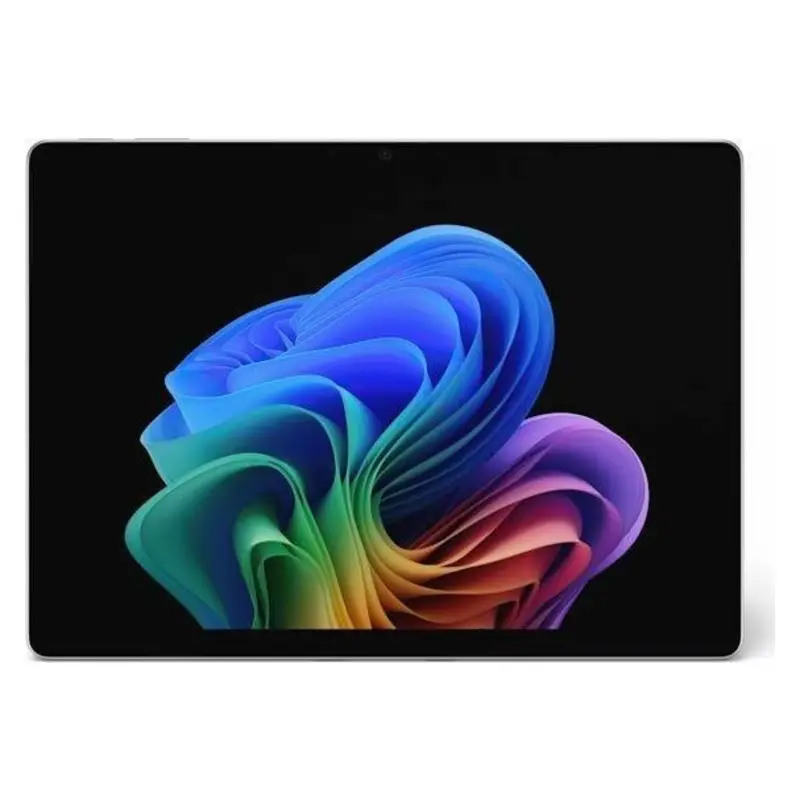
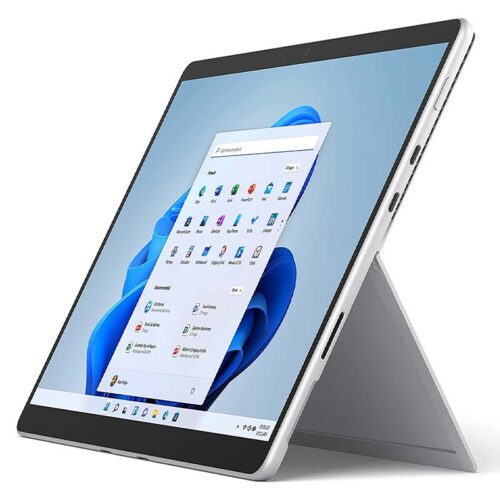
Rental of the Surface Pro 12 13″ (2026) – a flexible Copilot+ PC for businesses
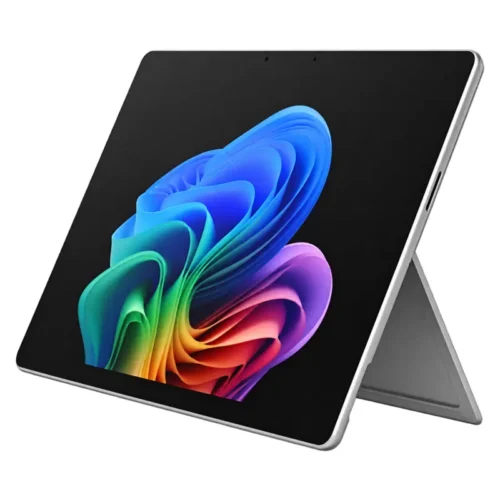
Rent the Surface Pro 12 13″ (2026) and combine the performance of a modern business laptop with the portability of a tablet. Introduced in 2026, the 12th edition is particularly well-suited for businesses, project teams, and events that require flexible input options, a high-quality display, and a lightweight device. Thanks to the built-in kickstand, the rented Surface Pro can be transformed from a handy tablet into a mobile workspace in just a few seconds. You can find other suitable models in our product range under the category Rental of Microsoft Surface.
At get-IT-easy, there is a rental option for the Surface Pro 12 13″ (2026), which allows you to avoid purchasing a large number of new devices outright. Surface Pro rentals are ideal, for example, for temporary projects, training sessions, trade shows, mobile workstations, software testing, or temporarily equipping additional employees. Depending on availability, various processor, memory, and display configurations are available.
Versatile 2-in-1 Concept for Surface Pro 12 Rental
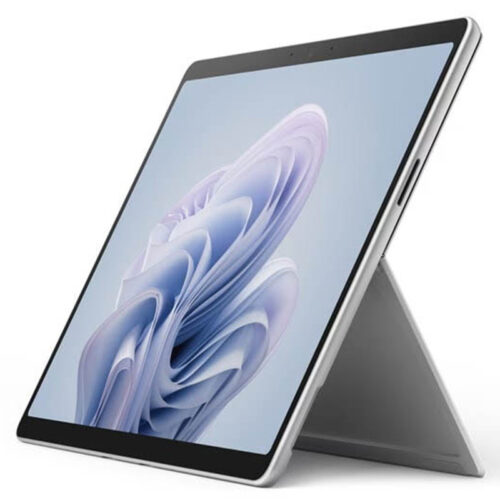
The rented Surface Pro 12 is among the most versatile devices in the professional Windows environment. Without a keyboard, the model can be used as a touchscreen tablet for presentations, documentation, digital forms, or direct data entry. When paired with a compatible Surface Keyboard, it becomes a compact laptop workstation for Office applications, video conferences, and browser-based business software.
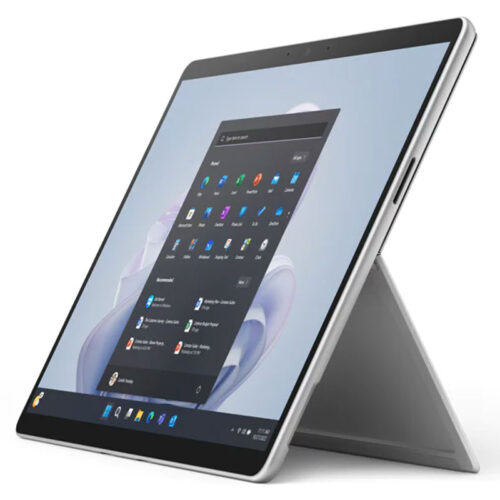
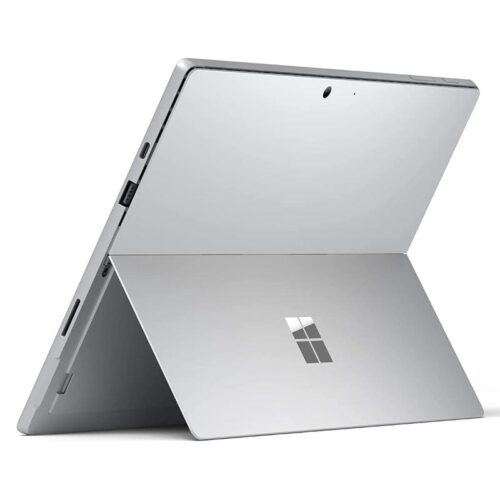
When renting the Surface Pro 12, the continuously adjustable kickstand—with an opening angle of up to 165 degrees—ensures flexible usage options. This allows the rental device to be positioned comfortably on a desk, at a trade show booth, or while working on the go. It can be operated via touchscreen, keyboard, touchpad, voice commands, or the Surface Slim Pen. This makes it easy to switch between traditional office work, handwritten notes, and creative tasks.
Surface Pro 12 13″ (2026) Rent and enjoy the high-resolution display
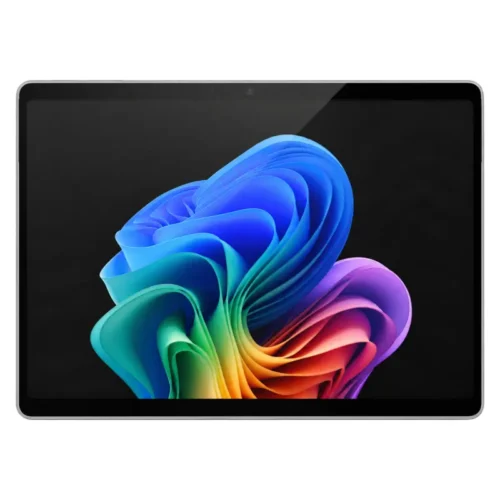
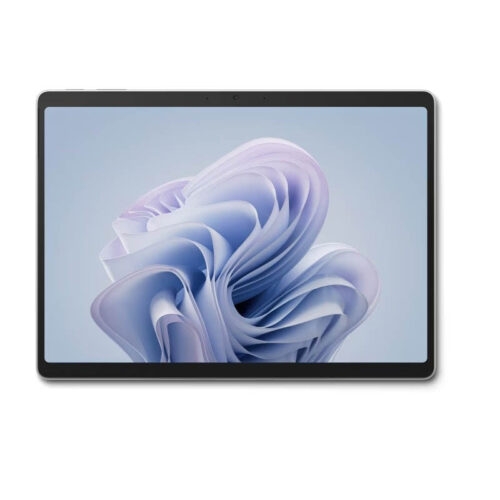
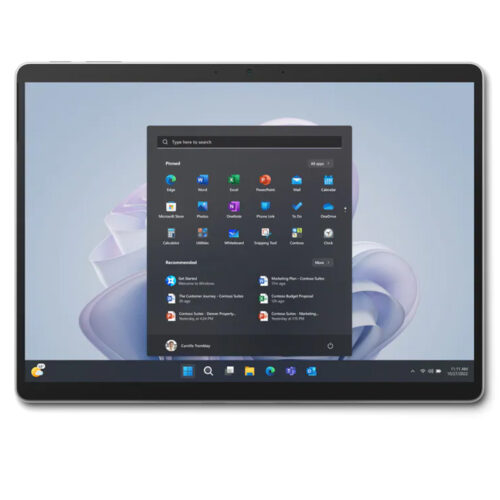
When you rent the Surface Pro 12 with a 13-inch display, you’ll get a PixelSense Flow touchscreen with a resolution of 2,880 × 1,920 pixels and a pixel density of 267 PPI. The productive 3:2 aspect ratio offers more vertical space than many traditional widescreen displays. This is particularly beneficial for extensive documents, spreadsheets, web pages, presentations, and professional applications with multiple toolbars.
During the rental of the Surface Pro 12, a dynamic refresh rate of up to 120 Hz ensures smooth scrolling, precise pen input, and pleasant-looking animations. The individually color-calibrated display supports adaptive colors, adaptive contrast, automatic color management, and Dolby Vision IQ. The anti-glare surface reduces distracting reflections, thereby improving the usability of the rental device in bright offices, training rooms, or at events.
Depending on the Surface Pro 12 configuration you rent, the device is available with either an LCD or OLED display. The OLED version offers exceptionally deep blacks, a contrast ratio of up to 1,000,000:1, and a peak HDR brightness of up to 900 nits. The LCD model achieves a typical maximum SDR brightness and a peak HDR brightness of 600 nits each, making it a well-rounded rental option for everyday business applications.
Rent a Surface Pro 12 with Intel Core Ultra or Snapdragon X2
at
. Several performance options are available for Surface Pro 12 rentals. Snapdragon models are equipped with a 10-core Snapdragon X2 Plus or a 12-core Snapdragon X2 Elite. This platform combines high energy efficiency with a Qualcomm Adreno GPU and a powerful NPU for on-device AI capabilities.
Companies that rent a Surface Pro 12 and need the broadest possible compatibility with existing Windows software, drivers, and peripherals can choose models with the Intel Core Ultra 5 335 or Intel Core Ultra 7 366H from the 3rd generation. Before the rental, it is recommended—especially when using specialized software, older applications, or custom drivers—to check which processor platform is best suited for the planned project.
Depending on the selected Surface Pro 12 rental configuration, the device comes with 16, 24, 32, or 64 GB of LPDDR5x RAM. This means the rental device can handle everything from typical office tasks and web-based applications to extensive multitasking, large presentations, data analysis, and more demanding creative software.
Rent the
Surface Pro 12 13″
(2026) and Accelerate AI Workflows
Anyone who wants to rent the Surface Pro 12 13″ (2026) gets a Copilot+ PC for modern, AI-powered Windows workflows. A dedicated Neural Processing Unit handles supported AI computations locally on the rented device, thereby reducing the load on the main processor. The Snapdragon version achieves 80 TOPS, while the Intel configurations deliver 47 or 50 TOPS, depending on the processor.
When you rent a Surface Pro 12, the NPU supports compatible communication, creative, and productivity features, among other things. These include, for example, Windows Studio effects for video conferencing, automatic framing, eye contact correction, portrait lighting, and background blur. The Copilot+ features available on the rental device may vary depending on the Windows version, region, user account, software version, and the device configuration you selected.
Professional Cameras in the Rented Surface Pro 12
For video conferencing, the rented Surface Pro 12 features a front-facing 1440p Quad HD Surface Studio camera with an ultra-wide field of view. It delivers a detailed image for virtual meetings, online training sessions, support calls, and hybrid events. The built-in Windows Studio effects can automatically adjust the frame and optimize the view of the person speaking.
The back of the Surface Pro 12 loaner features a 10-megapixel Ultra HD camera. This allows you to capture documents, whiteboards, products, installations, or event scenes directly. Dual studio microphones with voice focus ensure clear audio transmission. For playback, the device features 2-watt stereo speakers with Dolby Atmos and Bluetooth LE Audio.
Modern Ports for Surface Pro 12 Rentals
When renting the Surface Pro 12, two USB-C ports—one with USB4 and one with USB4 and Thunderbolt 4—allow you to connect docks, storage devices, power adapters, presentation equipment, and external displays. Depending on the model and connected accessories, up to three 4K monitors running at 60 Hz can be supported. This allows the compact rental tablet to be integrated into a full-featured desktop workstation as needed.
The rented Surface Pro 12 also features a Surface Connect port and an interface for compatible Surface Pro keyboards. Fast charging is supported via Surface Connect with a compatible Surface power adapter rated at 65 watts or higher, or via USB-C with a compatible USB-C PD power adapter rated at 60 watts or higher. The type and scope of the included accessories depend on the individually agreed-upon rental package.
Rent a Surface Pro 12 with Wi-Fi 7, Bluetooth 5.4, and optional 5G
For fast wireless connectivity, the Surface Pro 12 rental device supports Wi-Fi 7 and Bluetooth 5.4. This makes the rented device ideal for modern corporate networks, wireless input devices, headsets, and other Bluetooth accessories. On select Intel models, 5G connectivity via Nano-SIM or eSIM is also available.
Renting a 5G-capable Surface Pro 12 can be particularly appealing for field staff, mobile project offices, events, and workplaces without consistently available Wi-Fi. The actual mobile data connection available depends on the model rented, a suitable mobile data plan, and network coverage at the location of use.
Battery life of the Surface Pro 12 for mobile workdays
Depending on the processor, display, connection, and usage, the rented Surface Pro 12 offers long battery life. For the Snapdragon version, Microsoft cites up to 15.5 hours of local video playback and up to 11.5 hours of active internet use. Under certain test conditions, Intel Wi-Fi models achieve up to 17 hours of local video playback and up to 11 hours of active internet use.
In real-world use, the battery life of the Surface Pro 12 rental device is affected by factors such as display brightness, applications, network connection, connected devices, and background processes. Thanks to the fast-charging feature, the battery can be recharged during short breaks using a sufficiently powerful power adapter.
Compact and lightweight Surface Pro 12 for mobile use
With dimensions of approximately 287 × 209 × 9.3 mm and a weight starting at around 895 g without the keyboard, the Surface Pro 12 is significantly easier to transport as a rental device than many traditional business laptops. It fits well into mobile work environments where employees frequently move between meeting rooms, client locations, or event spaces.
The rugged case, reinforced display glass, and high-quality hinge make the rented Surface Pro 12 suitable for regular use. At the same time, the rental device remains compact enough to hold in your hand during presentations or to use on limited workspaces.
Surface Pro 12 Rental with Business Security and Windows 11
The Surface Pro 12 for Business offered for rent is designed as a Windows 11 Secured-Core PC. Security features include TPM 2.0, the Microsoft Pluton security processor, and BitLocker support. You can log in to the rental device conveniently and without a password using Windows Hello with facial recognition.
Selected Wi-Fi configurations on the rented Surface Pro 12 also support NFC authentication. In managed enterprise environments, the device can be integrated into existing Microsoft infrastructures and administered, for example, via Microsoft Intune. This allows security policies, updates, and applications to be distributed centrally, provided the appropriate services and licenses are available.
Surface Slim Pen and flexible keyboard options
available
for rental
The Surface Pro 12 rental device supports the 2nd Edition Surface Slim Pen as well as the Microsoft Pen Protocol. The optional pen allows for handwritten notes, highlighting in documents, digital signatures, sketches, and precise input. When paired with a compatible keyboard, the Slim Pen can be securely stored and charged wirelessly.
Options for Surface Pro 12 rentals include the Surface Pro 13-inch keyboard, models with pen storage, and the Surface Pro 13-inch Flex keyboard. The Flex Keyboard can be used either attached directly to the tablet or detached. This allows the screen and keyboard to be positioned separately, offering additional flexibility when using the rental device for presentations, in meetings, or in cramped workspaces.
Typical uses for Surface Pro 12 rentals
- Temporary Staffing for Project Teams and External Employees
- Hybrid meetings, video conferences, and mobile presentations
- Training sessions, seminars, workshops, and digital exams
- Trade shows, conferences, roadshows, and product demonstrations
- Digital forms, check-in solutions, and visitor registration
- Field service, consulting, and mobile data collection
- Software testing and evaluation of new Copilot+ PCs
- Short-term replacements in case of breakdowns or supply shortages
- Creative work with touchscreens and the Surface Slim Pen
Rent the
Surface Pro 12
13
“
(2026) from get-IT-easy
When you rent the Surface Pro 12 13″ (2026), you get a flexible alternative to buying. The devices can be scheduled to match the project duration and the required quantity, without tying up capital in additional hardware for the long term. Renting the Surface Pro 12 is particularly well-suited for scenarios where full-featured Windows, high mobility, and various usage scenarios need to be combined.
The specific configuration of the rented Surface Pro 12 may vary in terms of processor, RAM, SSD, display technology, cellular connectivity, and accessories. Upon request, we can put together a customized rental package that includes keyboards, styluses, power adapters, docks, or other peripherals. This provides businesses with a rental solution tailored to their specific needs. If this model does not meet your requirements, you can also rent numerous other tablets from get-IT-easy.
Technical Specifications of the Microsoft Surface Pro 12 with a 13-inch Display
| Model |
Microsoft Surface Pro, 13 inch, 12th Edition (2026) |
| Device Class |
2-in-1 Copilot+: PC, tablet, and laptop all in one device |
| Operating System |
Windows 11, depending on the rental configuration |
| Processors |
Snapdragon X2 Plus, Snapdragon X2 Elite, Intel Core Ultra 5 335, or Intel Core Ultra 7 366H |
| Graphics |
Qualcomm Adreno GPU or integrated Intel graphics |
| NPU |
Qualcomm Hexagon with 80 TOPS or Intel AI Boost with 47 or 50 TOPS |
| RAM |
16, 24, 32, or 64 GB of LPDDR5x, depending on the configuration |
| Storage |
256 GB, 512 GB, or 1 TB removable Gen 4 SSD |
| Display |
13-inch PixelSense Flow touchscreen, available in either LCD or OLED |
| Resolution |
2,880 × 1,920 pixels, 267 PPI |
| Aspect ratio |
3:2 |
| Refresh Rate |
Dynamic, up to 120 Hz |
| Display Brightness |
Up to 600 nits in SDR; OLED up to 900 nits peak HDR brightness |
| Touch and Pen Input |
10-point multitouch, support for Surface Slim Pen and Microsoft Pen Protocol |
| Front-facing camera |
1440p Quad HD Surface Studio camera with ultra-wide field of view and Windows Studio effects |
| Rear Camera |
10-megapixel Ultra HD camera |
| Audio |
Dual studio microphones, 2-watt stereo speakers, Dolby Atmos, and Bluetooth LE Audio |
| Ports |
2 × USB-C with USB4; Intel models also include Thunderbolt 4, Surface Connect, and a keyboard port |
| External Displays |
Depending on the configuration, support for up to three 4K monitors at 60 Hz |
| Wireless Connections |
Wi-Fi 7 and Bluetooth 5.4 |
| Mobile Communications |
Optional 5G with Nano-SIM and eSIM on select Intel models |
| Battery Life |
Up to 17 hours for local video playback, depending on the model; actual battery life depends on usage |
| Fast Charging |
Via Surface Connect using a compatible Surface power adapter rated at 65 watts or higher, or via USB-C using a compatible USB-C PD power adapter rated at 60 watts or higher |
| Security |
Secured-Core PC, TPM 2.0, Microsoft Pluton, BitLocker support, and Windows Hello |
| Dimensions |
Approx. 287 × 209 × 9.3 mm |
| Weight |
Starting at approx. 895 g without keyboard; 5G models approx. 906 g |
| Kickstand |
Integrated kickstand with a 165-degree friction hinge |
| Colors |
Depending on the model and availability, colors include platinum, black, and sand, among others |
| Optional Accessories |
Surface Pro Keyboard, Surface Pro Flex Keyboard, Surface Slim Pen, docking stations, and other peripherals |
[alternativeprodukte]
Fast delivery, reliable service, and free consultation
at
. Fast delivery, reliable service, and secure delivery are our top priorities. We use eco-friendly and reusable packaging for our shipments. At the end of the rental period, we’ll pick up your tablet. This way, you can focus entirely on your projects while we take care of the shipping.
Would you like to learn more about the Surface Pro 12 13″ (2026) or our rental terms? If you have any questions about pricing, contract terms, or available devices, we’re happy to help. If you’re interested in renting a Surface Pro 12 13″ (2026) or another tablet, please don’t hesitate to contact us. You can reach us by phone at +49 9323 938 71 00 or by email at rent@get-it-easy.de.
If you have any concerns or uncertainties, we will be happy to assist you with our many years of experience as a reliable service provider in the field of hardware rental. get-IT-easy – your first choice for technology rental.
More about get-IT-easy | Hardware rental made easy:
Are you interested in learning more about get-IT-easy and our services? We offer a behind-the-scenes look not only on our get-IT-easy website but also on our social media profiles. We regularly post updates on our rental portfolio, as well as new offers, the latest tech news, and other informative content about IT and hardware rentals.
We’re active on Facebook, Instagram, Pinterest, XING, and LinkedIn. We look forward to connecting with you!