Rent the Surface Pro 11 13″ (2024)
Rent the Surface
Pro
11 13″ (2024) and combine the mobility of a tablet with the versatility of a professional Windows PC. The sleek 2-in-1 design, built-in kickstand, and high-resolution touchscreen make this device a versatile solution for project teams, field staff, training sessions, trade shows, presentations, and temporary workspaces. You can find more mobile devices for business use in our ” Rent Tablets” category.
For the Surface Pro 11 13″ (2024), the rental configuration determines which Snapdragon processor is used: X Plus or X Elite. Combined with a powerful NPU for local AI computations and Windows 11, the device is particularly well-suited for modern, mobile workflows. Renting allows you to provision individual devices or larger quantities as needed, without having to build up a permanent inventory of your own hardware.
Rent
the
Surface Pro 11 13″ (2024): A flexible 2-in-1 device
Anyone who
rents
the
Surface Pro
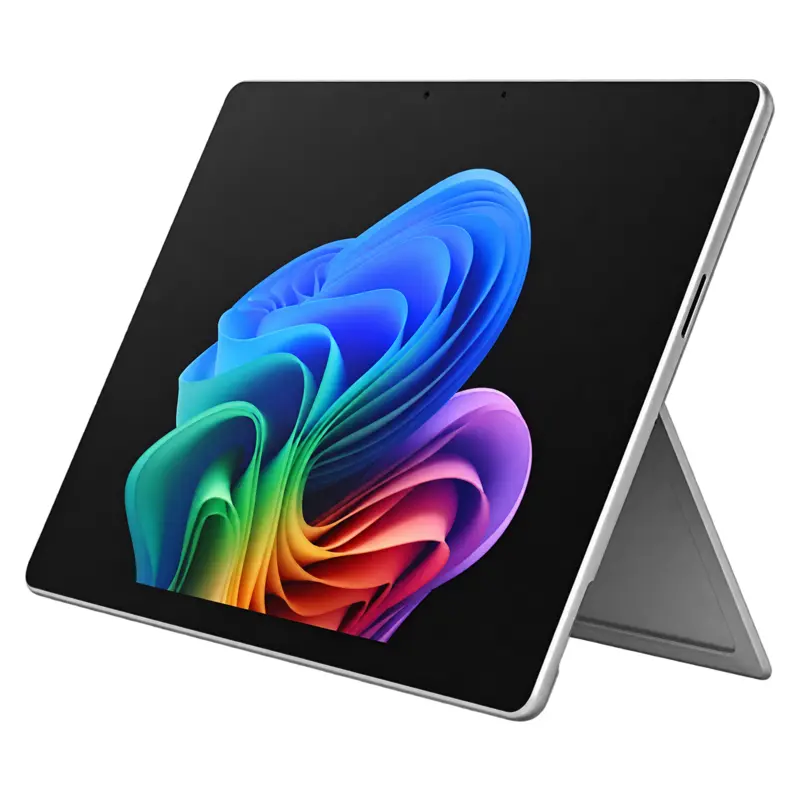
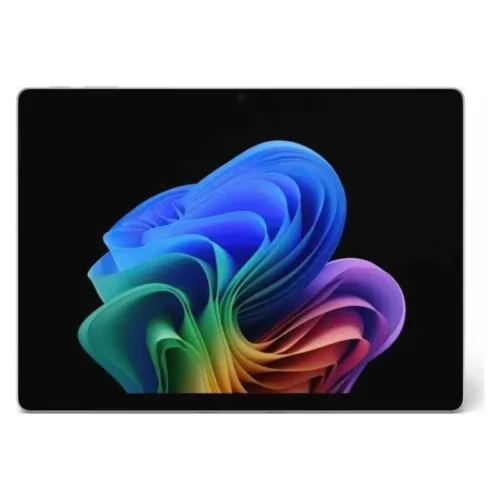
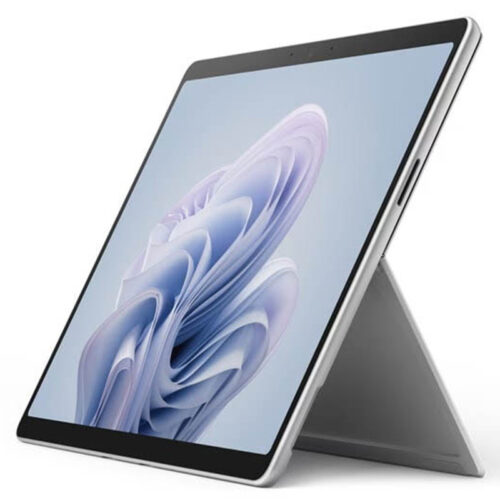
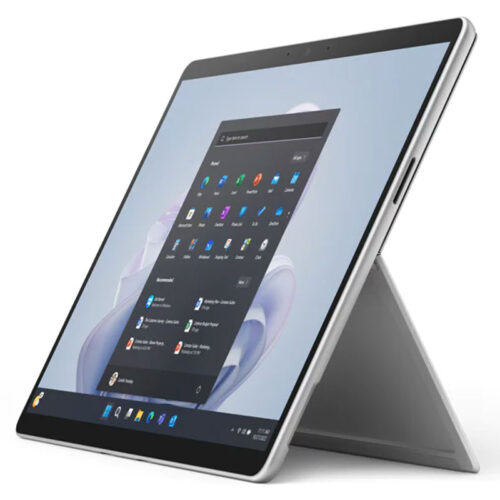
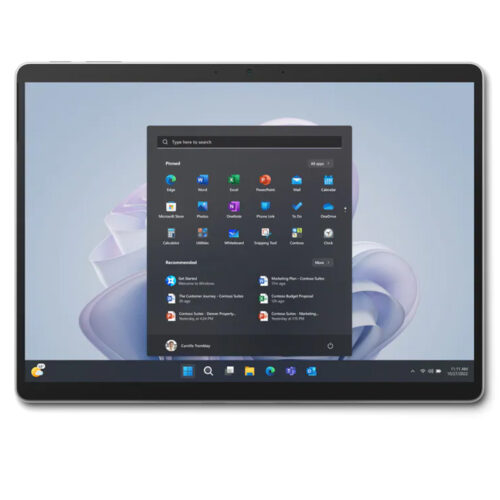
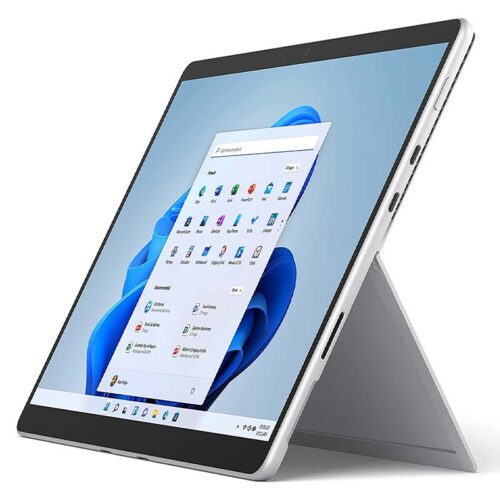
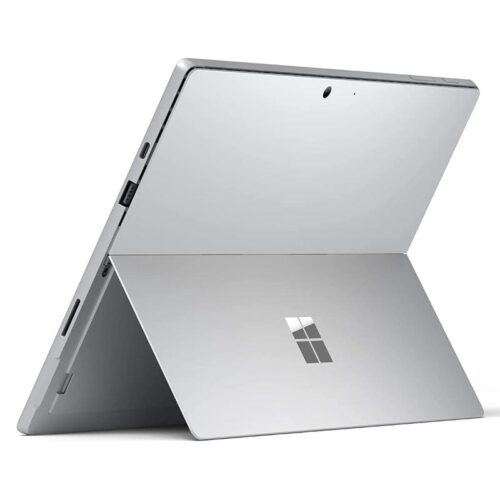
11 13″ (2024) can use it as a standalone tablet, a compact presentation screen, or as a laptop when paired with a compatible keyboard. The built-in kickstand on the back can be adjusted continuously up to an angle of 165 degrees. This allows the rental device to be positioned appropriately on a desk, at a trade show booth, or during a meeting.
When renting the Surface Pro 11 13″ (2024), its portable design is a major advantage: Weighing about 895 grams without the keyboard and just 9.3 millimeters thick, the device is easy to carry. The anodized aluminum casing has a high-quality look and feel while also being designed for regular mobile use. Depending on the rental configuration, a keyboard, stylus, and other accessories can be added separately.
Rental of the Surface Pro 11 13″ (2024) with PixelSense Flow touchscreen
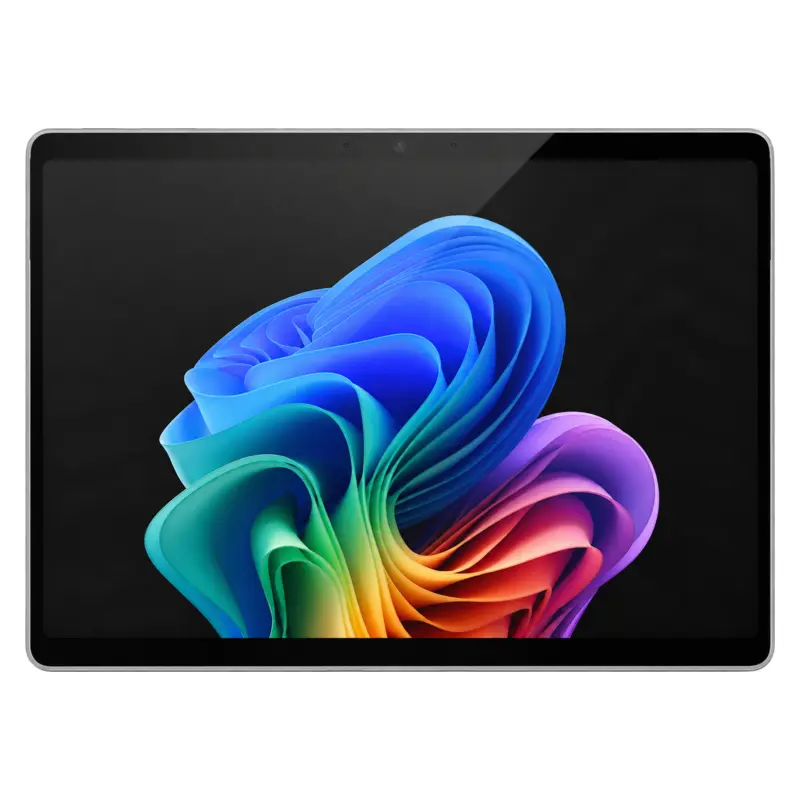
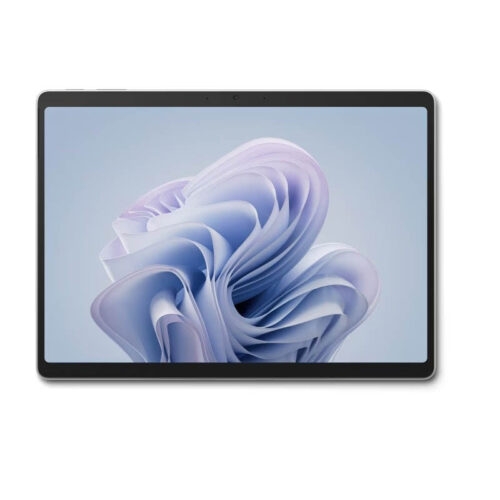
During the rental of the Surface Pro 11 13″ (2024), the 13-inch PixelSense Flow display offers a resolution of 2,880 × 1,920 pixels and a productive 3:2 aspect ratio. Compared to wide 16:9 displays, this provides more vertical workspace. This is advantageous, for example, when editing documents, filling out digital forms, reading extensive web pages, or working with spreadsheets.
The rented Surface Pro 11 13″ (2024) features a dynamic refresh rate of up to 120 Hz, enabling smooth animations, precise touch input, and comfortable scrolling. The display supports 10-point multitouch, adaptive color, adaptive contrast, automatic color management, and Dolby Vision IQ. Corning Gorilla Glass 5 protects the screen during everyday mobile work.
Depending on availability, various display options are available for the Surface Pro 11 13″ (2024) rental. The LCD version reaches up to 600 nits in SDR and HDR modes. Select configurations with Snapdragon X Elite feature an OLED display that impresses with deep blacks, a contrast ratio of 1,000,000:1, up to 600 nits in SDR mode, and a peak HDR brightness of up to 900 nits. Which variant is available depends on the specific rental configuration.
Snapdragon Performance in the Surface Pro 11 13″ (2024) Rental
When
renting
the
Surface Pro 11 13″ (
2024), you can choose from energy-efficient ARM-based Snapdragon processors. The Snapdragon X Plus features ten CPU cores, while the Snapdragon X Elite offers twelve cores. Both models are designed for productive multitasking, browser-based applications, video conferencing, office software, and many other business tasks.
The Surface Pro 11 13″ (2024), available for rent, uses an integrated Qualcomm Adreno GPU for graphics processing. Depending on the model, 16 or 32 GB of LPDDR5x RAM is available. For mass storage, fast and replaceable Gen 4 SSDs with capacities of 256 GB, 512 GB, or 1 TB are used. Configurations with 32 GB of RAM and a 1 TB SSD are limited to Wi-Fi models; 5G models are available with up to 16 GB of RAM and a 512 GB SSD. The actual specifications depend on the selected rental device.
Rent
the
Surface Pro 11 13″ (2024) as a Copilot+ PC
Anyone who
rents
the
Surface Pro
11
13″
(2024) gets a modern Copilot+ PC. The Qualcomm Hexagon NPU delivers 45 TOPS of computing power and can process supported AI tasks locally on the device. This reduces the load on the CPU and GPU when running compatible applications.
When using a rented Surface Pro 11 13″ (2024), potential use cases include Windows Studio effects for video conferencing, automatic image enhancements, background effects, eye contact correction, and other AI-powered features. The specific availability of individual Copilot+ features may depend on the installed version of Windows, software updates, language, region, and user license.
For video conferencing and digital collaboration
The Surface Pro 11 13″ (2024) is available for rental for meetings and hybrid events and features a Quad HD front-facing camera with an exceptionally wide field of view. Windows Studio effects can support features such as automatic image alignment, portrait blur, and optimized lighting, among others. You can conveniently log in to the rental device using Windows Hello facial recognition.
The back of the Surface Pro 11 13″ (2024) rental device features a 10-megapixel Ultra HD camera. It’s ideal, for example, for documenting setups, digitizing documents, capturing whiteboard content, or taking simple photos and videos. Two studio-quality microphones with voice focus and 2-watt stereo speakers with Dolby Atmos round out the features for online meetings, presentations, and media playback.
Battery Life for Mobile Workdays
When renting the Surface Pro 11 13″ (2024), mobile teams benefit from long battery life. Microsoft specifies up to 14 hours for Wi-Fi models during local video playback and up to 10 hours during active web use. Optional 5G models offer up to 9 hours of active web use over a cellular network. Actual battery life depends on factors such as display brightness, wireless connection, software, connected accessories, and usage intensity.
The rented Surface Pro 11 13″ (2024) can be charged via both Surface Connect and USB-C. Fast charging is supported via Surface Connect or USB-C when using a compatible power adapter with at least 65 watts. This allows the device to be flexibly integrated into existing work environments. For events or longer-term use, we recommend renting compatible power adapters or docking solutions along with the device.
USB4, Wi-Fi 7, and optional 5G
With the Surface Pro 11 13″ (2024) rental, two USB-C ports with USB4 support allow you to connect to storage devices, adapters, displays, and compatible docking stations. External monitors can be connected via DisplayPort 1.4a. In addition, the rental device features a Surface Connect port as well as a separate port for compatible keyboards.
For wireless communication, the Surface Pro 11 13″ (2024) rental device supports Wi-Fi 7 and Bluetooth 5.4. Select configurations are also available with 5G and support both Nano-SIM and eSIM. These rental models are particularly well-suited for field service, mobile check-in solutions, temporary project offices, and events where reliable Wi-Fi is not available.
Optional rental with keyboard and stylus
:
When paired with a compatible keyboard, the rented Surface Pro 11 13″ (2024) becomes a compact laptop. When using the Surface Pro Flex Keyboard, the keyboard can also be used separately from the device. This allows the display, for example, to be raised or placed closer to the presenter, while text input continues via the keyboard.
The Surface Pro 11 13″ (2024) rental may also include a compatible stylus. The device is designed for the 2nd Edition Surface Slim Pen and supports the Microsoft Pen Protocol. The stylus is suitable for handwritten notes, annotations, sketches, signatures, and direct interaction with touch-optimized applications. Whether the keyboard, stylus, dock, and adapter are included in the rental depends on the package you book.
Security Features for
Business
Use
For business
use
, the Surface Pro 11 13″ (2024) rental device offers several hardware- and software-based security features. These include the Microsoft Pluton security processor, TPM 2.0, Windows Hello, and the architecture of a Windows 11 Secured-Core PC. Business configurations running Windows 11 Pro also support features such as BitLocker for drive encryption.
When leasing the Surface Pro 11 13″ (2024), the removable SSD is particularly appealing to businesses that require defined processes for data security, service, or the storage of data media. The actual administration and security options depend on the Windows edition selected and the existing IT infrastructure.
Note on Windows-on-ARM Compatibility
Before renting the Surface Pro 11 13″ (2024), please note that the Snapdragon models use an ARM64 platform. Many popular Windows applications are already available natively for ARM64. Windows 11, starting with version 24H2, can also run numerous classic x86 and x64 programs using Prism emulation.
Before committing to a large-scale rental of the Surface Pro 11 13″ (2024), however, you should verify that business-critical specialized software, older plug-ins, VPN clients, and required peripherals are fully compatible with Windows on ARM. In particular, applications that require their own kernel, printer, or device drivers need suitable native ARM64 drivers, as drivers are not emulated. For typical browser-based workflows, office applications, video conferencing, and other modern standard applications, however, the platform is very well suited.
The Surface Pro 11 13″ (2024)
is
available for rental for B2B use
Thanks to its light weight, versatile operation, and modern connectivity, the Surface Pro 11 13″ (2024)—available for rental—can be used in a variety of business scenarios:
- Temporary Jobs and Short-Term Project Teams
- Trade shows, conferences, and customer events
- Digital registration, check-in, and visitor management
- Training sessions, workshops, and continuing education
- Field service, consulting, and mobile presentations
- Hybrid meetings and video conferences
- Product presentations and interactive information areas
- Inventories, documentation, and digital forms
- Temporary management and executive workstations
Rent the Surface Pro 11 13″ (2024) Instead of Buying It Permanently
Renting the
Surface Pro 11 13″
(2024) is a good option when devices are needed only for a specific period of time, a single project, or an event. Companies can select the number and configuration of rental devices to suit their specific needs and avoid large investments in hardware that may remain unused after the project is complete.
Depending on the project, the Surface Pro 11 13″ (2024) rental package can be supplemented with keyboards, styluses, USB-C adapters, external displays, docking stations, and other components. This creates a customized mobile work environment for individual employees or entire teams.
Technical Specifications of the Surface Pro 11 13″ (2024) Rental Device
| Product |
Microsoft Surface Pro, 11th Edition, 13 inches |
| Model Year |
2024 |
| Device Class |
Copilot+ PC, 2-in-1 tablet with built-in folding stand |
| Operating System |
Windows 11 Home or Windows 11 Pro, depending on the configuration |
| Processor |
Qualcomm Snapdragon X Plus with 10 cores or Snapdragon X Elite with 12 cores |
| NPU |
Qualcomm Hexagon, 45 TOPS |
| Graphics |
Qualcomm Adreno GPU |
| RAM |
16 GB or 32 GB LPDDR5x RAM; 32 GB available only on Wi-Fi models |
| Storage |
Removable Gen 4 SSD with 256 GB, 512 GB, or 1 TB; 1 TB available only on Wi-Fi models |
| Display |
13-inch PixelSense Flow touchscreen, LCD or OLED depending on configuration |
| Resolution |
2,880 × 1,920 pixels, 267 ppi |
| Aspect ratio |
3:2 |
| Refresh Rate |
Dynamic, up to 120 Hz |
| Touch |
10-point multitouch |
| Display Brightness |
LCD: up to 600 nits in SDR and HDR modes; OLED: up to 600 nits in SDR mode and up to 900 nits peak brightness in HDR mode |
| Front-facing camera |
Quad HD Surface Studio camera with ultra-wide field of view, Windows Hello, and Windows Studio effects |
| Rear Camera |
10-megapixel Ultra HD |
| Audio |
2-watt stereo speakers with Dolby Atmos, dual studio microphones with voice focus, support for Bluetooth LE Audio |
| Ports |
2 × USB-C/USB4 with charging capability and DisplayPort 1.4a, Surface Connect, keyboard port; nano-SIM for 5G models |
| Wi-Fi |
Wi-Fi 7 |
| Bluetooth |
Bluetooth 5.4 |
| Mobile Communications |
Optional 5G with Nano-SIM and eSIM |
| Pen Input |
Designed for the Surface Slim Pen, 2nd Edition; supports the Microsoft Pen Protocol |
| Security |
Microsoft Pluton, TPM 2.0, Windows Hello, Secured-Core PC; BitLocker with a compatible edition of Windows |
| Battery Life |
Wi-Fi models: up to 14 hours of local video playback or up to 10 hours of active web browsing; 5G models: up to 9 hours of active web browsing over cellular |
| Dimensions |
287 × 209 × 9.3 mm |
| Weight |
Approx. 895 g without keyboard |
| Housing |
Anodized aluminum with integrated 165-degree folding stand |
| Colors |
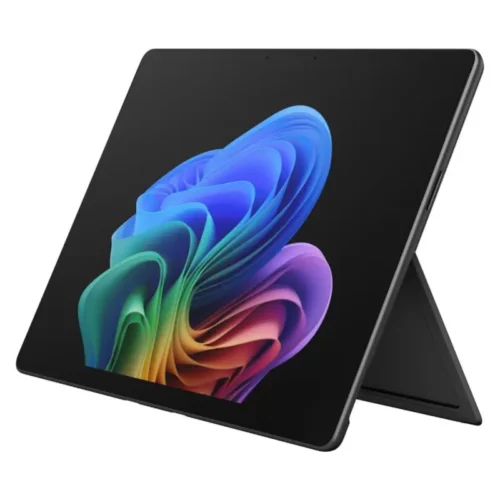
Platinum and black for business configurations; consumer models are also available in Sapphire and Dune, depending on the configuration |
If the Surface Pro 11 13″ (2024) isn’t the right rental solution for your planned use, you can also rent a wide variety of other tablets from us and configure them to suit your needs for projects, events, or temporary workspaces.
[alternativeprodukte]
Fast delivery, reliable service, and free consultation
at
. Fast delivery, reliable service, and secure delivery are our top priorities. We use eco-friendly and reusable packaging for our shipments. At the end of the rental period, we’ll pick up your tablet. This way, you can focus entirely on your projects while we take care of the shipping.
Would you like to learn more about the Surface Pro 11 13″ (2024) or our rental terms? If you have any questions about pricing, contract terms, or available devices, we’re happy to help. If you’re interested in renting a Surface Pro 11 13″ (2024) or another tablet, please don’t hesitate to contact us. You can reach us by phone at +49 9323 938 71 00 or by email at rent@get-it-easy.de.
If you have any concerns or uncertainties, we will be happy to assist you with our many years of experience as a reliable service provider in the field of hardware rental. get-IT-easy – your first choice for technology rental.
More about get-IT-easy | Hardware rental:
Are you interested in learning more about get-IT-easy and our services? We offer a behind-the-scenes look not only on our get-IT-easy website but also on our social media profiles. We regularly post updates on our rental portfolio, as well as new offers, the latest tech innovations, and other informative content about IT and hardware rentals.
We’re active on Facebook, Instagram, Pinterest, XING, and LinkedIn. We look forward to hearing from you!