





Leasing Solutions for Businesses
Bring-Your-Own-Device vs. Rented Devices: When Each Strategy Is Worth It for Doctoral Programs
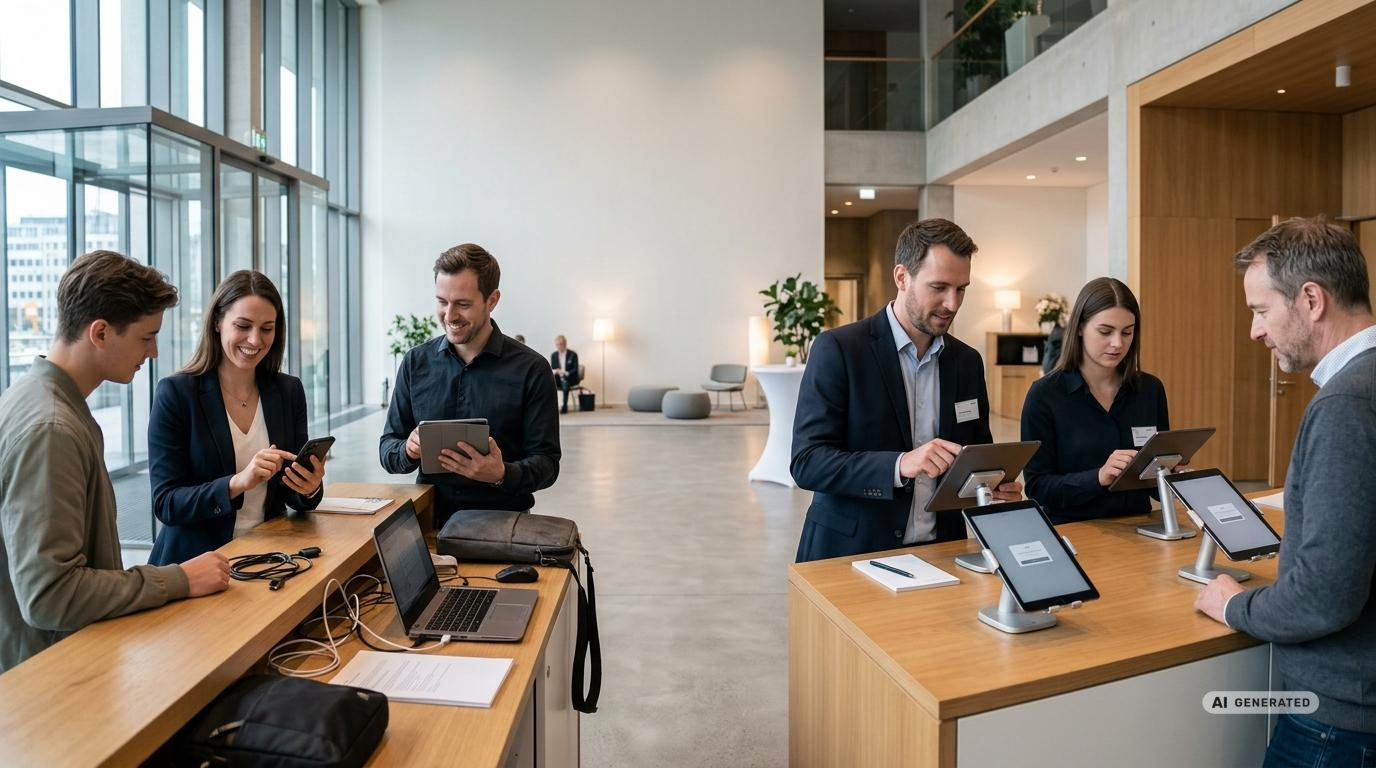
Bring Your Own Device vs. Rented Devices: When Each Strategy Is Best for Promotions
Smartphones and tablets have long been more than just simple tools for promotional events. They collect contact information, showcase products, run contests, document campaigns, and facilitate communication between promotional teams and project management. As a result, mobile devices have become an integral part of the entire customer journey.
During technical planning, a key question therefore arises early on: Should promoters use their personal devices, or should the company provide standardized rental devices? “Bring Your Own Device” (BYOD) can seem straightforward for smaller campaigns. However, as soon as sensitive data, specialized applications, a consistent brand image, or a large number of field staff come into play, preconfigured rental devices often offer significant organizational advantages.
Which strategy is a better fit depends on the goals, the location, the team size, the duration, and the technical requirements of the promotion. A combination of both models can also be a good option. The article “Bring Your Own Device vs. Company-Owned Hardware” provides a supplementary overview.
What Tasks Mobile Devices Handle at Promotional Events
The demands placed on promotional technology have become more diverse. A single device can be used in the morning to track team attendance, during the day for consultations and lead generation, and in the evening for reports and photo documentation. For roadshows, navigation, internal communication, and centralized control are added to the mix.
Typical areas of application include:
- Collection of Leads, Consents, and Contact Information
- Conducting surveys, sweepstakes, and product consultations
- Presenting videos, apps, websites, or digital catalogs
- Registration, check-in, and scheduling appointments
- Communication between promoters, team leaders, and headquarters
- Documentation using photos, forms, and field reports
- Navigation and route planning for mobile teams
- Digital signatures and issuance of QR codes or coupons
The more of these tasks are consolidated onto a single device, the more important it becomes to have a controlled configuration, reliable battery life, and a suitable data connection.
What Does “Bring Your Own Device” Mean in Promotions?
With BYOD, promoters use their own smartphone or tablet for work-related tasks during the event. The required app is installed on the personal device, or a browser-based application is accessed via a personal browser.
The obvious advantage is that many users are very familiar with their own devices. Features such as the camera, keyboard, biometric login, and notifications are already set up. For small teams and simple processes, this allows for a quick technical onboarding.
However, this apparent simplicity can be deceptive. Different operating systems, screen sizes, save states, and security settings make centralized planning difficult. An app that works flawlessly on a current smartphone may respond slowly on an older model or fail to display certain features correctly. Added to this are differences in cell phone plans, available data allowances, and battery levels.
The Advantages of BYOD
BYOD can be particularly appealing when an operation has only a few technical requirements. For example, if only web-based shift scheduling is used, it’s not necessarily required to issue separate devices. A personal smartphone may also suffice for internal communication or simple status updates.
Another advantage is the reduced effort involved in issuing devices. First responders do not have to pick up, transport, and return additional hardware after the operation. For teams assembled on short notice, this can simplify preparations.
However, this advantage should not be viewed in isolation. The organizational burden often shifts from hardware logistics to the testing, support, and security of many different devices. If problems arise, project management must take various operating systems and device models into account.
Where BYOD Reaches Its Limits
When it comes to professional promotional campaigns, BYOD raises several practical questions. Can the company set minimum technical requirements for personal devices? What happens if a smartphone malfunctions during a project? Who provides mobile data? How is business information removed after the project ends? And how can companies prevent data from accidentally ending up in personal apps, photo galleries, or cloud storage?
Modern management platforms can partially separate business apps and data from personal content on personal devices. On Android, separate work profiles are available for this purpose. Apple devices also offer management models for personal devices. In addition, security policies within supported applications can restrict data transfer or require an additional login.
These measures improve security but do not solve every challenge. The organization generally has less control over personal devices than over company-provided hardware. Software updates, available storage, battery capacity, and physical condition remain largely dependent on the individual user. Furthermore, promoters must be transparently informed about which settings or business areas are being managed.
What Rental Devices Offer for Promotions
Rental devices are provided for a defined period and can be configured to suit the project. Instead of a mixed device fleet, the promotional team receives, for example, identical smartphones for rental or tablets with comparable performance, consistent user interfaces, and coordinated accessories.
Apps, user accounts, settings, home screens, SIM cards, or routers can be set up before shipment. A coordinated app installation on rental devices reduces the on-site setup effort. Depending on the project, devices can also be configured to run a single application or a limited set of functions. This reduces distractions and simplifies operation for rotating users.
Since the hardware is returned at the end of the project, rental is particularly well-suited for time-limited promotions, seasonal campaigns, and events with fluctuating device requirements. The ideal solution depends on the device type, quantity, rental period, configuration, accessories, and delivery method.
BYOD vs. Rental Devices: A Direct Comparison
| Criterion | BYOD | Rented Devices |
|---|---|---|
| Device Standard | Various models, operating systems, and display sizes | A uniform or custom-assembled device fleet is possible |
| Setup | Installation and registration by individual users | Central preconfiguration possible prior to deployment |
| Data Protection | Clear Separation of Personal and Business Data Required | Business use can be isolated on provided devices |
| Brand Identity | Inconsistent Look and Usability | Coordinated home screens, apps, content, and mounts are possible |
| Technical Support | Many different device models must be taken into account | Fault patterns can be narrowed down more easily with identical configurations |
| Mobile Internet | Depending on individual contracts and network options | SIM cards and mobile routers can be planned on a project-by-project basis |
| Failure Management | Replacement often depends on the user or the location of use | Spare equipment can be factored into quantity planning |
| Runtime | Useful for simple, recurring tasks | Particularly suitable for time-limited promotions and fluctuating quantities |
| Returns and Data Deletion | Business data must be completely removed from personal devices | After return, devices are inspected, cleaned, and cleared of customer data |
Data Protection as a Critical Planning Factor
Promotions often involve the processing of personal data. This includes names, contact information, interests, consent forms, photos, or information regarding participation in a contest. Therefore, it should be determined before the promotion begins exactly what data is needed, where it will be stored, and who is authorized to access it.
With BYOD, there is an increased risk of mixing personal and business data. An accidentally taken screenshot, an automatic backup to a personal cloud, or exporting data to a personal contact list can cause problems. Personal messaging apps should also not be used for confidential project information without a coordinated plan.
With rented devices, access and applications can be specifically limited to the intended purpose. For example, a lead app can be given priority, while private app stores, cloud accounts, or unnecessary camera functions are blocked. Further information on MDM, user separation, and device reset can be found in the guide to the secure deployment of event hardware. Upon return, customer data is removed from the devices. For projects involving sensitive information, certified data erasure can also be requested.
Consistent User Experience and Brand Impact
In a promotional campaign, it’s not just about whether the technology works. It should also align with the brand’s image. A variety of personal smartphones with custom wallpapers, cases, and notifications can look cluttered at a professionally designed trade show booth.
Uniform rental devices, on the other hand, can be planned as part of the overall presentation. Tablets can be displayed in matching stands and mounts. Smartphones can be equipped with protective cases, mounts, or anti-theft devices. The home screen, app layout, and content can be set up so that promoters can start the planned workflow immediately.
Training also becomes easier when all team members see the same user interface. Project managers can explain workflows using a single device without having to address different menu layouts. This is particularly relevant for large teams, rotating staff, or short training sessions.
Don’t Underestimate Connectivity, Battery Life, and Accessories
A promotional app is only as useful as the available connection. Exhibition halls, train stations, city centers, and event venues can have heavily congested cellular networks or unstable Wi-Fi connections. BYOD often means dealing with a mix of different mobile carriers, data limits, and reception quality.
For rented devices, connectivity can be planned as part of the project. Depending on the application, SIM cards or mobile routers may be used. For example, a 4G/LTE battery-powered router can be incorporated into a mobile setup. In addition, you should check whether the application being used can cache data locally and synchronize it later. An offline mode serves as a valuable fallback option for important forms and lead processes.
Power supply is just as important. Displays that remain on continuously, video applications, navigation, Bluetooth, and mobile data all drain the battery. For long days of use, chargers, multi-port charging stations, or power banks may be necessary. At permanent promotional areas, secure mounts with a power supply are ideal. The article on mobile power solutions at events explains additional planning considerations.
When BYOD Can Be Worthwhile for a Promotional Campaign
BYOD is particularly useful for small teams with manageable tasks. If no sensitive data is stored locally, the application works reliably on many devices, and the brand image isn’t defined by the hardware, using personal devices can be a viable option.
A typical example is a small promotional team that uses a browser-based platform solely to confirm shifts and send brief status updates. Internal communication can also take place via personal devices, provided suitable tools have been selected in advance.
A clear BYOD policy is a prerequisite. It should specify minimum technical requirements, permitted apps, access rights, procedures for handling lost devices, and the deletion of business data upon project completion. In addition, it should clarify how to handle personal data usage and any potential need for support.
When Renting Devices Is the Better Choice
Rental equipment really shines when a promotional campaign needs to be scalable, controllable, and consistent. This is especially true for large teams, applications involving direct interaction with the public, and the collection of sensitive data.
Rental is particularly useful when the following requirements apply:
- Many promoters need similar devices at the same time
- An app must be installed, tested, and configured in advance
- The devices should be limited to a few functions
- Consistent display sizes and user interfaces are important
- SIM cards, routers, stands, or anti-theft devices are required
- Devices are used directly by visitors or customers
- The campaign takes place at multiple locations
- Controlled data deletion is required after the project ends
Rental can also be a good option for short-term needs. Available devices can be shipped within Germany via express or overnight delivery. For larger quantities or extensive pre-configuration, the process is tailored to your specific needs. You can find more real-world examples in the article on tablets and smartphones for promotions.
Hybrid approaches combine both strategies
The decision doesn’t have to be exclusively between BYOD and rented devices. In many projects, a hybrid model makes sense. In this approach, the core team uses provided devices for business-critical tasks, while personal smartphones are used only for less sensitive auxiliary functions.
For example, team leaders could be provided with preconfigured smartphones for mission control, documentation, and central communication. Promoters use standardized tablets for product presentations and lead capture. Personal devices are limited to voluntary or clearly defined tasks, such as personal navigation to the mission site.
A hybrid approach reduces device requirements without sacrificing control over core processes. A clear separation is crucial. Everyone involved should know which task is performed on which device and what data may be processed on it.
Realistically Assess the Actual Costs
When making a decision, one should not consider only the visible hardware costs. BYOD may initially seem more cost-effective, but it can potentially result in additional work for app testing, user guides, data protection policies, and technical support. Delays in registration or incorrect lead records can also undermine the cost-effectiveness of an initiative.
Rented devices incur project-specific costs, but they eliminate the need for procurement, setup, and subsequent storage. Standardized configurations can also reduce training time and simplify troubleshooting. For a realistic assessment, therefore, all process costs should be taken into account.
The rental price depends, among other things, on the device, quantity, rental period, accessories, delivery method, pre-configuration, insurance, and desired additional services. Starting prices are for reference only. Planning should be based on a customized quote.
How to Plan the Right Equipment Solution
- Define the intended use: Determine whether devices are needed for lead generation, presentations, communication, check-in, or multiple tasks.
- Identify users and locations: Plan for the number of devices, deployment teams, operating times, and potential backup devices.
- Review applications: Determine the operating system, app version, user accounts, permissions, and offline capabilities.
- Coordinate data protection: Determine what data will be processed and what protective measures are required.
- Plan connectivity: Check Wi-Fi, cellular networks, SIM cards, and routers, as well as a potential fallback plan.
- Consider accessories: Think about cases, stands, mounts, headphones, anti-theft devices, and power supplies.
- Organize logistics: Define the delivery location, contact person, distribution, return process, and transport-safe packaging.
- Conduct a test run: Test the entire user journey under conditions that are as realistic as possible.
Request the right rental equipment for your next promotional event
get-IT-easy provides tablets, smartphones, laptops, displays, routers, and related accessories for rental use for short-term projects. Rentals are available for as little as one day. Devices can be prepared according to your planned use and equipped with apps, settings, user accounts, SIM cards, or project-specific configurations.
For a specific inquiry, please specify the rental period, quantity, location, desired operating system, and required accessories as early as possible. Based on this information, we’ll check availability, equipment, shipping, and additional services. You’ll then receive a customized quote via email.
FAQ: Frequently Asked Questions About BYOD and Rental Devices for Promotions
Is BYOD generally permitted for promotional events?
BYOD is generally possible, but requires clear organizational and technical guidelines. Especially when it comes to personal data, companies should specify which devices are permitted, how access is protected, and how business data is removed after use.
Can rental devices be set up with a promotional app?
Yes. Apps, accounts, settings, and other content can be preconfigured upon agreement. Which configurations are possible and appropriate depends on the application, the operating system, the required access permissions, and the planned usage scenario.
Which devices are suitable for lead capture?
Smartphones are practical for mobile conversations and short forms. Tablets offer more screen space and are suitable for longer forms, consultations, and visual presentations. Additionally, a project-specific solution for digital lead capture can be planned. The choice of devices should also take into account battery life, camera, cellular connectivity, required accessories, and ease of use.
What happens to the data after the devices are returned?
After return, customer data is removed from the devices. The hardware is then cleaned, inspected, and prepared for future use. If there are specific data protection requirements, certified data erasure can be requested.
Are short-term rentals also possible?
Equipment can be rented for as little as one day. If equipment is available, express or overnight shipping is also possible within Germany. Large quantities and complex configurations should be coordinated as early as possible.
Can a promotion be planned with backup devices?
Yes. Backup devices can be particularly useful for long days of operation, multiple locations, or especially critical processes. The appropriate number of backup devices depends on team size, duration, operating conditions, and technical complexity.
How is the rental price calculated?
The actual rental price depends on the equipment type, quantity, rental period, accessories, shipping, configuration, insurance, and any on-site services. For this reason, a customized quote is prepared for each project.
Conclusion
BYOD can be a pragmatic solution for small, simple promotional campaigns. However, as soon as standardized workflows, sensitive data, numerous users, or a controlled brand presence become important, personal devices quickly reach their organizational and technical limits.
Preconfigured rental devices establish clear conditions for everyone involved. Standardized hardware simplifies training, support, and data collection. At the same time, apps, accessories, and connectivity can be planned to suit the project. For many time-limited campaigns, rental is therefore a flexible way to meet actual device needs without having to maintain a permanent in-house inventory.
The best strategy for your promotion should be determined based on the specific application. With details on quantity, time frame, location, application, and accessories, get-IT-easy can assess your requirements and tailor a suitable rental solution for you.
Read more - You may also be interested in
Would you like to delve deeper into the topic or discover similar content? Below, we have compiled three additional articles for you that are thematically related to this article. These may also be relevant and interesting for your company.

Leasing Solutions for Businesses
Rental vs. Buying Trade Show and Event Hardware: Costs, Flexibility, and Typical Setups for Businesses
Rental of trade show and event equipment instead of buying it: Cut costs, stay flexible,
Sep

Leasing Solutions for Businesses
Bring-Your-Own-Device vs. Rented Devices: When Each Strategy Is Worth It for Doctoral Programs
BYOD or Rented Devices? 📱 Find out which strategy is best for promotions in 2026—considering
Aug

Leasing Solutions for Businesses
TV/Display Rentals for Trade Show Booths & Events: Resolution, Mounts/Stands, Setup & Data Protection
TV and Display Rentals for Trade Show Booths and Events: Tips on resolution, mounts, stands,
Aug

Guide
Transfer Data Quickly Between PCs Without a USB Drive: Simple Methods for Event Teams
Transfer data quickly between PCs without a USB drive: simple, secure methods for event teams—from
Aug

Technology Trends
EUDI Wallet & Digital Identities: Potential Applications for Check-In, Access Control, and Verification at Events
EUDI Wallet at Events: Digital identities for fast check-in, secure access control, and reliable verification.
Aug

Sustainability
Making Packaging & Logistics Sustainable: Reusable Shipping Containers, Return Shipping Processes, and CO2 Reduction
📦 Making Packaging & Logistics Sustainable: Reusable shipping boxes, efficient return processes, and lower CO₂
Aug

Technology Trends
5G & Alternative Event Internet: Wi-Fi/5G Setup, VoWiFi, and Stratospheric Internet—What’s Realistic?
A Look at Internet for Events in 2026: 5G, Wi-Fi Setup, VoWiFi, and Stratospheric Internet.
Jul

Guide
Secure Wi-Fi on the Go & at Events: Which Smartphone/Hotspot Features You Should Disable and Why
Secure Wi-Fi on the Go & at Events: These Smartphone & Hotspot Features You Should
Jul