





Leasing Solutions for Businesses
Rental vs. Buying Trade Show and Event Hardware: Costs, Flexibility, and Typical Setups for Businesses
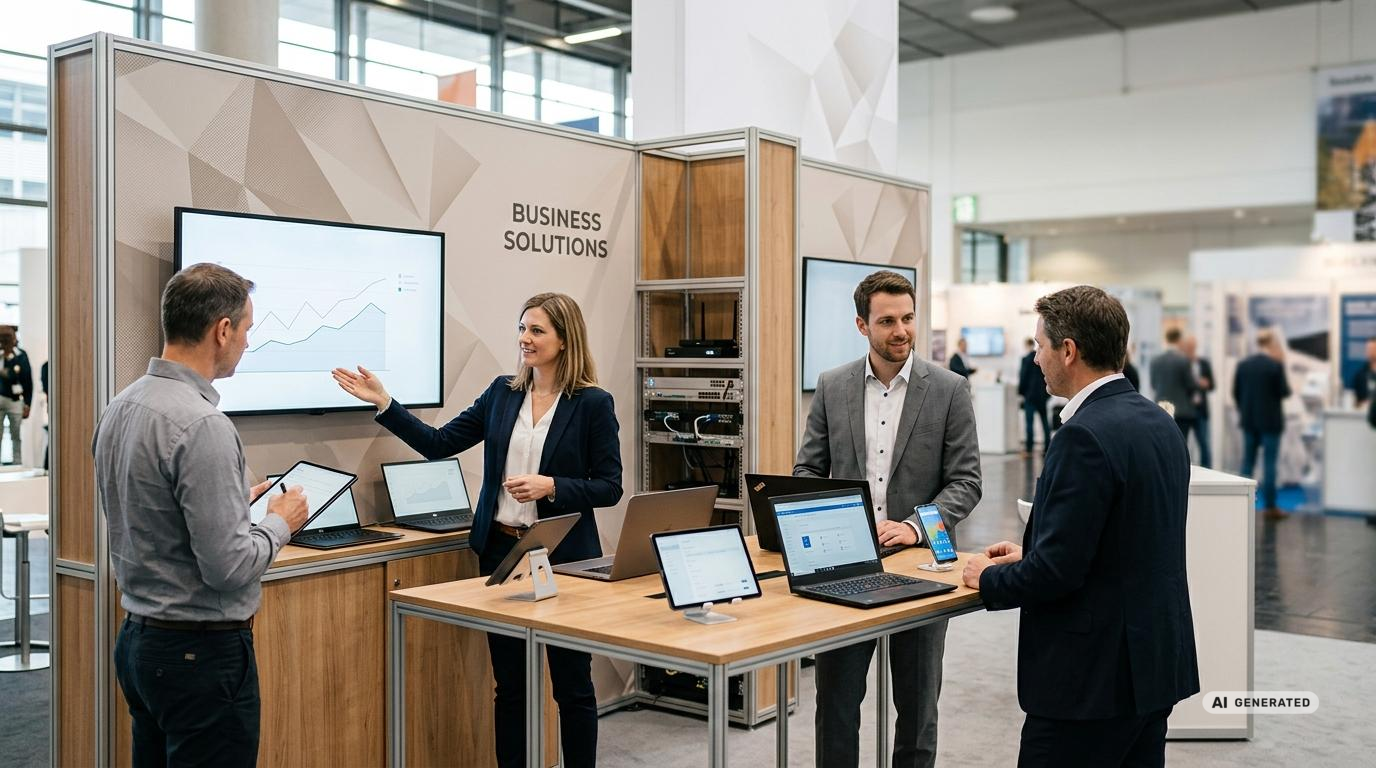
Hardware rental for Trade Shows and Events instead of long-term purchases: costs, flexibility, and typical setups for businesses
Today, a professional trade show presence requires far more than just an attractively designed booth. Tablets capture contact information, displays present content, smartphones support booth staff, laptops run applications, and VR headsets bring products to life digitally. At the same time, devices, accessories, network connections, and software must all work together reliably.
For companies, this raises the question early on of how to procure the necessary technology. A long-term purchase ties up capital and continues to require effort even after the event is over. Renting trade show and event hardware, on the other hand, allows companies to tailor their setup to the specific application, the number of participants, and the duration of the event. This can be the more cost-effective and logistically simpler solution, particularly for one-off trade shows, roadshows, conferences, training sessions, or time-limited campaigns.
By 2026, trade show appearances will be even more closely integrated with digital sales processes. The goal is to record contacts in a structured manner, present content tailored to individual needs, and analyze interactions as directly as possible. At the same time, data protection, standardized device configurations, stable mobile connections, accessibility, and the resource-efficient use of technology will continue to gain importance. A well-designed rental solution from get-IT-easy can bring these requirements together in a project-based setup.
Why Companies Use Event Hardware for Rental on a Project-by-Project Basis
The need for technology varies considerably from one event to another. A small information booth may require only two tablets and a monitor. An international conference, on the other hand, may require numerous registration devices, laptops, smartphones, routers, mounts, and backup devices. A roadshow, in turn, presents different challenges because the same equipment must be used at multiple locations, transported, and regularly set up anew.
The rental fee is based on these specific needs. Companies receive the hardware for the agreed-upon period and then return it. This eliminates the need to permanently store, inventory, and set aside equipment for future use. It also reduces the burden on the internal IT department when preparation, configuration, and accessories are already factored into the project planning.
Another advantage is scalability. If the expected number of visitors changes or an additional event area is planned, the required quantity can be adjusted, provided the appropriate equipment is available. This means companies do not have to commit to a long-term equipment inventory early on. The checklist for hardware rollouts at events summarizes other organizational aspects.
Which Costs Are Actually Relevant for Trade Show Hardware
A meaningful cost comparison should not focus solely on the purchase price of the equipment. With a permanent purchase, additional expenses arise for setup, management, storage, transportation, maintenance, updates, accessories, and eventual disposal. The time spent by the in-house IT and event teams should also be included in the overall calculation.
With a rental solution, many of these items are planned on a project-by-project basis. The actual rental price depends, among other factors, on the equipment type, quantity, rental period, accessories, delivery method, insurance, configuration, and desired additional services. Starting prices can therefore only serve as a general guide. The individual quote for the specific application is always the deciding factor.
| Cost Range | For long-term purchases | For project-based rentals |
|---|---|---|
| Capital Requirements | Investment for the entire equipment inventory | Costs are allocated to the respective project |
| Setup | By internal IT staff or external service providers | Preconfiguration can be arranged on a case-by-case basis |
| Storage | Requires dedicated storage space and inventory management | Return after use |
| Transport | Self-arranged organization and packing | Delivery and organized return available |
| Accessories | Must be procured and managed on an ongoing basis | Can be combined to suit the application |
| Scaling | Additional devices require further investment | Quantities are planned on a project-by-project basis |
| Technical Risk | The company is responsible for aging equipment and declining compatibility | Selection of suitable devices for the current application |
| Follow-up | Data Erasure, Inspection, and Storage | Return and subsequent refurbishment by the lessor |
When does rental make the most sense?
Renting IT hardware is particularly suitable for temporary needs. The shorter the actual period of use is relative to the planned ownership period, the more important it becomes to consider the total cost. A device that is used only a few days a year at a trade show booth still incurs storage, administrative, and maintenance costs during the rest of the time.
Typical situations for hardware rental include:
- Trade shows, conventions, conferences, and customer events
- Roadshows, promotional campaigns, and mobile presentations
- Digital visitor registration and lead generation
- Training sessions, workshops, exams, and product training
- Interactive product presentations using tablets, displays, or VR headsets
- Temporary workspaces for event teams, agencies, and external staff
- Software testing, app presentations, and pilot projects
- International projects and events in Germany
Permanent equipment setups can make sense if the same hardware is used regularly and almost continuously. For rotating events with varying requirements, however, rental often offers more flexibility. The decision should therefore not be based solely on the daily rate, but on the duration of use, internal effort, the number of units required, and technological advancements.
Typical hardware setups for trade shows and business events
A functional setup starts with the intended use. Only then should you select the device type, performance, display size, accessories, and connectivity options. A high-performance device isn’t automatically the best solution. For a simple registration process, long battery life, intuitive operation, and a stable kiosk mode are often more important than maximum processing power.
Setup 1: Digital Registration and Check-In
Tablets on tabletop or floor stands are frequently used in the reception area. Visitors can check in, confirm their information, view tickets, or scan a QR code. Additionally, smartphones can be used for mobile scanning, and laptops can be used by the reception team to assist visitors. The guide to tablets for registration and lead capture at events provides tips on device selection, accessories, and workflows.
It is important to have uniformly configured devices, appropriate mounts, a reliable power supply, and clearly defined access to the registration application. For publicly accessible devices, a restricted user interface is recommended to prevent visitors from unintentionally opening other apps or system settings.
Setup 2: Lead Capture at the Trade Show Booth
Tablets and smartphones can replace the traditional practice of collecting business cards. Booth staff document the content of conversations, categorize interests, and transfer contacts directly into the designated sales process. With the right lead capture solution, the effort required for manual follow-up after the event is reduced.
The devices should be lightweight, portable, and quick to use. For larger teams, a standardized configuration is particularly important. All employees receive the same app, the same input forms, and the necessary user accounts. SIM cards or mobile routers can provide an additional connection if the event network is not sufficient for all applications.
Setup 3: Interactive Product Presentation
Complex products and services can be clearly presented on touchscreens, tablets, or large displays. Visitors can compare different options, watch videos, use configurators, or explore digital product worlds on their own. A connected laptop or computer can handle the playback of complex content as needed.
For this application, display size, viewing distance, lighting conditions, and operating height should be taken into account. At a brightly lit trade show booth, a display with sufficient brightness is essential. For touchscreen applications, content must also be optimized for the selected screen size. The article on TV and display rentals for trade show booths and events explains additional selection criteria.
Setup 4: VR and Immersive Experiences
VR headsets enable virtual tours, product simulations, training scenarios, and spatial presentations. Machines, real estate, vehicles, or production environments can be showcased without the physical object needing to be present at the booth. For wireless business applications, for example, the Meta Quest 3 can be requested as part of a customized setup.
Depending on the application, the setup includes not only the headsets but also headphones, controllers, high-performance computers, hygienic accessories, and a safe presentation area. In the event of heavy visitor traffic, a procedure for cleaning, orientation, and device changes should also be planned. Supervised use prevents operating errors and ensures an orderly flow of visitors.
Setup 5: Temporary Event Office
Project management, organization, press, exhibitor support, and technical coordination often require their own workstations during an event. Rented laptops, monitors, smartphones, and routers quickly create a complete work environment. After the event ends, the equipment is returned without creating any additional permanent inventory.
It is particularly helpful to set up user accounts, applications, network settings, and security policies in advance. This allows the team to get to work more quickly after delivery.
Setup 6: Digital Signage and Visitor Information
Displays used in conjunction with media computers are suitable for schedules, room information, product videos, sponsor content, or up-to-date program information. For larger events, multiple screens with coordinated content can be used. Additional practical information can be found in the guide to digital signage at events.
The planning phase should clarify whether content will be stored locally, updated via a platform, or streamed live. Additionally, stands, wall mounts, cables, adapters, and anti-theft devices must be taken into account. A technically suitable display alone is not enough if the venue lacks the appropriate mounting hardware or signal connections.
Pre-configuration saves time at the event venue
Setting up a trade show is usually a tightly scheduled process. If every tablet has to be set up individually, every app installed manually, and every user account logged in on-site, avoidable delays occur. Pre-configuration shifts these tasks to the preparation phase.
Depending on the project, apps, home screens, Wi-Fi settings, user accounts, presentations, browser access, and project-specific settings can be prepared in advance. To this end, the configuration of rental devices can be included individually in the quote. SIM cards, routers, and VR setups can also be incorporated into the planning. For tablets used in public settings, a kiosk mode can ensure that only the intended application is available.
The entire system should be tested before shipment. This involves more than just checking the functionality of a single device. What matters most is whether the application, user account, network, accessories, and presentation content all work together seamlessly. A brief hands-on test under realistic conditions can prevent many issues on the day of the event.
Network and Mobile Connectivity as Part of the Setup
At events, numerous exhibitors and visitors share the available infrastructure. Even if an event organizer provides Wi-Fi, you should verify that the bandwidth, login credentials, and security requirements are suitable for your planned application. A lead-generation app has different requirements than a livestream or a cloud-based product presentation. The guide to Wi-Fi at events covers network planning and secure guest access in more detail.
Mobile routers and SIM cards can serve as the primary connection or as a backup. However, actual performance depends on the location, the cellular network, the building structure, and network congestion. Therefore, critical applications should, whenever possible, be able to handle even brief interruptions. Offline forms, locally stored presentations, and synchronizable data reduce reliance on a constant connection.
Plan for Data Protection and Device Security
Contact information, meeting notes, login credentials, and internal documents are frequently processed on devices used at trade shows. Data protection must therefore not be considered only after the event. Even during setup, it should be determined which data will be stored locally, who is authorized to access the devices, and when information will be transferred or deleted.
Devices can be secured through PIN requirements, restricted user rights, kiosk modes, and centrally defined settings. Mounts and anti-theft devices reduce the physical risk at the booth. For sensitive applications, it is also recommended to provide only the data and functions that are actually needed.
After return, customer data is removed from the rental devices. If internal data protection policies, confidential project information, or specific compliance requirements exist, certified data erasure can also be requested. These requirements should be specified when the quote is prepared. Additional guidance is provided in the article on data protection, device resets, and the handling of customer data at trade show booths.
Sustainability Through Reuse
In 2026, sustainability will be one of the central themes in the trade show and event industry. In addition to travel, booth construction, and energy consumption, the hardware used is also coming under greater scrutiny. Devices that are purchased for only a few days of an event and then hardly used are often difficult to justify from a resource perspective.
Rented devices are used for various projects, inspected, cleaned, and readied for reuse after they are returned. This reuse can help make better use of existing hardware. Secure reusable boxes also reduce the need for ever-new transport packaging. The article on sustainable logistics in IT demonstrates how these processes can be implemented in practice.
A rental solution does not automatically make a trade show appearance fully sustainable. However, it can be a useful building block if companies avoid unnecessary equipment inventories, order the appropriate quantities, and use reusable accessories.
Planning the Right Quantities and Reserves
Too few devices lead to wait times and overburdened staff. Too many devices, on the other hand, increase the project workload. When planning quantities, visitor volume, the number of employees, the duration of individual interactions, and parallel areas of use should be taken into account.
For registration stations, for example, the required number can be determined based on expected arrivals during the busiest time window. For lead capture, it should be clarified whether each team member needs their own device or whether multiple people will share devices. For central presentations, it may be wise to have a small technical reserve.
Charging times should also be factored into the planning. Devices used on the go throughout the day require appropriate chargers, charging stations, or a scheduled device swap. Depending on the device and usage scenario, a power bank can serve as a mobile backup. A backup is especially helpful when the technology must be available without prolonged interruptions.
Organizing Delivery, Setup, and Return
Available devices can be delivered within Germany via express or overnight shipping. For large quantities, extensive pre-configuration, or specific delivery time windows, the process will be customized. International companies can also request hardware for events and projects in Germany.
To ensure a smooth process, the delivery address, contact person, hall access, and acceptance times should be clarified well in advance. Exhibition centers often have their own logistics rules. Depending on the project, delivery to a hotel, office, or event storage facility may therefore be more suitable than direct delivery to the booth.
For returns, return labels are provided and pickup is arranged. The customer packs the equipment securely for transport in the provided packaging. Unless otherwise agreed, delivery and pickup are included in the shipping costs.
What Companies Should Consider When Making an Inquiry
The more detailed the project information is, the better we can tailor the quote. Particularly important details include the device type, desired quantity, rental period, location, and required accessories. Additionally, please describe which applications will be used and whether pre-configuration is required.
Special requirements such as kiosk mode, SIM cards, mobile routers, stands, headphones, anti-theft devices, insurance, or on-site support should also be specified early on. If a specific device model has not yet been determined, the selection can be based on the intended use. Factors such as performance, battery life, display size, number of users, and connectivity options are taken into account.
The request is submitted via the request list. get-IT-easy then checks availability and puts together a customized quote. Prices are always calculated based on the specific project.
FAQs on Rental of Trade Show and Event Hardware
What is the minimum rental period for event hardware?
Rentals are available for as little as one day. This makes the service suitable for both single-day events and projects lasting several weeks, roadshows, and temporary workspaces.
Can larger quantities be rented?
Yes, larger quantities can be requested. Availability depends on the desired device, the time period, the configuration, and the required accessories. Submitting a request early facilitates planning.
Is the equipment delivered already set up?
Project-specific pre-configuration is possible. This may include apps, accounts, settings, presentations, SIM cards, routers, and other requirements. The exact scope is determined on a case-by-case basis.
What happens to the data after the event?
After return, customer data is removed from the devices. For projects involving sensitive information, certified data erasure can be requested.
Are rental devices free of signs of use?
Since the hardware is reused multiple times, there may be slight signs of wear. The devices are inspected, cleaned, and prepared before each use and shipped ready for use. The focus is on technical functionality and reliable performance.
Is insurance available?
Equipment insurance can be added as an option and may be relevant in cases of theft or damage, among other things. In the event of a defect or damage, get-IT-easy must be notified immediately. Theft must also be reported to the police.
Can foreign companies arrange hardware rental for a trade show in Germany?
Yes, companies based abroad can also submit a request. The delivery location, rental period, quantity, configuration, and return process are coordinated to suit the specific use in Germany.
Is a short-term extension possible?
An extension is possible in many cases, provided the equipment is available for the additional period. Please notify us of your request as early as possible.
Conclusion: The Right Technology for Your Specific Trade Show Presence
Hardware rental for trade shows and events offers companies a flexible way to implement digital applications without having to maintain a long-term inventory of devices. Tablets, smartphones, laptops, displays, computers, VR headsets, and related accessories can be tailored to the event, the number of users, and the intended use.
The economic benefit stems not only from temporary access to the equipment. Pre-configuration, organized delivery, easy return, project-specific accessories, and guidance on selection also reduce internal administrative burden. At the same time, modern requirements such as digital lead capture, interactive presentations, mobile connectivity, data security, and multiple-use scenarios can be better integrated into event planning.
Anyone planning a trade show, conference, roadshow, or corporate event should therefore consider hardware early on as an integral part of the overall concept. The required products, quantities, and additional services can be compiled using the request form. Based on this, get-IT-easy prepares a customized quote for the specific project.
Read more - You may also be interested in
Would you like to delve deeper into the topic or discover similar content? Below, we have compiled three additional articles for you that are thematically related to this article. These may also be relevant and interesting for your company.

Leasing Solutions for Businesses
Rental vs. Buying Trade Show and Event Hardware: Costs, Flexibility, and Typical Setups for Businesses
Rental of trade show and event equipment instead of buying it: Cut costs, stay flexible,
Sep

Leasing Solutions for Businesses
Bring-Your-Own-Device vs. Rented Devices: When Each Strategy Is Worth It for Doctoral Programs
BYOD or Rented Devices? 📱 Find out which strategy is best for promotions in 2026—considering
Aug

Leasing Solutions for Businesses
TV/Display Rentals for Trade Show Booths & Events: Resolution, Mounts/Stands, Setup & Data Protection
TV and Display Rentals for Trade Show Booths and Events: Tips on resolution, mounts, stands,
Aug

Guide
Transfer Data Quickly Between PCs Without a USB Drive: Simple Methods for Event Teams
Transfer data quickly between PCs without a USB drive: simple, secure methods for event teams—from
Aug

Technology Trends
EUDI Wallet & Digital Identities: Potential Applications for Check-In, Access Control, and Verification at Events
EUDI Wallet at Events: Digital identities for fast check-in, secure access control, and reliable verification.
Aug

Sustainability
Making Packaging & Logistics Sustainable: Reusable Shipping Containers, Return Shipping Processes, and CO2 Reduction
📦 Making Packaging & Logistics Sustainable: Reusable shipping boxes, efficient return processes, and lower CO₂
Aug

Technology Trends
5G & Alternative Event Internet: Wi-Fi/5G Setup, VoWiFi, and Stratospheric Internet—What’s Realistic?
A Look at Internet for Events in 2026: 5G, Wi-Fi Setup, VoWiFi, and Stratospheric Internet.
Jul

Guide
Secure Wi-Fi on the Go & at Events: Which Smartphone/Hotspot Features You Should Disable and Why
Secure Wi-Fi on the Go & at Events: These Smartphone & Hotspot Features You Should
Jul