





Technology Trends
How to conveniently control your Quest 3 at events via tablet or Surface
How to conveniently control your Quest 3 at events via tablet or Surface
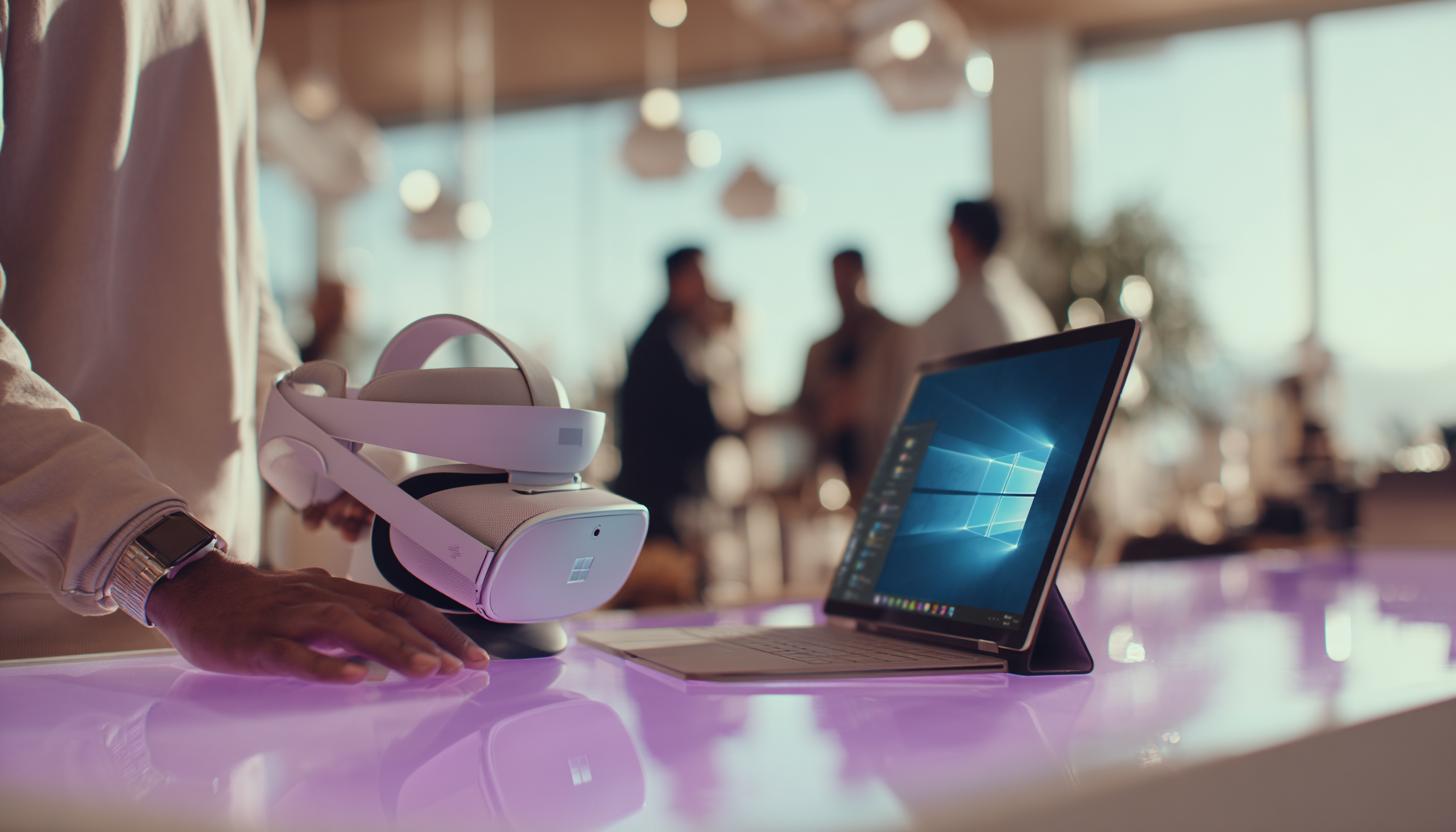
The Meta Quest 3 is now the leading all-in-one VR glasses for immersive experiences at business events, trade fairs or product presentations. However, while immersive content is becoming increasingly sophisticated, there is often a lack of simple remote control – especially when several devices are running in parallel or content needs to be shown synchronously. This is exactly where control via a tablet or Microsoft Surface comes into play.
In this article, we will show you how you can conveniently control your Quest 3 remotely via Surface or tablet, what software solutions are available in 2025, what you should look out for when it comes to hardware and why it can be worthwhile for your company to rent the technology you need at short notice via a B2B rental company.
Why control via tablet makes sense
At professional events, time is short and everything has to run smoothly. Controlling VR glasses directly on site can be complicated and time-consuming. With a central management and remote control unit – for example with a Microsoft Surface or a Samsung Galaxy Tab S – the following advantages arise:
- Simultaneous control of multiple devices: Start or pause content synchronously
- Centralized content: You only have to manage and distribute content once
- Improve customer experience: Users don’t have to click through menus
- Easier to rectify technical faults: Devices can be restarted or reconnected remotely
This is particularly helpful for:
- Trade fairs and roadshows
- Product or architectural presentations
- Adventure tours and training events
- Mobile training in companies
Technology trends 2025: Quest 3 remote control developed further
The Meta Quest 3 already supports a number of remote control options out of the box. In 2025, some tools have become particularly popular for operating VR goggles professionally in an event context:
1. Meta quest for business
Meta’s latest business offering allows companies to control multiple VR headsets via a central platform. Content can be uploaded, updates pushed and even user roles assigned here. Especially in combination with Windows tablets such as the Surface Pro 9 or Surface Go 4, flexibility and mobility are key.
2. Remote display apps and management systems
Applications such as ArborXR, ManageXR or VSpatial have proven to be particularly relevant in practice. These allow remote control via a web interface that works very well on any Surface or iPad-based tablet. The combination with powerful Android tablets is also possible, for example with the Samsung Galaxy Tab S10 Plus or the Samsung Galaxy Tab S10 Ultra, which are an excellent choice for demanding event control applications.
3. Display casting & screen mirroring
The Quest 3 allows content to be mirrored live on a tablet. Using a Wi-Fi connection and tools such as “Meta Casting” or “Oculus Developer Hub”, the Surface can take over the display in real time and also control it if required (e.g. scene changes).
How the remote control works in practice
To ensure that your event content can be started smoothly on several Meta Quest 3 headsets via a tablet, the hardware and software must work together perfectly. The process looks something like this:
- Connect all Quest 3 headsets to the event’s WLAN network
- Integrate a central tablet (e.g. Surface Pro 9 or a Samsung Galaxy Tab S) via the same WLAN connection
- Open remote control software such as ArborXR or ManageXR on the tablet
- See the registered devices, call up status (e.g. battery, app status)
- Select content and start it on individual or multiple devices simultaneously
Which tablets are suitable for remote control?
Not every tablet is robust enough for event use or offers the necessary computing power for demanding control tools. Popular models include the Microsoft Surface Pro 9, the Surface Go 4 and the Samsung Galaxy Tab S10 Ultra. The Samsung Galaxy Tab S10 Plus is also suitable for a particularly compact yet powerful format.
| Model | Operating system | Recommended for | Special feature |
|---|---|---|---|
| Microsoft Surface Pro 9 | Windows 11 | B2B event control | Strong battery, USB-C, high computing power |
| Microsoft Surface Go 4 | Windows 11 | Compact control solution | Lightweight and portable |
| iPad Pro M2 | iOS 17+ | Design presentations, user interface | Fast casting, many apps |
| Samsung Galaxy Tab S10 Plus | Android 14 | Budget-friendly events, compact control | Good price-performance ratio, powerful |
| Samsung Galaxy Tab S10 Ultra | Android 14 | High-end events, large screens | Extra large display, multitasking |
Why rent instead of buying? The advantages for your company
For many companies, buying tablets and VR glasses is not economically viable – especially when it comes to events or temporary installations. Thanks to specialized B2B rental companies such as [your company name], complete event sets with Quest 3 and Surface for remote control can be rented. This has several advantages:
- Cost savings: Only pay for what you really need – without investment costs
- State-of-the-art technology: Always the latest devices and software versions on offer
- Maintenance and support included: Technical pre-check, update service and event support
- Flexibility: Rental period from one day to several weeks or months possible
Our recommendation: Rent a Quest 3 remote control with Surface
Do you want to scale up your VR experiences at your next event? Then we recommend combining one or more Meta Quest 3 headsets with a powerful Surface tablet. Our B2B rental solutions offer specially configured bundles so you don’t have to worry about a thing. Alternatively, you can also opt for the new Meta Quest 3S, which is particularly suitable for large quantities and simple setup at events:
- Meta Quest 3 (128 or 512 GB) or Meta Quest 3S including preconfigured content
- Surface Pro or Surface Go with remote control app
- WLAN router or mobile phone solution for temporary networks
- Transport case, battery packs, headset disinfection & support material
Enquire now and receive an individual offer: Our service team will put together the right rental package for you within one working day – with or without on-site support!
FAQ – Frequently asked questions
- Which software is best suited for remote control in 2025?
- ArborXR, ManageXR and the Meta Quest for Business platform currently offer the most stable feature set and cloud management.
- Can it also be controlled offline?
- Partially yes – the content can be started directly with pre-configured devices. However, full remote control requires a local network connection.
- Is a Surface better than an iPad?
- A Surface is often more flexible for business customers, as Windows business apps and MDM systems are easier to integrate. iPads score points with Apple-intensive infrastructure and intuitive operation.
- What happens if a headset fails?
- Our rental service usually includes a replacement device or quick replacement as part of the support.
- Can several tablets be used at the same time?
- Yes, depending on the software setup, several control devices can be configured in parallel, e.g. for group control or monitoring. The use of powerful devices such as a Galaxy Tab S10 Plus is recommended for clear monitoring.
Conclusion: Smart and central control of VR at events
The combination of Meta Quest 3 and Microsoft Surface opens up completely new possibilities for companies in event management in 2025. Instead of operating individual devices manually, content can be managed centrally, synchronized live and problems solved directly via the tablet. Especially in the rental model, you gain maximum flexibility without high investment costs. By the way: You can also easily obtain other VR glasses for your event via VR glasses rental.
Are you planning an event or a product tour with virtual reality? Ask us about your individual rental package today: Our technical experts will support you with configuration, installation and smooth operation – including training on request.
Enquire now & secure an individual offer
47869,49533,50110Read more - You may also be interested in
Would you like to delve deeper into the topic or discover similar content? Below, we have compiled three additional articles for you that are thematically related to this article. These may also be relevant and interesting for your company.

Leasing Solutions for Businesses
Rental vs. Buying Trade Show and Event Hardware: Costs, Flexibility, and Typical Setups for Businesses
Rental of trade show and event equipment instead of buying it: Cut costs, stay flexible,
Sep

Leasing Solutions for Businesses
Bring-Your-Own-Device vs. Rented Devices: When Each Strategy Is Worth It for Doctoral Programs
BYOD or Rented Devices? 📱 Find out which strategy is best for promotions in 2026—considering
Aug
Leasing Solutions for Businesses
TV/Display Rentals for Trade Show Booths & Events: Resolution, Mounts/Stands, Setup & Data Protection
TV and Display Rentals for Trade Show Booths and Events: Tips on resolution, mounts, stands,
Aug
Guide
Transfer Data Quickly Between PCs Without a USB Drive: Simple Methods for Event Teams
Transfer data quickly between PCs without a USB drive: simple, secure methods for event teams—from
Aug

Technology Trends
EUDI Wallet & Digital Identities: Potential Applications for Check-In, Access Control, and Verification at Events
EUDI Wallet at Events: Digital identities for fast check-in, secure access control, and reliable verification.
Aug
Sustainability
Making Packaging & Logistics Sustainable: Reusable Shipping Containers, Return Shipping Processes, and CO2 Reduction
📦 Making Packaging & Logistics Sustainable: Reusable shipping boxes, efficient return processes, and lower CO₂
Aug

Technology Trends
5G & Alternative Event Internet: Wi-Fi/5G Setup, VoWiFi, and Stratospheric Internet—What’s Realistic?
A Look at Internet for Events in 2026: 5G, Wi-Fi Setup, VoWiFi, and Stratospheric Internet.
Jul

Guide
Secure Wi-Fi on the Go & at Events: Which Smartphone/Hotspot Features You Should Disable and Why
Secure Wi-Fi on the Go & at Events: These Smartphone & Hotspot Features You Should
Jul