





Leasing Solutions for Businesses
iPad Air comparison: Which model is perfect for your company?
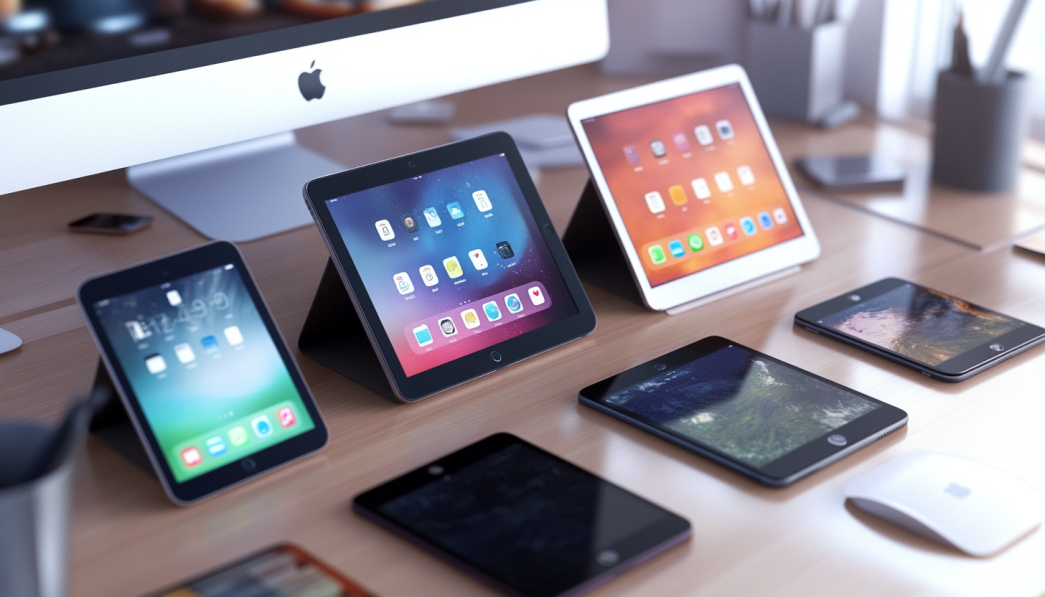
iPad Air comparison: Which model is right for you?
Since its launch, the iPad Air has established itself as one of Apple’s most popular tablets. With its combination of performance, design and ease of use, it is suitable for both leisure and work purposes. In this blog post, we compare the current generation iPad Air with previous models and other iPad alternatives to help you decide if it’s the right tablet for you.
Why is the iPad Air so popular?
The iPad Air offers the balance between functionality and price, making it an attractive choice for a wide range of users. It is lighter and thinner than the iPad Pro, but still offers impressive performance. With regular updates from Apple, the device remains up-to-date and powerful.
How does the current iPad Air (5th generation) perform?
The 5th generation of the iPad Air (launched in 2022) has some significant improvements over its predecessors. It uses the same M1 chip that can also be found in many MacBooks and the iPad Pro. This chip increases computing power and efficiency enormously.
Technical Specifications at a Glance
| Feature | iPad Air (5th Generation) | iPad Air (4th Generation) |
|---|---|---|
| Processor | M1 chip | A14 Bionic |
| Display | 10.9 inch Liquid Retina | 10.9 inch Liquid Retina |
| Camera | 12MP Ultra Wide front camera | 7MP front camera |
| Ports | USB-C | USB-C |
| Accessory Support | Apple Pencil (2nd Gen), Magic Keyboard | Apple Pencil (2nd Gen), Magic Keyboard |
| 5G Support | Yes | No |
| Operating System | iPadOS 16 | iPadOS 16* |
* Now available through software upgrade.
Differences between iPad Air and iPad Pro
A frequently made comparison is that between the iPad Air and the iPad Pro. Here are some of the main differences:
- Processor: Both models use the M1 or M2 chip in the current generation, whereby the iPad Pro (2022) is even more powerful.
- Display: The iPad Pro offers a ProMotion display with an adaptive refresh rate of up to 120 Hz, while the iPad Air stays at 60 Hz.
- Storage options: The iPad Pro offers up to 2 TB of storage, while the iPad Air offers a maximum of 256 GB.
- Camera: The iPad Pro offers an additional ultra-wide rear camera and a LiDAR sensor for augmented reality applications.
In terms of price, however, the iPad Air is considerably cheaper, making it a more budget-friendly option.
What makes the iPad Air different from other iPads?
There are several models in the Apple tablet segment, such as the iPad (9th and 10th generation), the iPad Mini and the iPad Pro. Here are the main differences between these devices:
- iPad (basic model): Cheaper and therefore suitable for everyday tasks and light applications. However, it has weaker hardware and only supports the 1st generation Apple Pencil.
- iPad Mini: Perfect for on the go and particularly compact. However, the smaller screen size is not ideal for every user.
- iPad ProThe most powerful iPad option with high-end functions, but also correspondingly expensive .
The iPad Air fills the gap between these models and offers a perfect balance of performance and affordability.
What is the iPad Air suitable for?
The iPad Air is versatile, which makes it an attractive choice for many users:
- Work: Thanks to the M1 chip, productive applications such as Microsoft Office, Adobe Photoshop and iWork run smoothly.
- Creative projects: The 2nd generation Apple Pencil can be used to create professional drawings, notes and designs.
- Leisure: Perfect for streaming, gaming or surfing the Internet.
Support for accessories such as the Magic Keyboard even makes it fully suitable for use as a laptop replacement.
Is it worth upgrading to the iPad Air (5th gen)?
Whether you should upgrade to the latest generation depends on your current device and your requirements:
- From iPad Air (4th gen): The improvements such as the M1 chip and 5G are significant, but are mainly worthwhile for power users.
- From older iPad models: The upgrade offers a significant performance boost as well as modern features and support for new accessories.
Alternatives in the Android universe
Even though the iPad Air has a lot to offer, there is strong competition from the Android camp. Tablets such as the Samsung Galaxy Tab S8 or the Lenovo Tab P12 Pro offer similar functions – often at lower prices. With open operating systems and more customization options, they are also worth considering.
FAQ
1. can the iPad Air serve as a laptop replacement?
Yes, especially with accessories such as the Magic Keyboard and apps such as Microsoft Office or Google Drive. However, some users lack the functions of a full operating system such as macOS or Windows.
2. which iPad Air is better for creative activities?
The iPad Air (5th generation) is ideal for creative professionals thanks to the M1 chip and compatibility with the 2nd generation Apple Pencil.
3. is the higher price of the iPad Pro justified?
It all depends on the individual requirements. For intensive users who rely on 120 Hz displays, better cameras and more memory, the iPad Pro is the better choice.
Conclusion
The iPad Air (5th generation) is an all-round successful tablet that offers impressive performance, high-quality workmanship and modern functions. It strikes an excellent balance between price and performance, making it an excellent choice for most users. For creative minds, leisure users or even productive work processes, it offers everything you could wish for. However, if you want the best of the best, you should probably go for the iPad Pro – or look for viable alternatives in the Android sector.
Read more - You may also be interested in
Would you like to delve deeper into the topic or discover similar content? Below, we have compiled three additional articles for you that are thematically related to this article. These may also be relevant and interesting for your company.

Leasing Solutions for Businesses
Rental vs. Buying Trade Show and Event Hardware: Costs, Flexibility, and Typical Setups for Businesses
Rental of trade show and event equipment instead of buying it: Cut costs, stay flexible,
Sep

Leasing Solutions for Businesses
Bring-Your-Own-Device vs. Rented Devices: When Each Strategy Is Worth It for Doctoral Programs
BYOD or Rented Devices? 📱 Find out which strategy is best for promotions in 2026—considering
Aug

Leasing Solutions for Businesses
TV/Display Rentals for Trade Show Booths & Events: Resolution, Mounts/Stands, Setup & Data Protection
TV and Display Rentals for Trade Show Booths and Events: Tips on resolution, mounts, stands,
Aug

Guide
Transfer Data Quickly Between PCs Without a USB Drive: Simple Methods for Event Teams
Transfer data quickly between PCs without a USB drive: simple, secure methods for event teams—from
Aug

Technology Trends
EUDI Wallet & Digital Identities: Potential Applications for Check-In, Access Control, and Verification at Events
EUDI Wallet at Events: Digital identities for fast check-in, secure access control, and reliable verification.
Aug

Sustainability
Making Packaging & Logistics Sustainable: Reusable Shipping Containers, Return Shipping Processes, and CO2 Reduction
📦 Making Packaging & Logistics Sustainable: Reusable shipping boxes, efficient return processes, and lower CO₂
Aug

Technology Trends
5G & Alternative Event Internet: Wi-Fi/5G Setup, VoWiFi, and Stratospheric Internet—What’s Realistic?
A Look at Internet for Events in 2026: 5G, Wi-Fi Setup, VoWiFi, and Stratospheric Internet.
Jul

Guide
Secure Wi-Fi on the Go & at Events: Which Smartphone/Hotspot Features You Should Disable and Why
Secure Wi-Fi on the Go & at Events: These Smartphone & Hotspot Features You Should
Jul