





Guide
Gaming Laptops vs. Gaming PCs: Which Is the Better Choice in 2026?
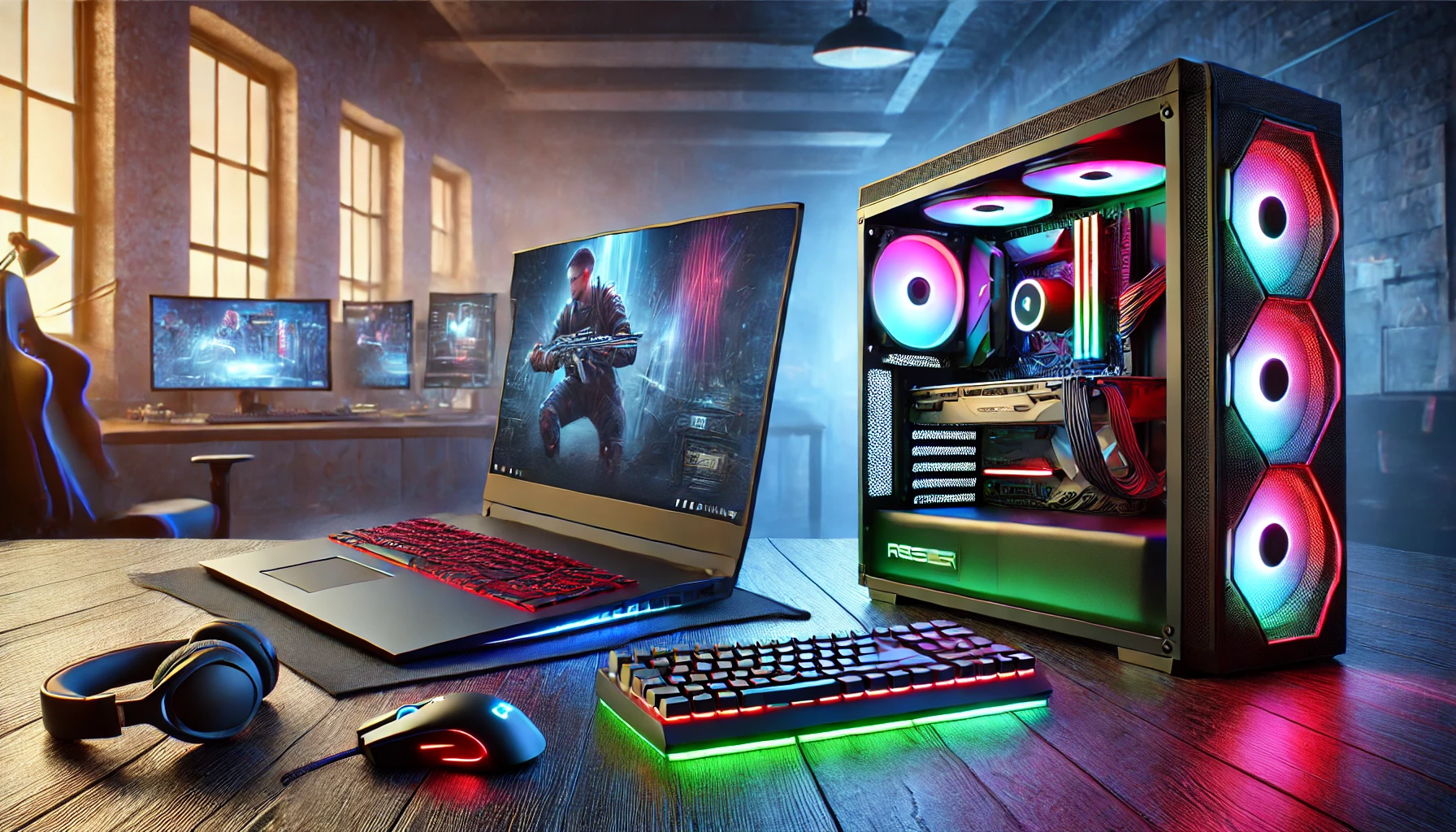
Gaming Laptop or Gaming PC: Which Is Really Worth It in 2026?
It is a question almost everyone asks when getting serious about PC gaming or planning an upgrade: gaming laptop or gaming desktop? Both concepts pursue the same goal – smooth gaming at high quality – but achieve it in completely different ways. One focuses on maximum performance and flexibility, while the other prioritizes compactness and mobility. In this guide, we compare both options point by point and use specific criteria to show you which device best suits your gaming habits in 2026. And if you do not want to buy right away: At get-IT-easy, you can flexibly rent both gaming laptops and gaming PCs for as little as one day.
Gaming Laptop vs. Gaming PC: A Quick Overview
If you are short on time, this table gives you the most important differences at a glance. Further down, we take a closer look at each point.
| Criterion | Gaming PC (Desktop/Tower) | Gaming Laptop (Notebook) |
|---|---|---|
| Raw performance | Highest performance per euro | Powerful, but thermally limited |
| Mobility | Fixed location | Ready to use anywhere |
| Upgradability | Almost every component can be replaced | Usually only RAM & SSD |
| Cooling & noise | Quiet and efficient | Loud under load |
| Price-performance ratio | Better | Premium for mobility |
| Space requirements | Dedicated workspace required | Minimal |
| Lifespan | Longer thanks to upgrades | Shorter replacement cycle |
The Fundamental Difference Between a Gaming Laptop and a Desktop
Before looking at the individual comparison points, it is worth understanding the basic principle. A gaming desktop is housed in a large case or tower that provides plenty of space for powerful components, large coolers and multiple fans. This allows the hardware to operate at full performance over extended periods without the same thermal compromises.
A gaming laptop, on the other hand, packs all of its technology – display, keyboard, battery, graphics card and cooling system – into a slim chassis. This is an impressive feat of engineering, but it comes with physical limitations: less space means less cooling surface area, and less cooling means reduced sustained performance. This is the key difference that affects almost all of the criteria below.
Difference Between a Gaming Laptop and a Regular Laptop
A regular laptop is designed for office work, web browsing and video streaming. It usually does not have a dedicated graphics card and instead relies on the graphics integrated into the processor, which are generally too weak for modern games. A gaming laptop, by contrast, includes a dedicated GPU, a powerful cooling system, a fast display with a high refresh rate of 120 Hz or more, and a more powerful processor. The price difference is largely explained by these gaming-specific components. If you only need solid office performance, an office laptop is usually the better and more affordable choice.
Performance: Which One Delivers More Power?
When it comes to pure computing performance, the desktop PC still has the edge – for one simple reason: space and cooling. A desktop graphics card can draw more power and operate at higher temperatures because the case can dissipate the heat much more effectively. The laptop version of a graphics card from the same generation, despite often having the same name, operates with a significantly lower power budget and therefore delivers noticeably fewer frames per second.
When Is Laptop Performance Sufficient?
- Full HD and QHD gaming: Modern gaming laptops are highly competitive here and deliver smooth frame rates in most games.
- Competitive shooters and esports titles: Games such as Valorant, CS2 or League of Legends run without problems at high frame rates.
- Casual and story-driven games: For players who do not require maximum graphics settings, a laptop is more than sufficient. Popular models such as the Lenovo Legion 5 or the MSI Cyborg 15 can also be rented easily for this purpose.
When Is a Desktop the Better Choice?
- 4K gaming at maximum settings: Running demanding games at high resolutions for extended periods requires unrestricted desktop performance, such as that provided by an OMEN Gaming Desktop GT22.
- Demanding ray tracing: Computationally intensive lighting calculations require enormous performance, allowing the tower to make full use of its strengths.
- Streaming, video editing and rendering: Anyone who also uses the system for productive workloads benefits from the more powerful CPUs and higher core counts available in desktops.
Mobility: The Laptop’s Biggest Advantage
This is where the situation changes completely. A gaming laptop is a complete portable system – the display, keyboard, touchpad and battery are already built in. You simply open it up and get started, whether you are in the living room, on a train, visiting friends or attending a LAN party.
A desktop, by contrast, is tied to a fixed location. Moving house or spending a spontaneous gaming weekend with friends means dismantling and transporting the tower, monitor, keyboard and peripherals before setting everything up again. For anyone who travels frequently, lives in a small apartment or cannot set up a permanent gaming area, the mobility of a laptop is often the deciding factor – despite its performance disadvantage.
Price-Performance Ratio: Where Do You Get More for Your Money?
When comparing pure performance per euro, the desktop is the clear winner. For the same budget, a tower gives you more powerful components because miniaturizing hardware for a laptop comes at a price. If you want the highest possible frame rate for every euro spent, a desktop is the better option.
| Budget | Gaming PC Offers | Gaming Laptop Offers |
|---|---|---|
| Approx. €1,000 | Solid Full HD to QHD gaming with upgrade potential | Entry-level Full HD gaming, often thermally limited |
| Approx. €1,500 | Powerful QHD gaming, with 4K possible in some titles | Good Full HD/QHD gaming including display & battery |
| Approx. €2,500+ | Uncompromising 4K gaming with ray tracing | High-end mobile gaming, but thermally limited |
Important: A laptop’s price already includes the display, keyboard and battery. With a desktop, you also need to factor in a monitor, keyboard and mouse separately. This reduces the price difference somewhat, but does not eliminate it. If you want to avoid purchasing the equipment altogether, you can also rent the appropriate accessories directly from get-IT-easy. The starting prices shown there are only intended as a guide – the actual rental price always depends on your individual requirements.
Upgradability and Future-Proofing
This is where desktops truly excel. The graphics card, processor, memory, power supply and storage can all be replaced individually. Instead of buying an entirely new system every few years, you can upgrade only the component that has become outdated. This saves money in the long term and conserves resources.
In gaming laptops, the key components – especially the graphics card and processor – are usually soldered directly to the motherboard and cannot be replaced. In most cases, only the RAM and SSD can be upgraded, and even that is not possible with every model. Once the laptop’s GPU becomes too slow, buying an entirely new device is often the only option.
Cooling, Heat and Noise
Large cases have one major advantage: plenty of space for airflow. Gaming PCs can be equipped with multiple case fans or liquid cooling systems, allowing the components to remain cool and relatively quiet even during gaming sessions lasting several hours.
Gaming laptops have to dissipate the same kind of heat using tiny fans and slim heat pipes. Under full load, the fans therefore spin at high speeds, which becomes clearly audible and can be distracting during longer sessions. The chassis can also become noticeably warm, making prolonged use on your lap uncomfortable.
Sustainability and Energy Efficiency
From an environmental perspective, desktops have two key advantages. First, their upgradability can significantly extend their lifespan – the same case can continue to be used with new components for many years. Second, this reduces electronic waste because individual parts can be replaced instead of the entire device.
Gaming laptops often have a shorter lifecycle due to their compact design and limited upgrade options. Although mobile components are generally optimized to consume less power per hour of gaming, this advantage can be offset by the need to replace the entire device more frequently. In our article Renting Hardware Instead of Buying: Environmental Benefits, Capacity Utilization and Carbon Footprint, we also explain how renting instead of buying can affect resource consumption and CO₂ emissions.
Which Option Is Right for You?
A Gaming PC Is Right for You If …
- you want maximum performance per euro.
- you want to play in 4K or use ray tracing.
- upgradability and longevity are important to you.
- you have a dedicated gaming setup.
- you also stream, render or edit videos.
- quiet operation during long gaming sessions is important to you.
A Gaming Laptop Is Right for You If …
- you want to game flexibly from different locations.
- you have limited space or move frequently.
- you regularly attend LAN parties or visit friends.
- you prefer a complete system without lots of cables.
- Full HD or QHD gaming is sufficient for you.
- you also want to use the device for university, work or travel.
Rent Instead of Buy: A Flexible Alternative
Whether you choose a gaming laptop or a gaming PC, purchasing powerful gaming hardware can be expensive, and the technology becomes outdated quickly. If you do not want to make a long-term commitment, you can simply rent either option from get-IT-easy – tailored individually to the device, rental period and accessories you need. This is particularly useful if you want to test a specific device first, need powerful hardware at short notice for a project, tournament or gaming event, or simply want to remain flexible without spending several thousand euros upfront. This allows you to find out whether mobility or maximum performance is better suited to your everyday needs. Simply add your preferred setup to the request list and you will receive an individual quotation by email.
Frequently Asked Questions (FAQ)
Which Is Better: Gaming PC or Gaming Laptop?
Neither option is universally better. A gaming PC delivers more performance per euro, is easier to upgrade and generally runs more quietly – making it ideal for home use and maximum graphics performance. A gaming laptop stands out for its mobility and all-in-one design. The right choice depends on whether performance or flexibility is more important to you.
Can Gaming Laptops Keep Up With Desktop PCs?
In Full HD and QHD, modern gaming laptops can come very close to comparable desktops. For 4K gaming, demanding ray tracing and sustained heavy workloads, however, desktops remain clearly superior in 2026 because they are less restricted by thermal limitations.
Is a Gaming Laptop Worth It?
Yes, especially if mobility matters to you. For gamers who play while travelling, have limited space or want one device for both gaming and everyday use, a gaming laptop can be a very practical investment. If you want to upgrade individual components and achieve maximum performance, however, a desktop is the better choice.
What Is the Difference Between a Gaming Laptop and a Regular Laptop?
A gaming laptop has a dedicated graphics card, a more powerful cooling system, a faster processor and a display with a high refresh rate. A regular laptop typically relies on integrated graphics and is designed primarily for office work and everyday use – its performance is generally insufficient for modern games.
Which Is Cheaper to Maintain?
In the long term, usually the gaming PC. Because individual components can be replaced instead of the entire device, ongoing costs are generally lower. If a laptop’s hardware becomes outdated, the complete device often needs to be replaced.
Which Is Better for Beginners?
For beginners who value mobility, a gaming laptop is the simpler option – unpack it and start playing. Anyone willing to learn more about hardware and looking for maximum performance within a given budget will usually be better served by a gaming PC.
Conclusion: Gaming Laptop or Gaming PC in 2026?
Ultimately, the decision comes down to one question: Do you need maximum performance or maximum freedom? In 2026, the gaming PC remains the uncompromising choice for anyone looking for the highest frame rates, 4K gaming, upgradability and quiet operation. It offers the best price-performance ratio and the longest potential lifespan.
Gaming laptops have made enormous technical progress and now deliver impressive performance in Full HD and QHD – but their biggest advantage remains mobility. If you want to game flexibly, save space or use one versatile device for gaming and everyday tasks, a laptop is the right choice. Both options can get you where you want to go – and with the rental model from get-IT-easy, you can find out which one best suits your lifestyle before making a long-term commitment.
Read more - You may also be interested in
Would you like to delve deeper into the topic or discover similar content? Below, we have compiled three additional articles for you that are thematically related to this article. These may also be relevant and interesting for your company.

Leasing Solutions for Businesses
Rental vs. Buying Trade Show and Event Hardware: Costs, Flexibility, and Typical Setups for Businesses
Rental of trade show and event equipment instead of buying it: Cut costs, stay flexible,
Sep

Leasing Solutions for Businesses
Bring-Your-Own-Device vs. Rented Devices: When Each Strategy Is Worth It for Doctoral Programs
BYOD or Rented Devices? 📱 Find out which strategy is best for promotions in 2026—considering
Aug

Leasing Solutions for Businesses
TV/Display Rentals for Trade Show Booths & Events: Resolution, Mounts/Stands, Setup & Data Protection
TV and Display Rentals for Trade Show Booths and Events: Tips on resolution, mounts, stands,
Aug

Guide
Transfer Data Quickly Between PCs Without a USB Drive: Simple Methods for Event Teams
Transfer data quickly between PCs without a USB drive: simple, secure methods for event teams—from
Aug

Technology Trends
EUDI Wallet & Digital Identities: Potential Applications for Check-In, Access Control, and Verification at Events
EUDI Wallet at Events: Digital identities for fast check-in, secure access control, and reliable verification.
Aug

Sustainability
Making Packaging & Logistics Sustainable: Reusable Shipping Containers, Return Shipping Processes, and CO2 Reduction
📦 Making Packaging & Logistics Sustainable: Reusable shipping boxes, efficient return processes, and lower CO₂
Aug

Technology Trends
5G & Alternative Event Internet: Wi-Fi/5G Setup, VoWiFi, and Stratospheric Internet—What’s Realistic?
A Look at Internet for Events in 2026: 5G, Wi-Fi Setup, VoWiFi, and Stratospheric Internet.
Jul

Guide
Secure Wi-Fi on the Go & at Events: Which Smartphone/Hotspot Features You Should Disable and Why
Secure Wi-Fi on the Go & at Events: These Smartphone & Hotspot Features You Should
Jul