





Guide
Theft Protection for Rental Smartphones & Tablets at Events: Device Security, Tracking, MDM, and Apple/Android Features
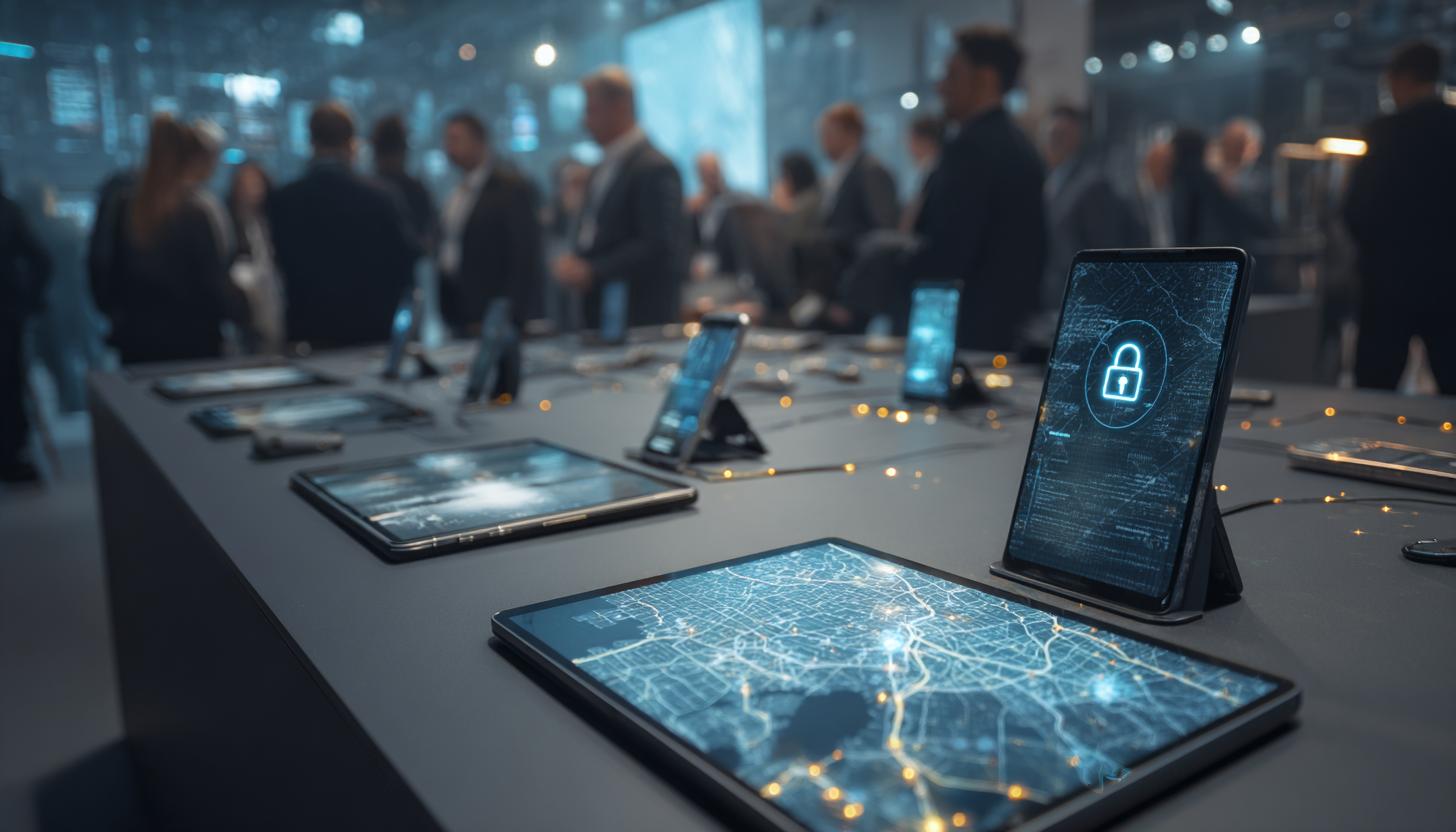
Theft Protection for Rental Smartphones & Tablets at Events: Device Security, Tracking, MDM, and Apple/Android Features
Whether it’s a trade show, roadshow, conference, promotional event, training session, or corporate event: Rental smartphones and tablets will be an integral part of professional event formats by 2026. They serve as check-in devices, scanners, voting terminals, lead capture tools, POS terminals, digital catalogs, or mobile presentation platforms. At the same time, as the number of devices in use increases, so does the risk of loss, theft, tampering, and unauthorized access.
The conditions are particularly challenging at events. Large numbers of people move through open spaces in a short period of time. Service providers, hostesses, sales teams, guests, and technical staff use devices simultaneously or one after another. Add to that hectic setup changes, shifting locations, and tight time frames. That’s why theft protection for rental smartphones at events isn’t a minor issue—it’s a central component of any professional device planning strategy.
It is crucial not to view theft protection merely as a physical security measure. Modern security encompasses multiple layers: organizational processes, hardware protection, tracking, mobile device management, user control, Apple and Android security features, network strategies, and a well-organized device distribution process with clear lines of responsibility. By intelligently combining these areas, you can significantly reduce risks while protecting data, project workflows, and investments.
Why Rented Devices Are Particularly Vulnerable at Events
Unlike in a typical office setting, rented devices at events are often in an open environment that’s difficult to monitor. Many devices look identical, are used temporarily, and are regularly passed from person to person. High-end smartphones and tablets, in particular, are attractive targets for spontaneous theft. Even more problematic, however, is that it’s often not just the device itself that’s at risk, but also sensitive content such as attendee data, access to event platforms, CRM information, email accounts, trade show data, or internal app configurations.
The risks can be divided into four typical categories: physical theft, accidental loss, intentional tampering, and unauthorized access. In practice, damage often results from a combination of these factors. A tablet left unattended may initially appear to have simply been misplaced, but later it may be used without authorization, reset, or removed from inventory.
- Open event spaces: Trade shows, conferences, and promotional events offer many opportunities for unnoticed theft.
- Large number of devices: The more identical devices there are on site, the more difficult it becomes to identify them on the spot.
- Changing users: Hostesses, agencies, sales representatives, and visitors sometimes use devices only briefly.
- Time pressure: Setup and takedown phases are particularly prone to losses and missing documentation.
- Attractive hardware: The latest iPhones, iPads, Samsung Galaxy Tabs, and other business devices have high resale value.
The Basics: A Security Strategy Rather Than a Single Measure
An effective security strategy cannot be achieved with a single app or a single lock. Anyone who wants to professionally secure event devices should implement a multi-tiered model. This includes selecting the right devices, a preconfigured MDM, restricted user rights, unique identification, issuance processes, location tracking, remote locking, and appropriate Apple or Android security options.
For B2B customers, working with a specialized rental company is particularly beneficial. This is because rental devices can be configured to a standardized setup even before delivery. For example, anyone looking to take advantage of Apple iPhone rental services or Apple iPad rental services for large-scale rollouts benefits greatly when the hardware is delivered not only ready for use but also fully secured and properly configured.
Physical Device Security at the Event
Physical security measures are the first visible line of defense. While they do not prevent every theft, they significantly raise the barrier to theft and provide control in open environments. The appropriate solution depends on the specific scenario. Different measures are appropriate for permanently installed check-in stations or kiosk systems than for mobile sales or service devices.
For fixed installations, anti-theft devices for stands and mounts, secure tablet stands, table mounts, and steel cables have proven effective. For freestanding phones, on the other hand, specialized solutions for preventing smartphone theft are recommended. For tablets used in self-service or counter scenarios, a suitable tablet anti-theft device is also recommended. For mobile applications, organizational measures remain crucial, such as carrying procedures, shift handoffs, assigning responsibility for devices to specific individuals, and numbered return processes.
| Deployment Scenario | Recommended Safety Measure | Benefits |
|---|---|---|
| Check-in Counter | Lockable mount, cable lock, kiosk mode | Protection against accidental removal and incorrect operation |
| Trade Show Booth Consulting | Device labeling, staff assignment, short leash, or carrying system | Improved tracking during ongoing operations |
| Self-Service Terminal | Tablet stand with lock, hardwired power, app restrictions | Reliable operation even with high visitor traffic |
| Roadshow Field Deployment | Rugged Case, Lockable Carrying Cases, MDM, Tracking | Enhanced security when moving locations |
| Backstage or storage area | Inventory, lockable loading carts, documented distribution | Supervision during setup and takedown |
Tracking and Recovery: What’s Truly Feasible Today
By 2026, tracking features will be standard on modern devices. Nevertheless, it’s important to understand what tracking can and cannot achieve in the context of events. Tracking is no substitute for prevention, but it does support a rapid response in the event of loss. It is particularly effective when rental devices are properly integrated into a management and security plan in advance.
Apple devices can be secured using the familiar network-based location tracking features and managed device options. Android manufacturers and enterprise platforms also offer find features, MDM-supported location queries, and policies for locking or wiping devices. In the B2B environment, however, it is not so much the personal user features that matter as professional device management by the lessor or the IT administrator.
It is important to have realistic expectations. Location tracking depends, among other things, on connectivity, device status, activated services, and administrative permissions. In exhibition halls with variable network coverage or when devices are turned off, the location cannot always be determined in real time. Nevertheless, a current or last known location is often valuable for distinguishing between simply misplacing an item and actual theft.
MDM as a Key Tool for Securing Rental Smartphones and Tablets
Mobile Device Management (MDM) is the most important technical tool for professional theft protection in the event industry. MDM allows devices to be centrally configured, monitored, and—in an emergency—locked or reset. At the same time, a rental provider can ensure that all devices are delivered with identical rules, apps, and restrictions. This saves time and enhances security from the moment the device is first turned on.
Features such as Single-App Mode, Kiosk Mode, disabling unwanted settings, blocking app installations, restricting Bluetooth or hotspot use, passcode requirements, geofencing, remote lock, and selective or full wipe. This prevents devices from being used outside the event’s intended scope or for personal purposes.
Another advantage: MDM provides transparency. Project teams can view device status, battery level, recent connections, configuration, and—within permitted limits—location data. For large fleets, this overview is crucial for quickly identifying irregularities. For companies that regularly use rental devices, this is often the difference between controlled operations and unmanaged device chaos.
Apple Security Features for Event Rental Devices
Apple devices are popular in the event industry because they are powerful, reliable, and easy to manage. Several layers work together to provide theft protection. Automated registration and management are particularly crucial in a corporate setting. This allows iPhones and iPads to be integrated into a management environment in advance, ensuring that policies, locks, and profiles are reliably rolled out.
For many event scenarios, supervised mode combined with single-app use is particularly useful. For example, anyone who needs compact check-in or lead-capture devices can take advantage of iPhone 16e rental specifically for this purpose and run it in managed event mode. For registration areas, hospitality, or digital product presentations, there is also the option of iPad rental for 11 inches, which launches directly into the required app and does not allow for unrestricted use. For higher-end presentation or consultation areas, an 11-inch iPad Air M3 is often a suitable choice when performance and display quality are key considerations.
In addition, features such as AirDrop, App Store access, switching accounts, or changes to network settings can be restricted. If a device is stolen, it can be remotely locked or wiped. When combined with activation protection and managed corporate processes, reselling the device to third parties becomes significantly less attractive.
Controlled usage scenarios can also be implemented for shared iPads in training, hospitality, or registration environments. It is important to maintain a clear separation between event operations and any personal accounts. Rental devices should always be operated without the users’ personal Apple IDs.
Android Security Features for Event Rental Devices
Android has evolved significantly in the enterprise sector and, as of 2026, offers highly sophisticated security options for rental devices. Android Enterprise, in particular, is relevant for B2B rentals. It allows smartphones and tablets to be operated as fully managed devices, dedicated devices, or in specialized kiosk scenarios. This flexibility is a real advantage for event projects.
Dedicated Device Mode is particularly useful for scanning, lead generation, sales support, or mobile presentations. It restricts usage to specific applications and prevents users from changing settings or using the device for unintended purposes. Especially when using Android tablets at trade shows or roadshows, it can make sense to consider a Samsung Galaxy Tab S10 FE rental if a modern, manageable device is needed for kiosk, service, or consulting applications.
On Android, too, remote lock, password policies, app control, Wi-Fi settings, and location features are key components of theft protection. When used in conjunction with a professional MDM solution, Android can therefore be just as robust a security platform as iOS or iPadOS.
Protect Data, Not Just Hardware
A common misconception is to define the damage solely in terms of the device’s value. In many event projects, the potential loss of data is significantly more critical than the stolen hardware. Depending on their use, rented smartphones and tablets may contain, for example, participant lists, schedules, CRM records, product documentation, sales information, price lists, or access credentials to closed systems.
That is why every security strategy should also be designed with data protection in mind. This includes encrypted devices, short automatic screen locks, strong passcodes or biometric authentication for authorized users, limited local data storage, secure Wi-Fi profiles, and, whenever possible, cloud-based event data rather than locally stored data. In many scenarios, it makes sense to cache data only temporarily or to automatically delete it at the end of a session.
- The principle of minimalism: Install only the apps and data that are truly needed for the event.
- Clear Roles: Sales, IT, hostesses, and back-office staff should be assigned different access rights.
- Remote actions: Locking, logging out, or deleting data must be possible immediately in an emergency.
- No personal accounts: Rented devices should always be operated as controlled company devices.
- Clean reset: After the event, data must be securely removed and devices must be re-provisioned.
Organizational Measures: Often Underestimated, but Extremely Effective
Even the best technical safeguards are of limited help if on-site processes are lacking. At events in particular, most problems arise not because of a lack of technology, but because of unclear responsibilities. That’s why every project should include a defined process for issuing and returning devices. Even simple measures such as personalized handoffs, signatures, serial number assignment, and return checks significantly reduce the risk.
Equally helpful are loading and storage areas with restricted access, inventory lists for each shift, and an emergency procedure for reporting losses. Ideally, every team member knows who to contact in an emergency and what steps to take immediately. The faster the response, the greater the chance of recovering the data or, at the very least, limiting any potential data loss.
What role does a specialized rental company play
? For companies and agencies, it is rarely cost-effective to set up all these aspects from scratch in-house for every event. An experienced B2B rental company specializing in mobile devices offers clear added value here. Not only can they supply the appropriate hardware, but they can also provide preconfigured security profiles, MDM integration, kiosk setups, device labeling, accessories for physical security, and standardized rollout processes.
Added to this is operational reliability. When equipment arrives ready for use, branded, inventoried, and secured, the on-site workload is significantly reduced. This is especially true for projects involving a large number of devices, multiple locations, or short-notice requirements. Customers benefit from predictable technology, reduced risk, and faster commissioning. Anyone who regularly organizes events should therefore specifically rely on rental partners who view security not as an add-on, but as an integral part of their service offering.
A good venue provider also helps you choose the right level of security. Not every project requires the same level of protection. A closed workshop may require different measures than an international trade show open to the public. The key is to strike the right balance between security, user-friendliness, and the event’s objectives.
Best Practices for Trade Shows, Roadshows, and Corporate Events
In
practice
, a combination of pre-configured equipment and clear processes has proven most effective. Devices should be fully configured, numbered, and tested before delivery. On site, they should be clearly assigned to either a specific person or a specific station. Avoid leaving equipment unguarded without assigning responsibility for it. When equipment is in close proximity to the public, kiosk mode and physical security measures are particularly important. For mobile teams, assigning equipment to specific individuals is the key element.
For larger projects, a centralized dashboard that provides an overview of all rented devices is recommended. This allows you to quickly identify anomalies, such as devices that are offline, unusual movement patterns, or units that haven’t been checked back in. For organizations with a large number of smartphones and tablets in use, this not only saves a lot of stress but often results in direct cost savings as well.
FAQ
What’s the best way to protect rental smartphones from theft at events?
The most effective approach is a combination of physical security measures, MDM, kiosk or single-app mode, location tracking, user assignment, and documented issuance. Individual measures alone are usually not enough.
Are iPhones more secure than Android devices for event rentals?
Both platforms will offer robust security features in 2026. What matters most is not the operating system alone, but rather professional management, proper configuration, and the appropriate mode of use.
Can a stolen rental tablet be tracked?
Yes, it is often possible to track it or at least determine its last known location. This requires that certain features be enabled, that there is sufficient connectivity, and that the device is properly managed. However, there is no guarantee of real-time tracking.
What specific benefits does an MDM offer for event use?
An MDM enables centralized configuration, app management, device locking, location tracking within permitted limits, remote lock, data wipe, and uniform security policies. This is especially essential when dealing with a large number of devices.
Why does it make sense to work with a specialized rental company?
Because the equipment can be delivered already preconfigured, secured, inventoried, and ready for use. This reduces risks, saves time, and significantly increases operational reliability at the event.
Conclusion
: When it comes to theft protection for rental smartphones at events in 2026, it’s about much more than just locks or cables. Anyone who professionally deploys rental smartphones and tablets at events should take a holistic approach to security. This includes physical security measures, MDM, location tracking, Apple and Android Enterprise features, data protection, clear processes, and a reliable operational partner.
For B2B event organizers, agencies, and companies, preparation is the key to success. The better devices are configured, restricted, labeled, and incorporated into the organizational plan before the event, the lower the risk during live operations. And this is precisely where the advantage of a specialized rental service in the mobile device sector becomes apparent: It provides not only hardware, but also a ready-to-use, secure, and scalable solution for day-to-day professional event operations.
If you need to use smartphones or tablets for trade shows, conferences, roadshows, or internal events, it’s worth asking not only about availability but also about the overall security plan. By using rental services wisely today, you’ll protect not only your devices but also your data, your processes, and the success of the entire event tomorrow.
Read more - You may also be interested in
Would you like to delve deeper into the topic or discover similar content? Below, we have compiled three additional articles for you that are thematically related to this article. These may also be relevant and interesting for your company.

Leasing Solutions for Businesses
Rental vs. Buying Trade Show and Event Hardware: Costs, Flexibility, and Typical Setups for Businesses
Rental of trade show and event equipment instead of buying it: Cut costs, stay flexible,
Sep

Leasing Solutions for Businesses
Bring-Your-Own-Device vs. Rented Devices: When Each Strategy Is Worth It for Doctoral Programs
BYOD or Rented Devices? 📱 Find out which strategy is best for promotions in 2026—considering
Aug

Leasing Solutions for Businesses
TV/Display Rentals for Trade Show Booths & Events: Resolution, Mounts/Stands, Setup & Data Protection
TV and Display Rentals for Trade Show Booths and Events: Tips on resolution, mounts, stands,
Aug

Guide
Transfer Data Quickly Between PCs Without a USB Drive: Simple Methods for Event Teams
Transfer data quickly between PCs without a USB drive: simple, secure methods for event teams—from
Aug

Technology Trends
EUDI Wallet & Digital Identities: Potential Applications for Check-In, Access Control, and Verification at Events
EUDI Wallet at Events: Digital identities for fast check-in, secure access control, and reliable verification.
Aug

Sustainability
Making Packaging & Logistics Sustainable: Reusable Shipping Containers, Return Shipping Processes, and CO2 Reduction
📦 Making Packaging & Logistics Sustainable: Reusable shipping boxes, efficient return processes, and lower CO₂
Aug

Technology Trends
5G & Alternative Event Internet: Wi-Fi/5G Setup, VoWiFi, and Stratospheric Internet—What’s Realistic?
A Look at Internet for Events in 2026: 5G, Wi-Fi Setup, VoWiFi, and Stratospheric Internet.
Jul

Guide
Secure Wi-Fi on the Go & at Events: Which Smartphone/Hotspot Features You Should Disable and Why
Secure Wi-Fi on the Go & at Events: These Smartphone & Hotspot Features You Should
Jul